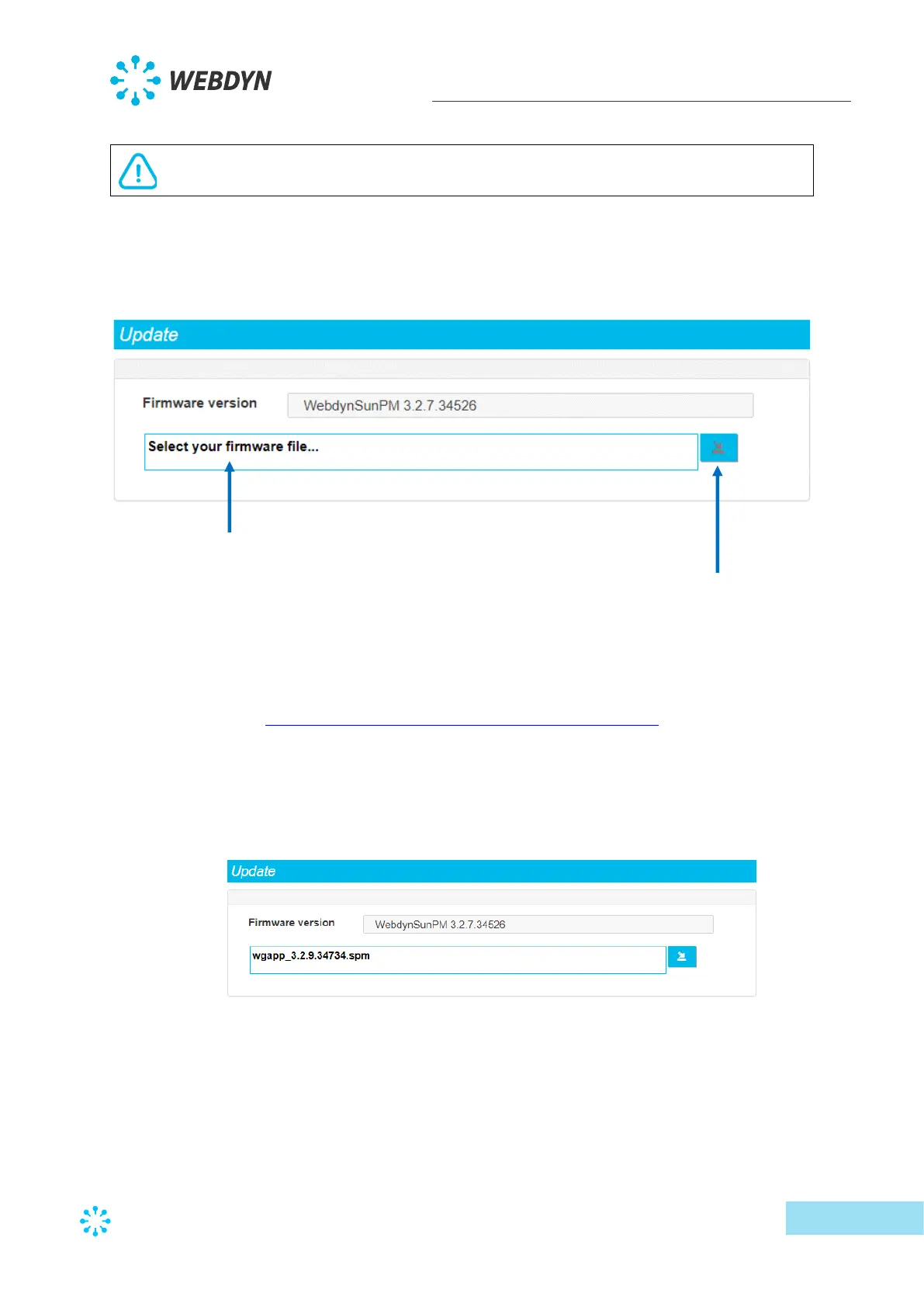
3.2.3.2 Update
The web interface “Update” menu is used to update the concentrator.
Follow the steps below to update the the concentrator:
1 Retrieve the firmware from the web site (see section 5: “Update”):
https://www.webdyn.com/support/webdynsunpm/
2 Unzip the retrieved file,
3 Click the “Select your firmware file” field. A window opens used to select the new
firmware,
4 Select the “wgapp_x.x.x.xxxxx.spm” firmware that has a “.spm “ extension
5 Press the “Download and apply the new firmware” button.
6 Follow the update progress in the window that opens:



 To Next Page