USER MANUAL – WebdynSunPM
Version 2.05
préliminaire
This process allows the remote server to easily differentiate between files being uploaded and
files that are completely uploaded.
File formats:
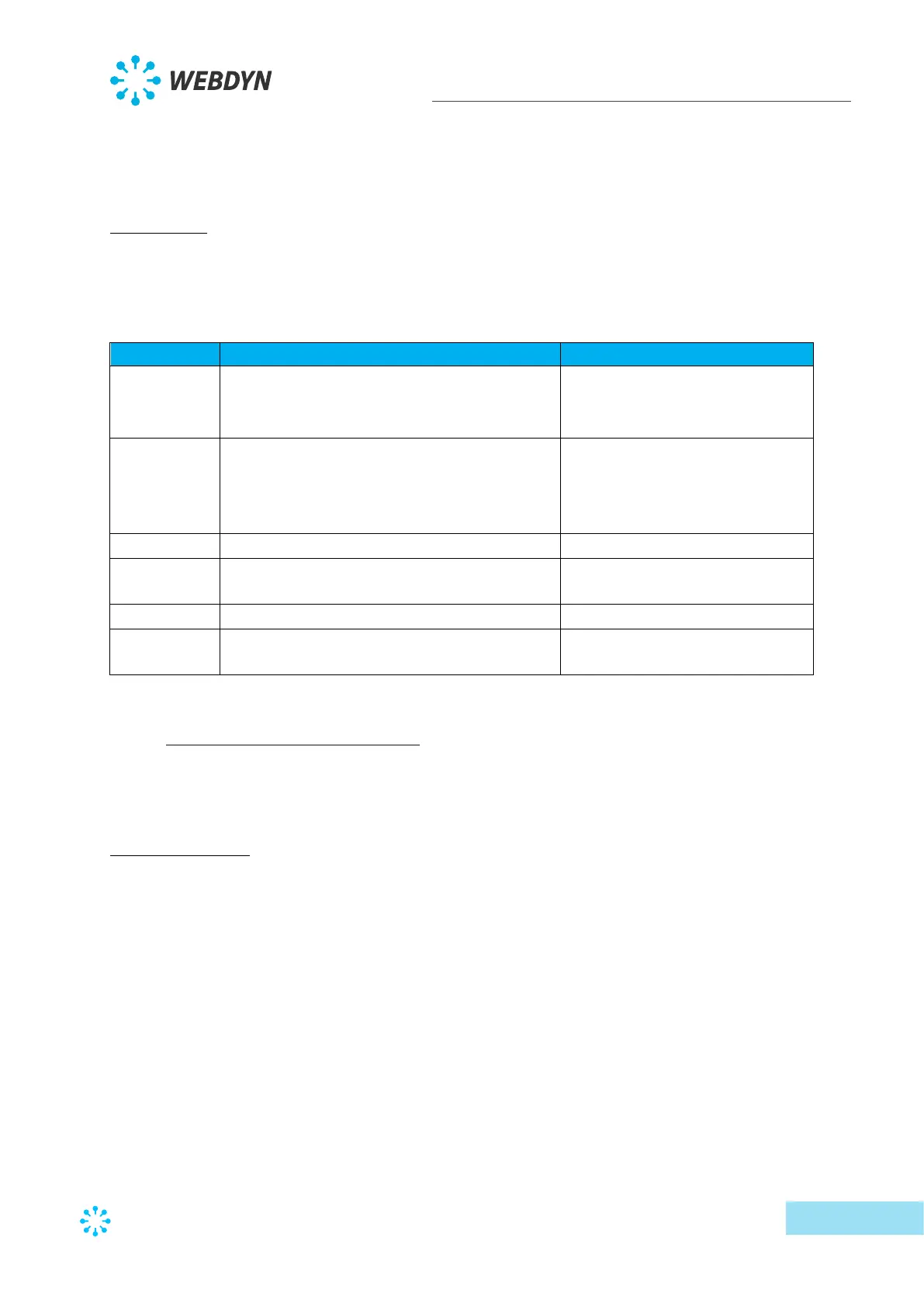
The concentrator manages different formats depending on the file type. They can be grouped
by extension:
• Concentrator configuration file
• Connection schedule file
• Data file (compressed)
Configuration file in a data
format
• Connection interface file
• Device definition files
• Command file
• Alarm file
Delimited data file in the form
of semi-colon delimited values.
(easy to use with Excel type
spreadsheet software)
PEM format certificate allowing
connection to a secure server.
Package containing all the
update files
4.1.1 The configuration “CONFIG”
The concentrator can receive remote configurations in configuration files or from text
messages.
Configuration file:
The WebdynSunPM concentrator needs 4 types of configuration file in text and CSV format.
The files names are the following:
<uid>_config.ini
<uid>_daq.csv
<uid>_var.ini
<uid>_scl.ini
Where <uid> is the concentrator identifier.



 To Next Page