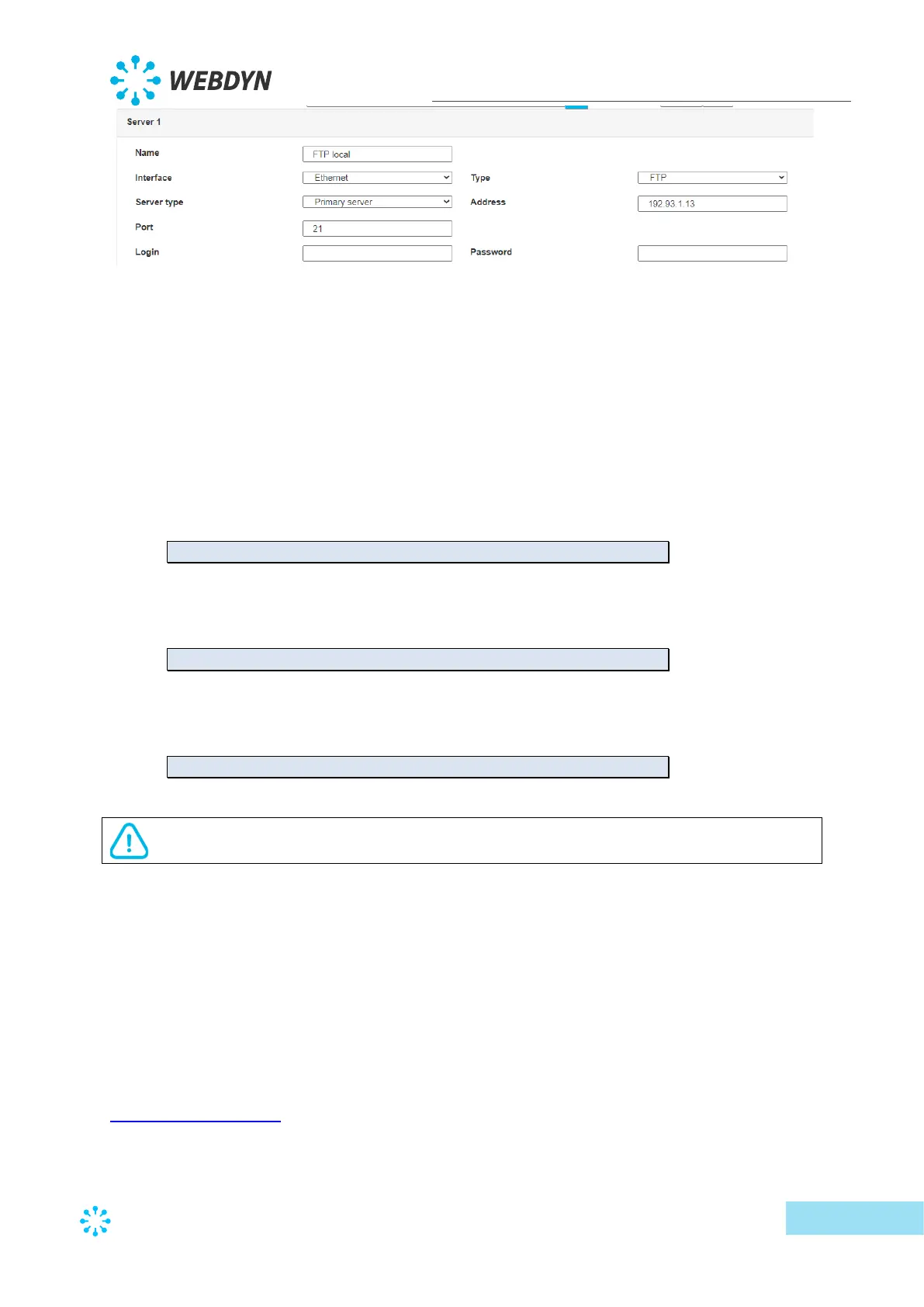
Therefore the following fields need to be configured: “Interface”, “Type”, “Server type”,
“Address”, “Port”, “Login” and “Password”.
The other fields can be left at the default values subject to the directories having been
properly created beforehand. See section 3.1.2: “Configuration files” for more details.
• Text message configuration:
Text message configuration requires sending the following commands:
o Apn: to configure the SIM card APN. (see section 3.3.2: ““apn” modem
configuration command)
apn <apn> <login> <password>
o Ftp: to configure the FTP server that will contain the concentration
configuration (see section 3.3.3: ““ftp” FTP configuration command”).
ftp <server> <login> <password> <port> <interface>
o Connect: to launch the connection to the FTP server and load the configuration
(see section 3.3.1: ““connect” connection command
connect <connection>
For text message configuration, do not add spaces between the parameters. The
syntax must be strictly identical.
What are the FTP server access identifiers?
Access to the FTP server depends on the selected solution.
If you have chosen a portal, it will give you the FTP server access identifiers.
If you want to use your own FTP server, contact your network administrator.
For all other configurations, and to determine the best solution, contact the Webdyn sales
department which will advise you and direct you to the relevant contacts:
contact@webdyn.com



 To Next Page