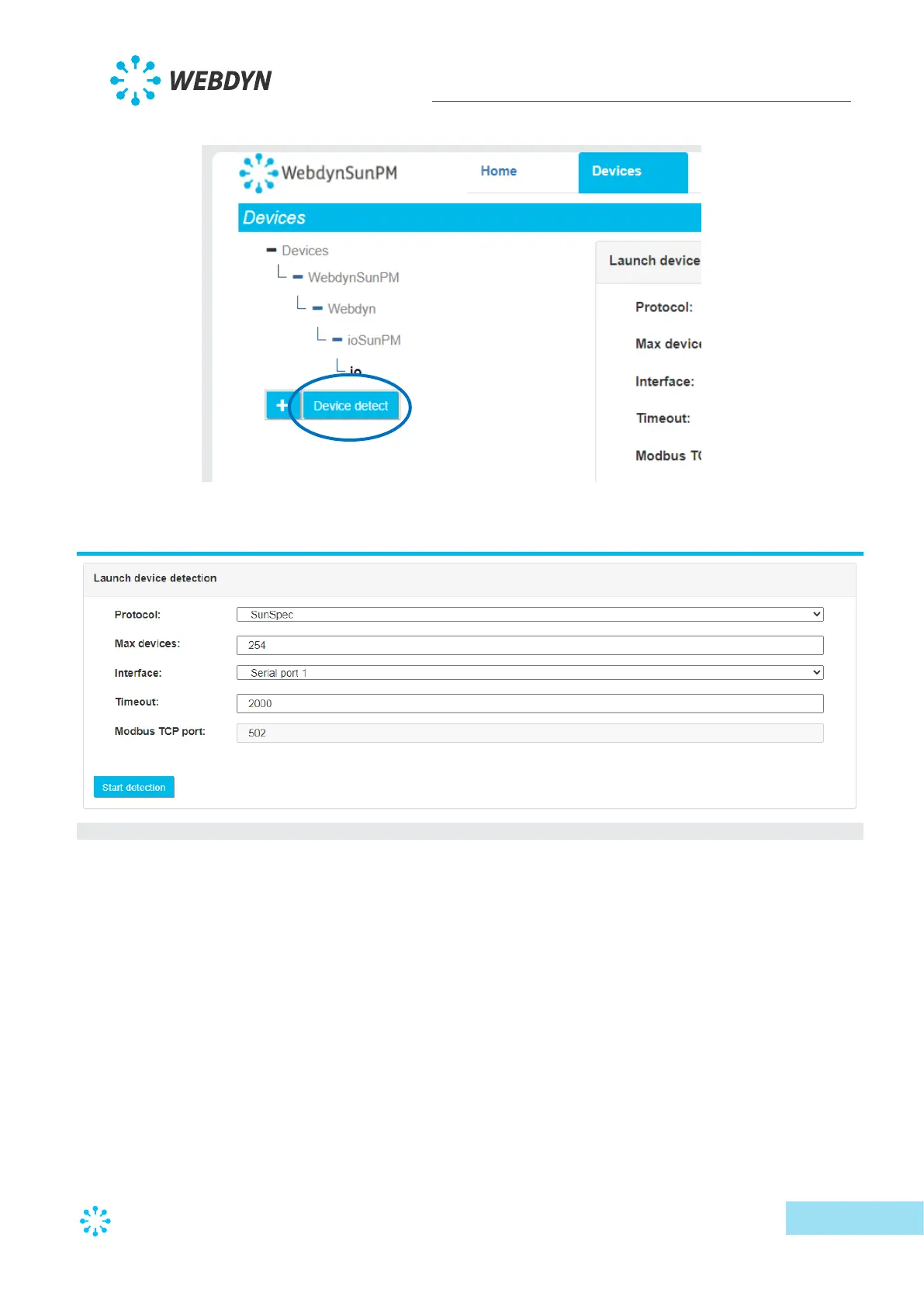
• Go to the device page and click “Device detect":
• The detection page is displayed:
o Select the SunSpec protocol from the drop-down list on the first “Protocol”
field.
o Enter the maximum number of devices to detect in the “Max devices” field.
This can speed up the total detection time. By leaving the default value (254),
all the devices will be polled and all detectable devices will be detected.
o Select the interface to use for detection in the “Interface” field. If the device
responds in modbus TCP, the “LAN port 1” or “LAN port 2” value must be
selected depending on the device IP address and the concentrator IP
configuration.
If the device responds on the serial connection, select the serial connection for
the site installation: “Serial port 1”, “Serial port 2”, “Serial port 3” for
concentrator serial ports 1 to 3.



 To Next Page