Means that table identifier “1” of size “66” registers was detected on the
modbus TCP device at IP address “192.93.121.23” at register “40004” and
modbus address “126”
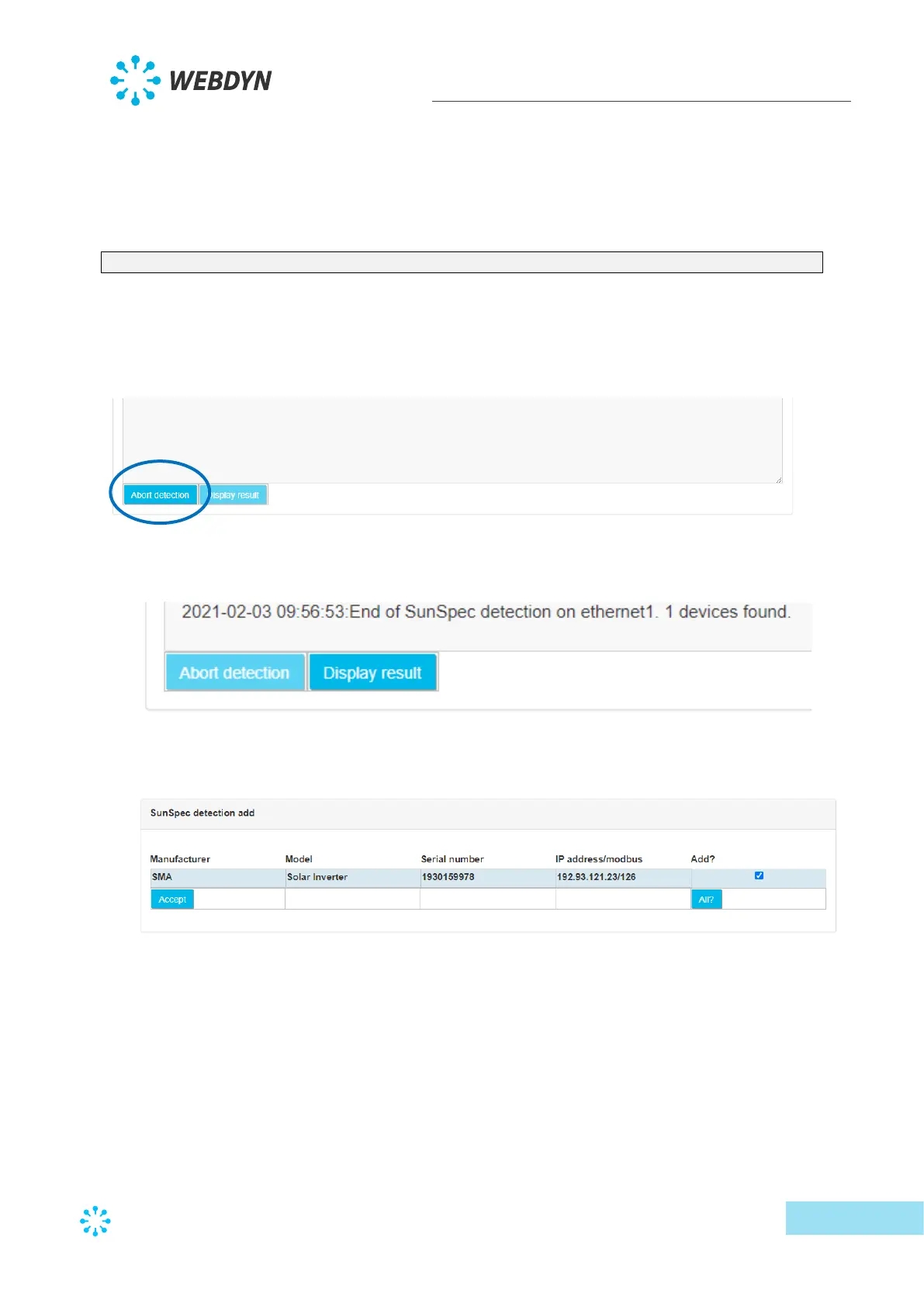
o “End of SunSpec detection” means that SunSpec detection is complete. The line
indicates the number of detected devices:
2021-02-03 09:56:53:End of SunSpec detection on ethernet1. 1 devices found.
SunSpec detection successfully completed on the Ethernet interface. 1 device
was detected.
• It is always possible to interrupt detection by clicking the “Abort detection” button.
• At the end of the SunSpec detection, the “Display result’ button appears and gives
access to the last page:
• The last detection page is used to view all detected devices and eventually to add them
to the configuration.
This screen therefore displays all the detected devices, as well as a certain number of
data read from the SunSpec tables (manufacturer, model, serial number) as well as
their address on the requested interface and their modbus address.
There is also a checkbox at the right to select the devices to add to the configuration.
Note that if the detected device is already part of the configuration, the checkbox is
not checked by default. Otherwise the checkbox is checked for automatic addition.
Once the devices have been selected, a click on the “Accept” button imports the new
configuration to the concentrator and the device appears in the configured devices.



 To Next Page