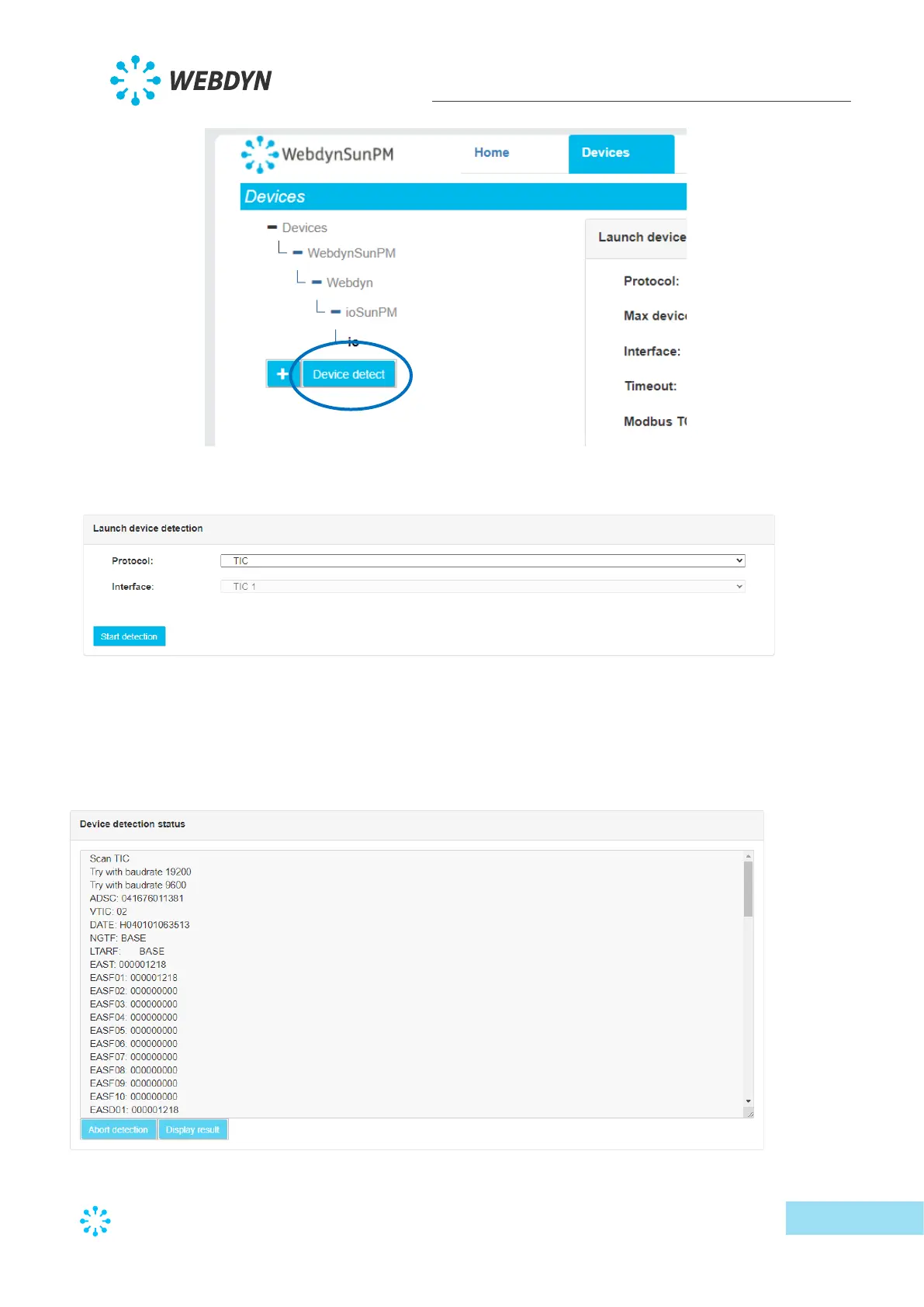
• The detection page is displayed:
o Select the TIC protocol from the drop-down list on the first “Protocol” field.
o The other fields will disappear and only “TIC 1” will be displayed in the
“Interface” field. This field is read-only.
• Then click the “Start detection” button to launch the detection. The progress window
below is displayed:
The detection progress is displayed on the web page. :



 To Next Page