USER MANUAL – WebdynSunPM
Version 2.05
préliminaire
• Pulse B/5V: S0 (see section 2.4.7.2: “Digital ON-OFF/S0 (pulsed)
inputs”)
• Pulse A/24: S0 (see section 2.4.7.2: “Digital ON-OFF/S0 (pulsed)
inputs”)
Input name. This value will be used on the web pages and on the MQTT
servers
The name on the concentrator must be unique
Action associated with the input. The authorised values are:
The possible actions are:
• Ignored: The value will be ignored. The variable is disabled. It will
not appear in the data files
• Instant value: the input is of the instant value type. The data read at
collection time will be stored in the data file using a single field.
• Alarm on change: the input is of the alarm type. When a status
change is detected, an alarm is triggered. The data read at collection
time will be stored in the data file using a single field.
Indicates the “normal” status of this input, namely its standby state. The
possible values are:
• Normally open: the input standby state is 0. When the input is
activated, its value switches to 1.
• Normally closed: the input standby state is 1. When the input is
activated, its value switches to 0.
This difference is used on the web pages for display and in the scripts. It has
no impact on the data files.
Contains an identification making it possible to use the variable in scripts.
(Calculation of totals, issuing of commands to multiple devices, etc.). This
name must be unique to allow unambiguous identification and use in the
scripts.
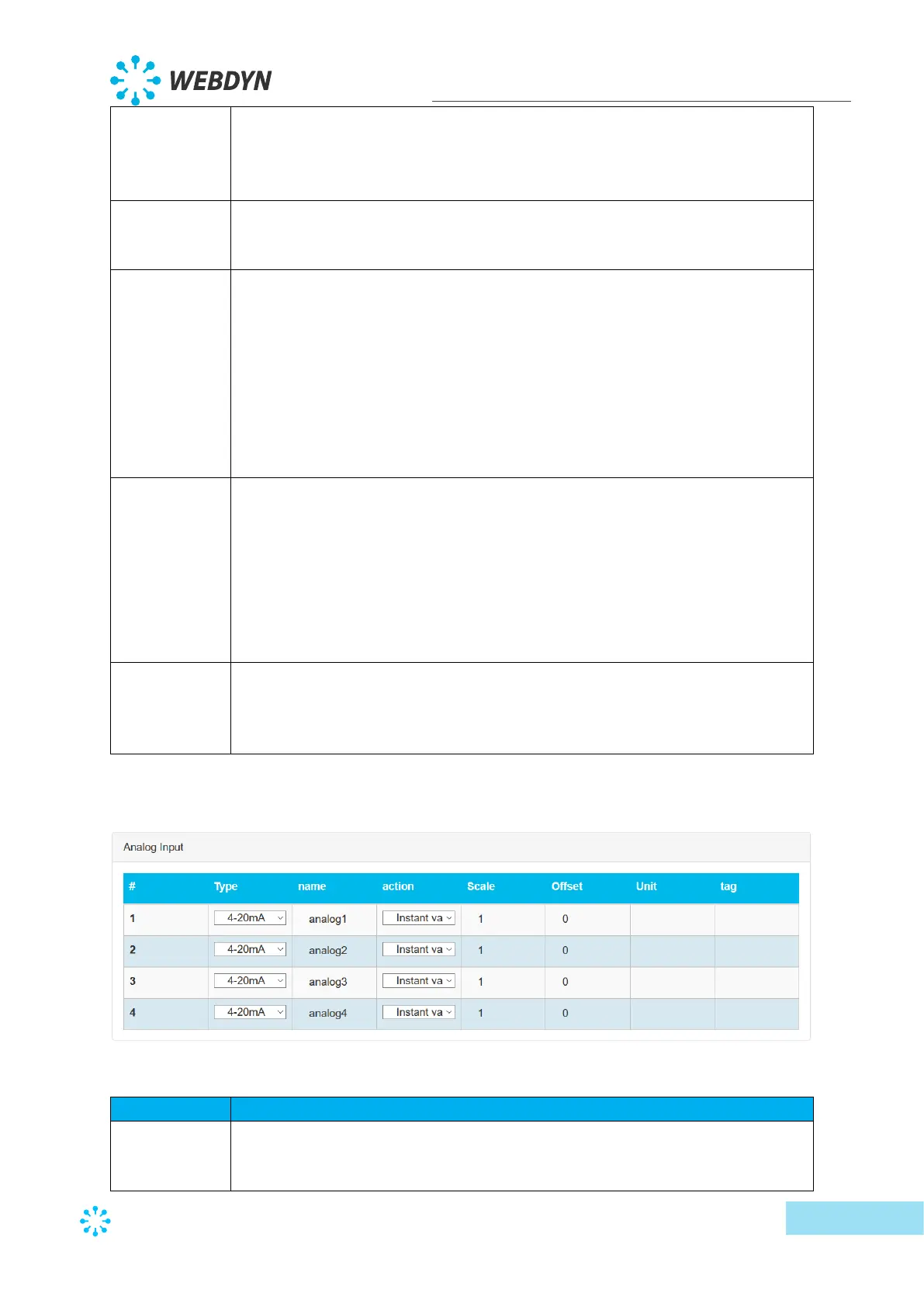
The second part of the input/output edit screen is used to configure the 4 analog inputs:
The fields are:
analog input type.
The authorised values are:
• 4-20mA



 To Next Page