7
7.3 Select Print File
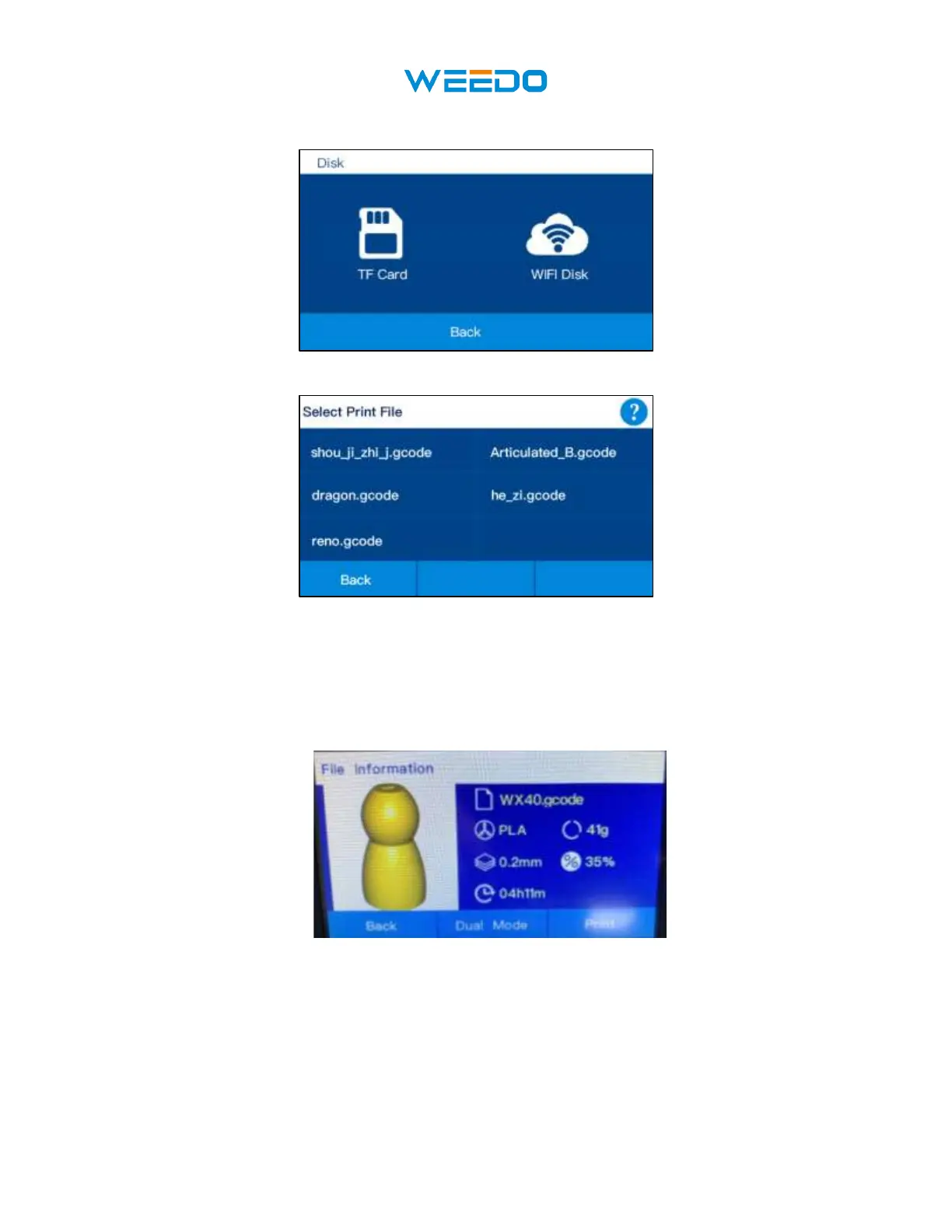
Click TF Card and get into TF Print File Interface, choose the Gcode File in the lists.
◆ Return to the Main Interface by clicking Back icon. Click Next icon to see other files
◆ Click the file you selected, you will see the file information in the (Pic7), the picture of
the file, File name, filament type, layer height, infill, printing time. You can select ‘print’
or choose Dual Mode, after your choose dual mode you can print with duplication and
mirror mode.
◆ Dual Mode interface shows in the below picture.



 To Next Page