24
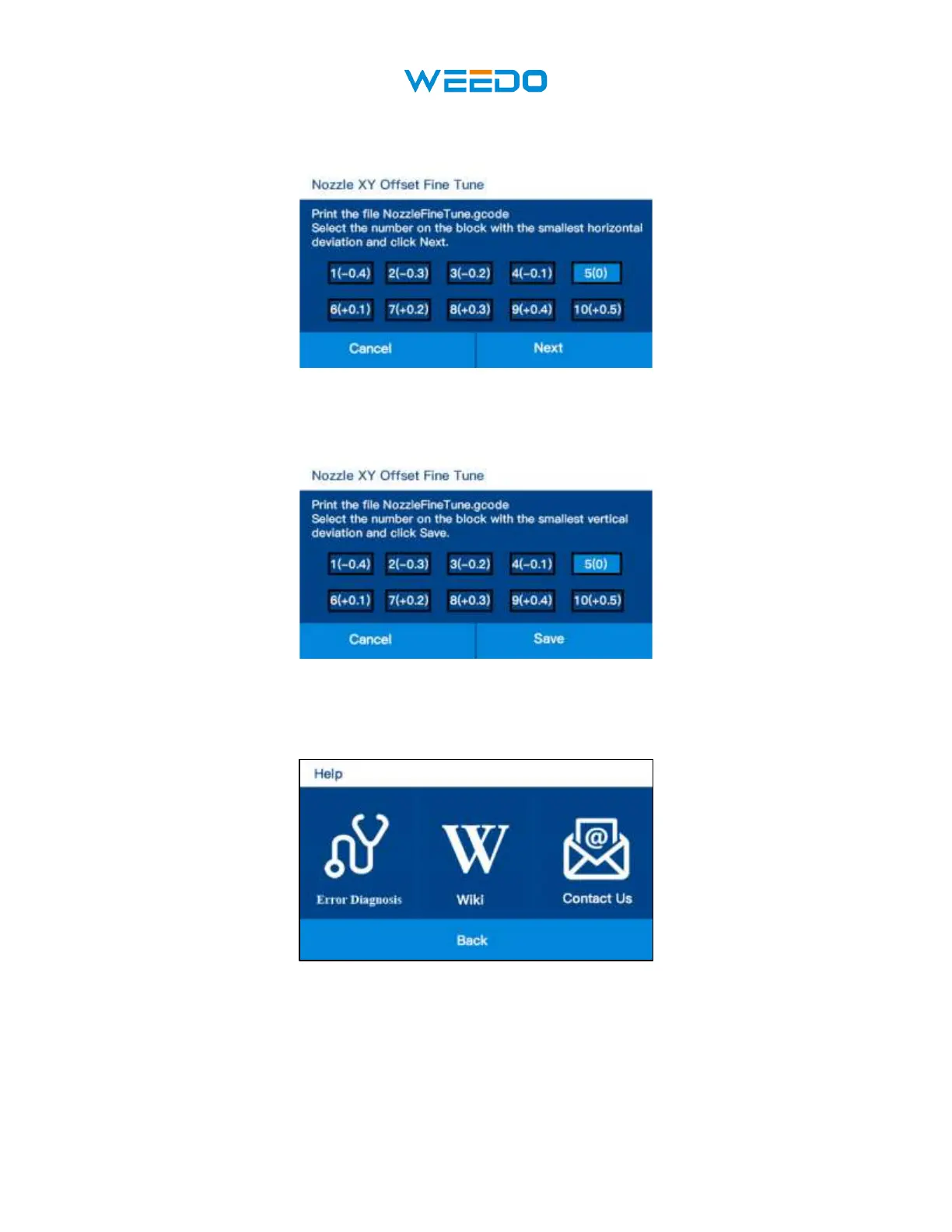
Horizontal direction: from top to bottom, select the test block with the closest overlap of the two
colors in the left and right directions. Choose 5(0) on the model shows.
Vertical direction (front and rear direction): from the top down, select the test block with the closest
overlap of the two colors in the front and rear direction.
Select 2 test block and switch 5 (0) to 2 (- 0.3) and save.
7.8 Help Interface
Click Help icon to enter into Help interface.
• Error Diagnosis: Diagnose equipment failure step by step.
• Wiki: Check our wiki website for this printer
• Contact Us: contact Us through email or website.



 To Next Page