45
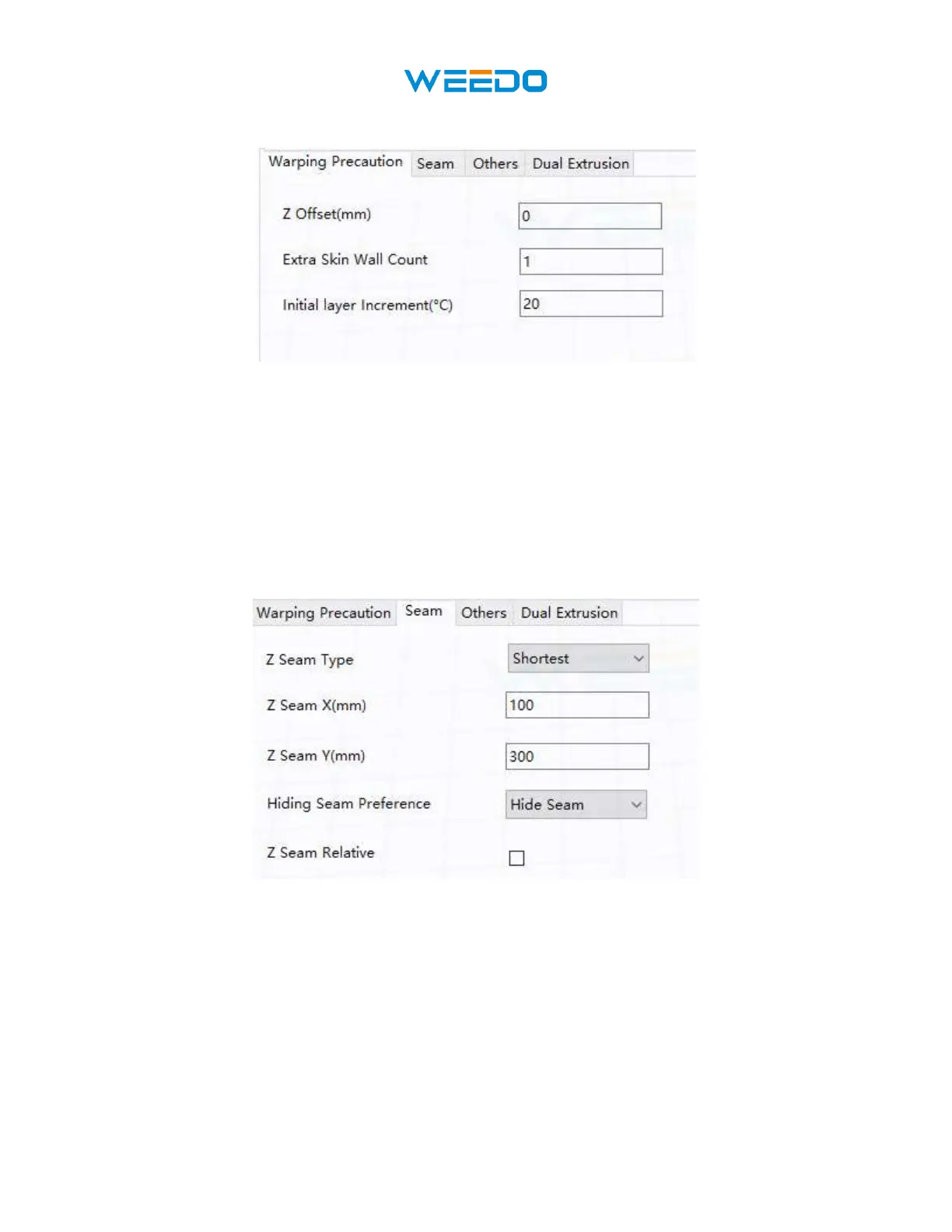
8.13 Warping Precaution Tab
Pic78
• Z Offset (mm): When the Z axis bias is set to negative, the nozzle will print closer to the
build platform, which helps reduce warping on large models.
• Extra Skin Wall Count: This value sets the number of contours on the outer surface of
the model.
• Initial Layer Increment (°C): This value is used to increase the printing temperature of
the first layer, which helps reduce warping on large models.
8.14 Seam Tab
Pic79
Note: The Z Seam is where the printer finishes its motion when printing the skin (outside layer)
of a model. This can result in a small blob or zit where the printer changes the Z height. If in
alignment, there can be a noticeable line up the side of the print, referred to as a Z Seam, because
the filament continues to ooze at the start/stop location. The options on this screen are used to
mitigate this effect.
• Z Seam Type: Determines where the Z Seam will appear.
o Shortest: This option selects the most time efficient start/stop location.



 To Next Page