8
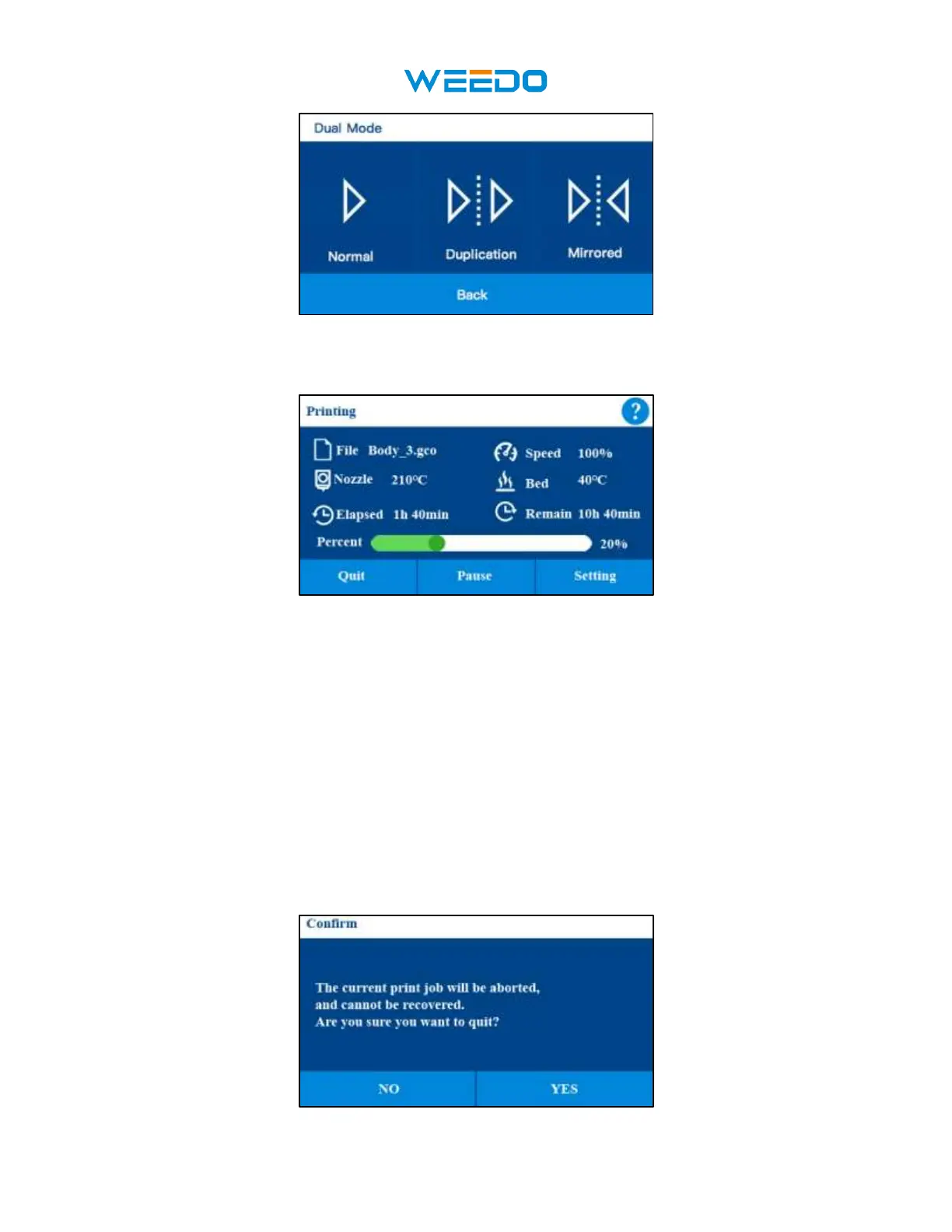
◆ Click the Back Icon to get into the previous interface(Pic6)
7.4 Printing Interface
• The help icon in the upper right corner can help you view a detailed description of the
current interface
• It shows File Name, Printing Speed, Nozzle Temp, Bed Temp, Printing Elapsed
Time, Printing Remain Time, Printing Percent. It can Quit, Pause, and Set the Print
process. File Name shows the currently printed file name, Speed shows the currently
print speed, Nozzle Temp shows the currently printing nozzle temperature, Bed
temperature shows the currently bed temperature. Elapsed time shows the time you have
printed. Remain time shows the printing time left, remaining time is an estimated time,
at the beginning of printing, the estimated time will be less accurate. As the printing
progresses, the remaining time after calculation will become more accurate. Print
progress bar shows the progress percentage of printing.
• Click Quit and cancel the current print process. Click Quit will pop up a prompt window
(Pic8) for operation confirmation to prevent accidental touch to cancel printing.



 To Next Page