eikon e1s
Service and repair guide
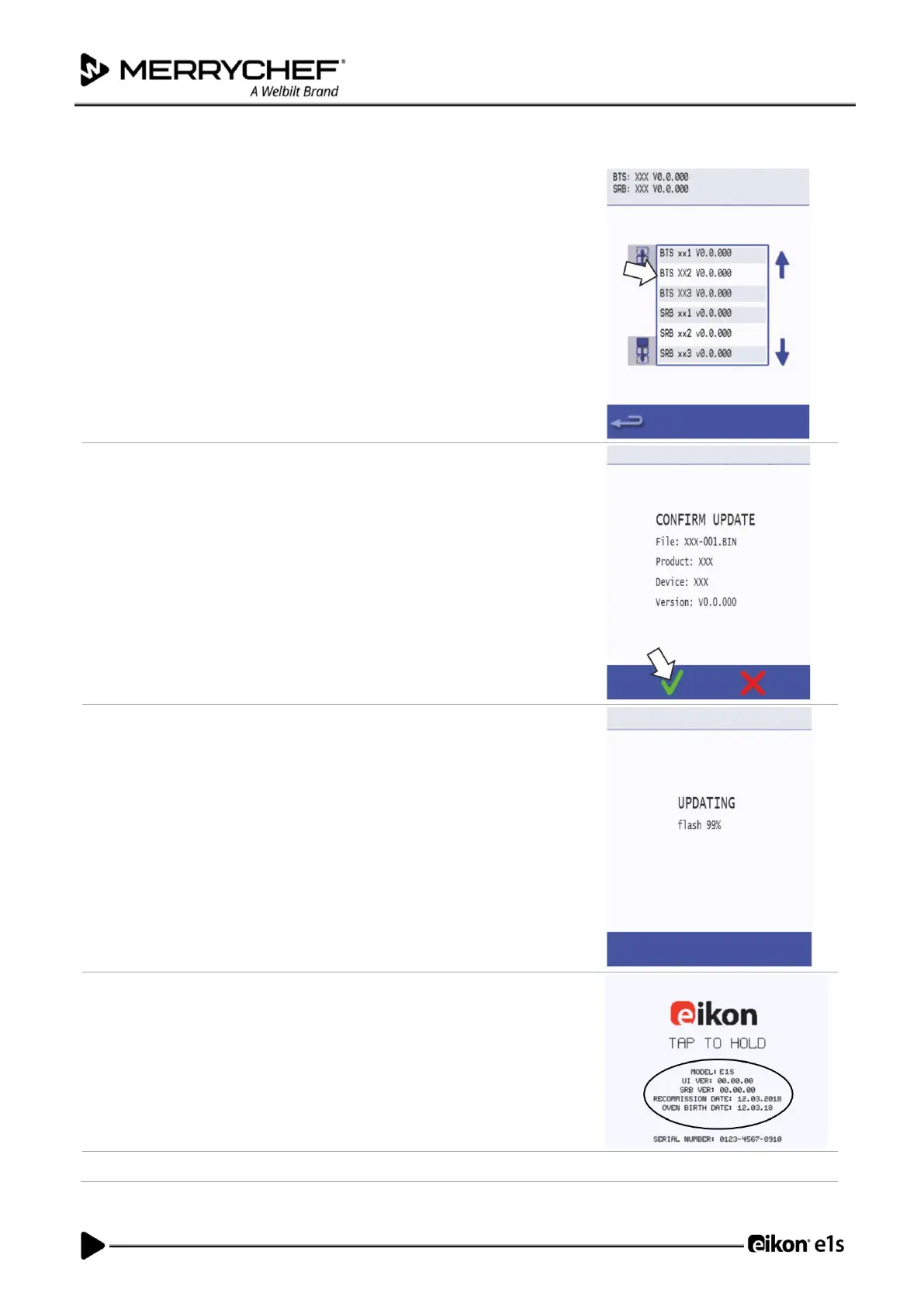
Select the ‘QTS’ file with the correct file version number.
Note: A tinted band over a file name indicates the file is not valid for that
appliance.
Check if the file information shown is correct before selecting OK.
If not, select ‘X’ and locate the correct file.
The file update progress is displayed.
When the QTS download has been completed, the oven will reboot and
display a flash screen as it updates.
At 50%, the cooling fan stops operating, after 100% various screen displays
appear as the software reboots.
Once rebooted, check if the screen shows the correct QTS version.
If not, repeat the process using the correct file.
Remove the USB memory stick and keep it in a safe place.













 To Next Page