Remove the monitor from the stand
1. Disconnect the power cord from the wall.
2. If the system has an APM, disconnect the power and communication cables from
the monitor. If the system has an external power supply, disconnect the power
supply from the monitor.
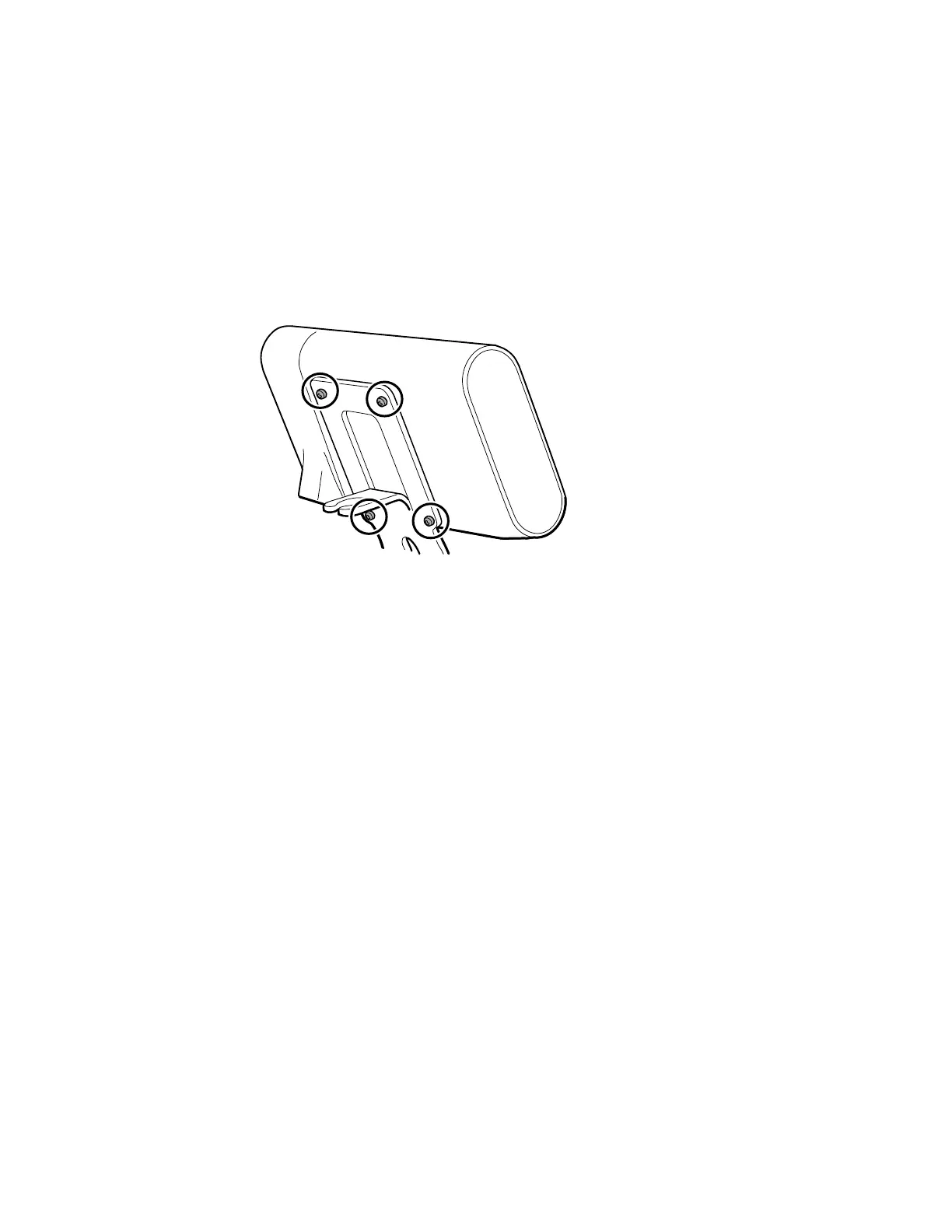
3. Remove the 4 Phillips screws from the back of the stand mount to remove the
monitor from the stand.
Note This artwork features the APM stand. Other stand mounts
look slightly different.
Reassembly notes: Reassembly is the reverse of disassembly.
50
Disassembly and repair Connex
®
Spot Monitor



 To Next Page
 Loading...













