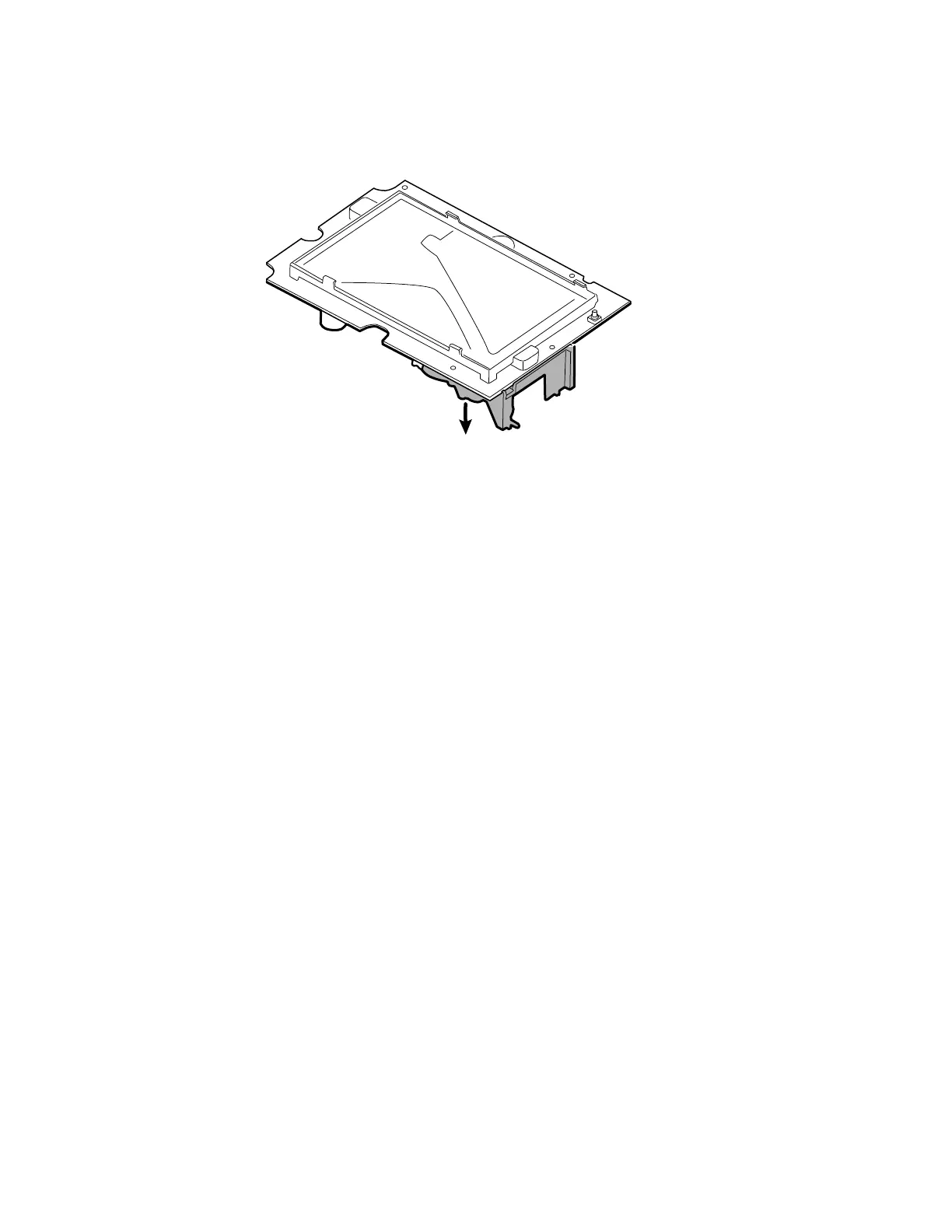
4. Separate the pump assembly from the main PCA board.
Reassembly notes
Kit items:
• 105920, Pump assembly and 2 T-10 Torx screws
Note Reassembly is not the reverse of disassembly.
Attach the pump assembly to the main PCA board
1. Place the pump manifold onto the main PCA board transducer. Ensure that the pump
manifold is fully seated on the transducer.
(See "Remove the pump assembly," step 1.)
2. Connect the pump to the main PCA board.
(See "Remove the pump assembly," step 2.)
3. Turn over the main PCA board.
4. Secure the pump assembly to the main PCA board with 2 T-10 Torx screws (see the
Torque Value Table).
(See "Remove the pump assembly," steps 3 and 4.)
Replace the main PCA board
Replace the main PCA board as needed after removing all other components.
Note New PCA boards must be prepared for first use after installing them.
Perform an NIBP board initialization during the full device functionality and
calbration using the Welch Allyn service tool, Gold edition. See "Initialize
the NIBP board" in the "Full functional verification and calibration" section.
74
Disassembly and repair Connex
®
Spot Monitor



 To Next Page
 Loading...













