4-20
Electrical Shock Hazard
Disconnect power before servicing.
Replace all parts and panels before
operating.
Failure to do so can result in death or
electrical shock.
1. Unplug washer or disconnect power.
2. Turn off the water supply to the washer.
3. Pull the washer away from the wall.
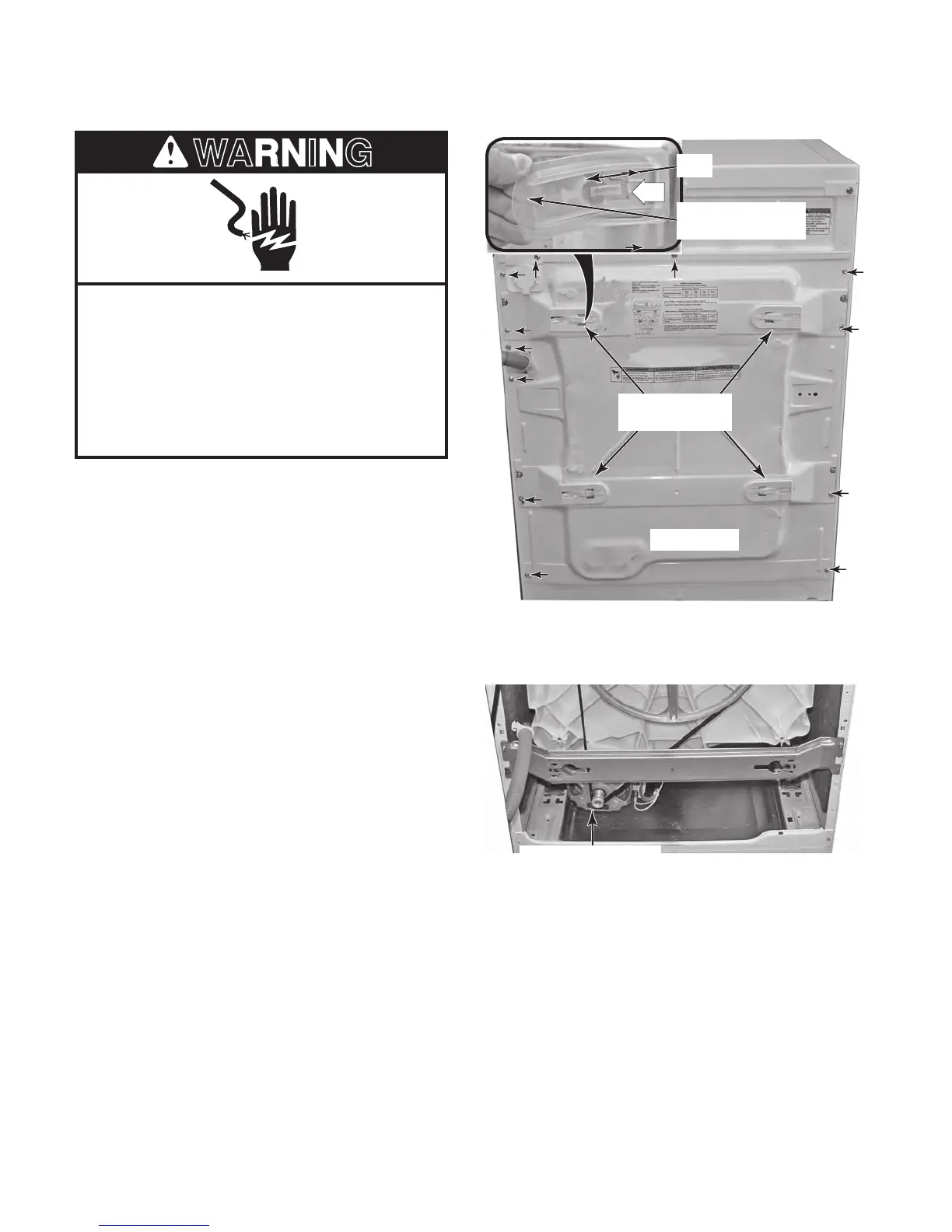
4. Remove the four plastic shipping bolt
hole covers. To remove a cover, lift the
rounded end to unhook the locking tab
from the slot in the chassis, and slide the
cover off the rear panel (see the top right
photo).
5. Remove the hex-head screws (arrows)
from the rear panel.
6. Remove the rear panel.
REMOVING THE DRIVE BELT AND MOTOR
Drive Belt & Motor
Lift Rounded End
& Slide Cover Off
Tab
4 Shipping Bolt
Hole Covers
Rear Panel




 To Next Page