7. Center Information Display (CID)
164
Connection via BluetoothConnection via Bluetooth
─
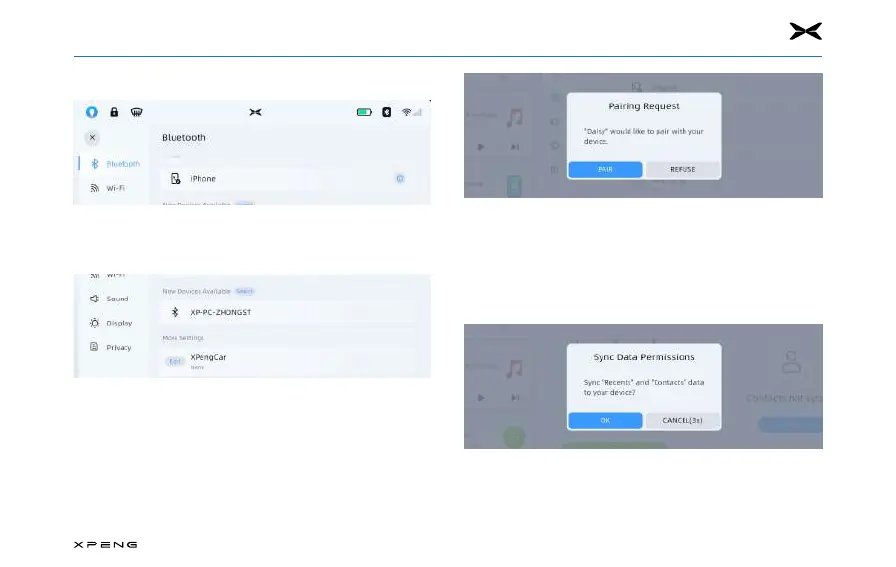
On your phone, enable Bluetooth and set it to be visible.
─
Open System Settings, turn on Bluetooth by tapping the
Bluetooth switch.
─
Tap the "Search" button to search for available devices
nearby.
─
Tap the phone you want to pair, the CID will display a
randomly generated number and your phone will display
the same number.
─
After confirming that the generated numbers are the
same, confirm on your phone that you wish to pair. When
paired, your XPENG vehicle will automatically connect to
the phone.
─
After successfully connecting, the system will actively ask
you if you want to synchronize your contacts. Upon your
consent, the system will automatically import the contact
information.



 To Next Page