User’s Manual 1PH HYD3000-HYD6000-ZSS
Rev. 1.1 16/03/2021
Identification: MD-AL-GI-00
Rev. 1.1 of 16/03/2021 - Application: GID
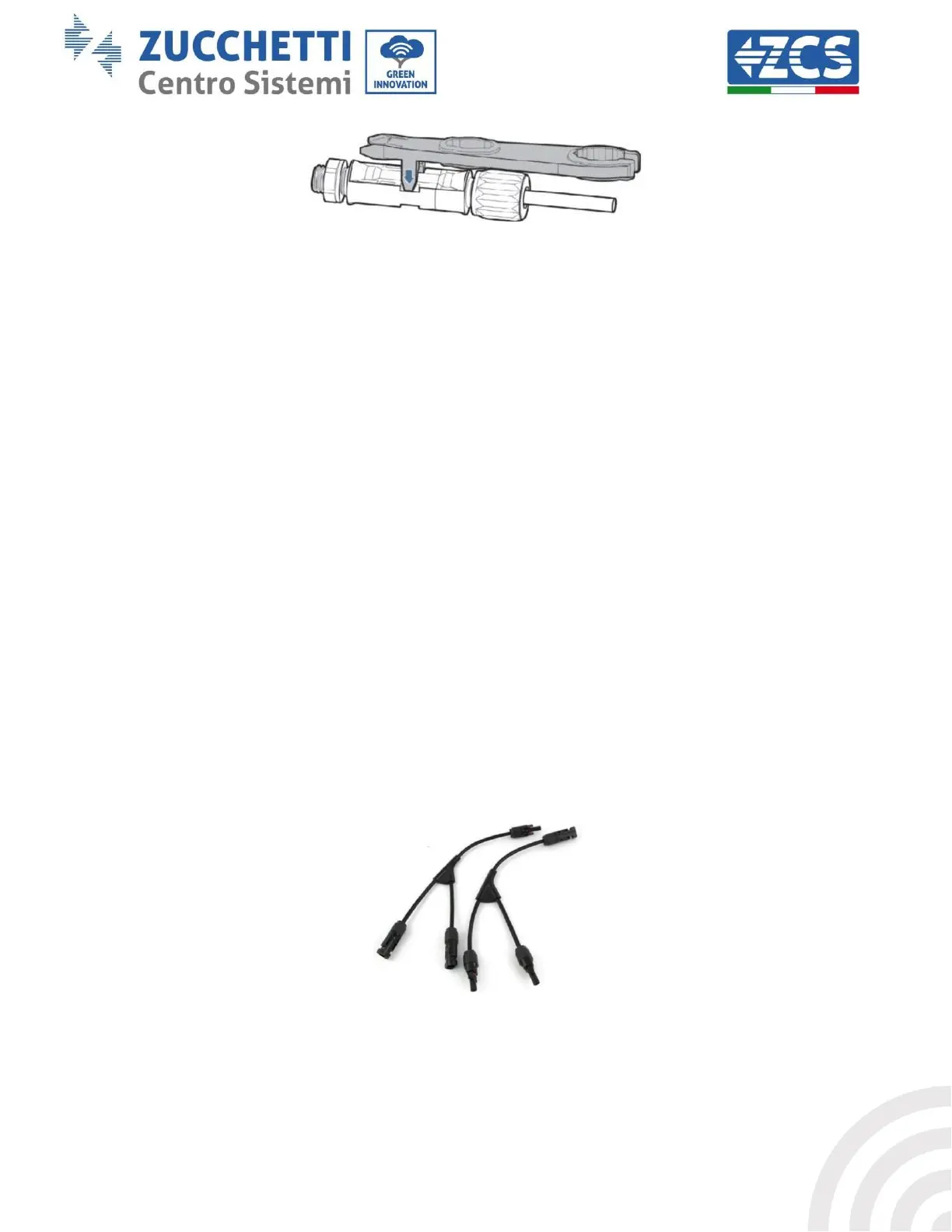
Figure 22 – Disconnecting the photovoltaic connectors
Connect the 1PH HYD3000-HYD6000-ZSS inverter to the photovoltaic strings using the DC input power cables.
Select the input mode: the 1PH HYD3000-HYD6000-ZSS inverter has two MPPTs, which can function either
independently or in parallel. The user can choose the appropriate MPPT operating mode according to the design
of the system.
Independent mode (default):
If the strings are different (e.g. installed on two separate flaps or consisting of a different number of panels), the
input model must be set to “independent mode.”
Parallel mode:
If the strings are connected in parallel, the input mode must be set to “parallel mode.”
Note:
Depending on the type of inverter, select the appropriate inverter accessories (cables, fuse holders, fuses,
switches, etc). The open-circuit voltage of the photovoltaic system must be lower than the maximum DC input
voltage of the inverter. The output voltage of the strings must be compatible with the MPPT voltage range.
The positive and negative polarities of the panel on the inverter must be connected separately. The power cable
must be suitable for photovoltaic applications.
Note:
Both MPPT inputs of the inverter should be populated, even if the system only has one string. If the strings are
arranged in parallel, it is recommended to use a Y or T connection cable to double the input currents from the
PV field and to populate both MPPT inputs of the inverter, as shown in the figure. If the string arrangement is
independent, simply connect the two strings to the two MPPTs of the inverter.
Figure 23 - Y-branch connection cable for solar panels









 To Next Page