User’s Manual 1PH HYD3000-HYD6000-ZSS
Rev. 1.1 16/03/2021
Identification: MD-AL-GI-00
Rev. 1.1 of 16/03/2021 - Application: GID
4.3. Connecting a WeCo battery
4.3.1. Connecting a single battery
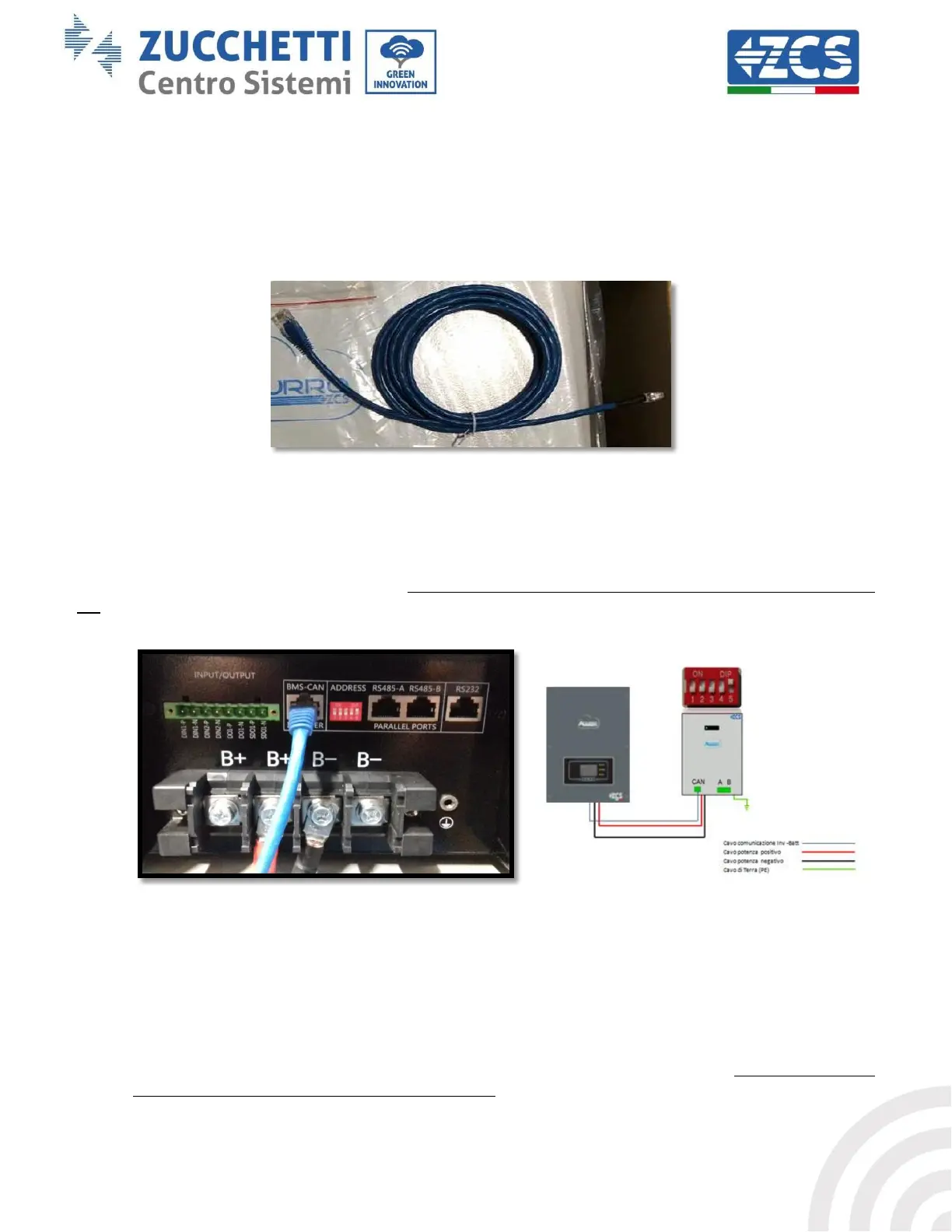
This cable must be connected to the battery by inserting the RJ45 (8 pin) plug into the appropriate
connection:
a. In the case of WeCo batteries, insert the plug into the BMS CAN port of the single battery.
Figure 12 - Communication cable between the inverter and WeCo battery
b. Make sure that the DIP switches are set as shown in the figure.
c. Connect the ground cable to the battery through the threaded hole.
NOTE: To connect the WECO batteries, use the blue or grey communication cable contained in the battery
kit.
Figure 13 - Connecting the communication cable to the WeCo battery
4.3.2. Connecting multiple batteries in parallel
If multiple batteries are present:
a. Check that the batteries have the same voltage level by switching them on and disconnecting them
one at a time, measuring the + and - terminals with the tester. Make sure that the difference between
the voltages of all the batteries is less than 2 Volts.









 To Next Page