User’s Manual 1PH HYD3000-HYD6000-ZSS
Rev. 1.1 16/03/2021
Identification: MD-AL-GI-00
Rev. 1.1 of 16/03/2021 - Application: GID
11. Monitoring systems
11.1. External Wi-Fi adapter
11.1.1. Installation
Unlike the internal Wi-Fi card, the external adapter must be installed for all compatible inverters. However,
the procedure is quicker and easier as there is no need to open the front cover of the inverter.
In order to monitor the inverter, the RS485 communication address must be set to 01 directly from the
display.
Installation tools:
Cross screwdriver
External Wi-Fi adapter
1) Switch off the inverter following the procedure described in this manual.
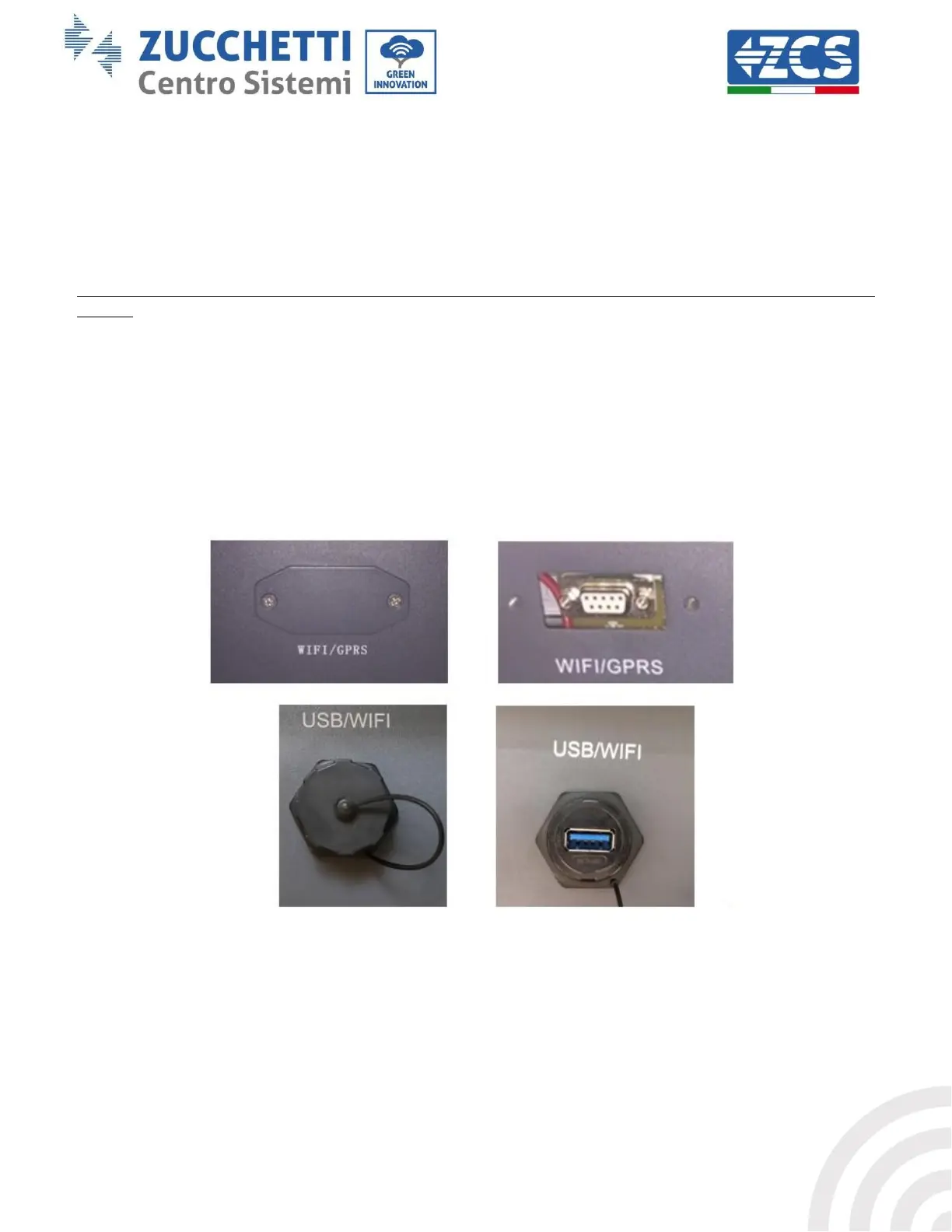
2) Remove the cover for accessing the Wi-Fi connector on the bottom of the inverter by unscrewing the two
cross-head screws (a), or by unscrewing the cover (b), as shown in the figure.
(a)
(b)
Figure 40 – Port for external Wi-Fi adapter
3) Connect the Wi-Fi adapter to the appropriate port, making sure to follow the direction of the connection
and ensure correct contact between the two parts.









 To Next Page