User’s Manual 1PH HYD3000-HYD6000-ZSS
Rev. 1.1 16/03/2021
Identification: MD-AL-GI-00
Rev. 1.1 of 16/03/2021 - Application: GID
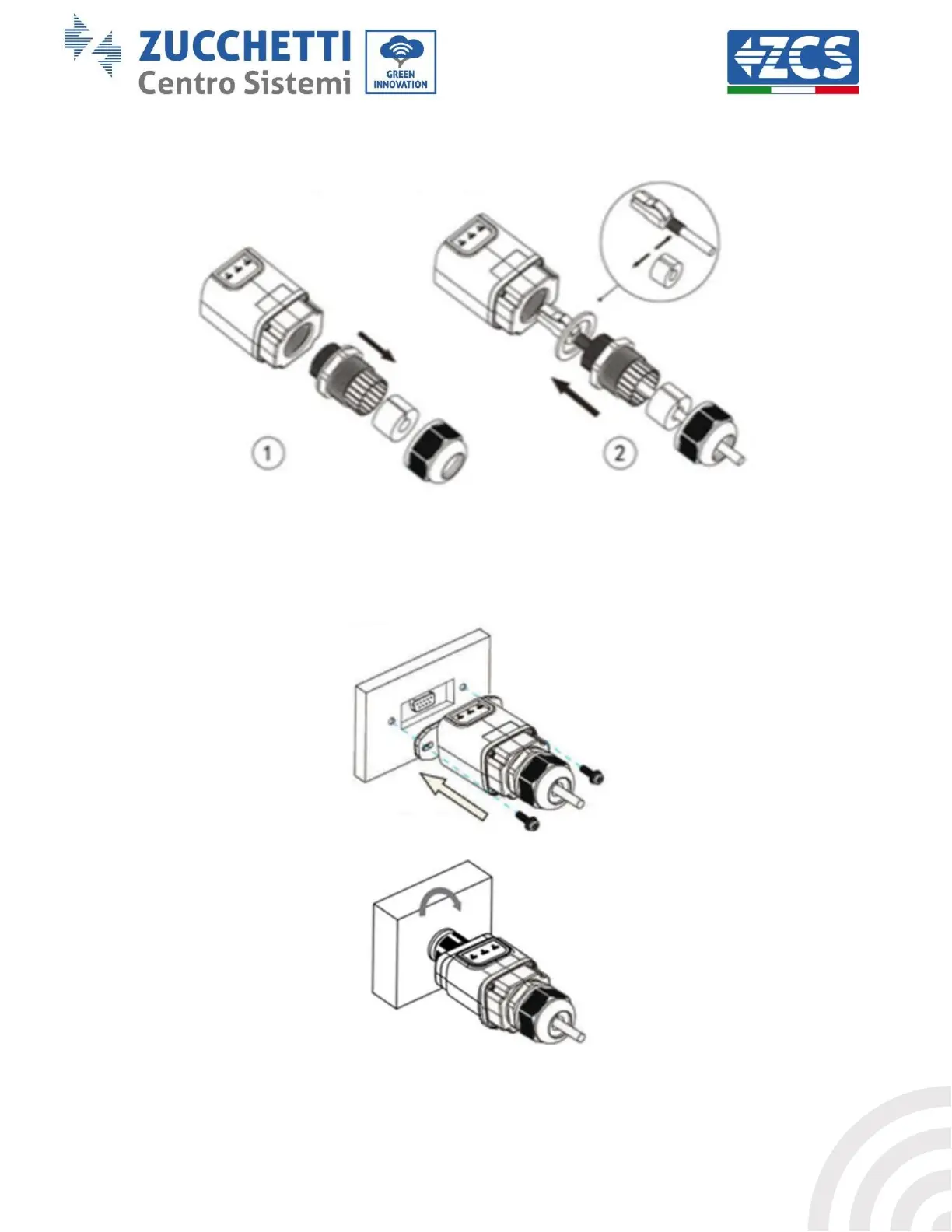
3) Remove the ring nut and the waterproof cable gland from the adapter to allow the network cable to pass
through; then insert the network cable network into the appropriate port on the inside of the adapter and
tighten the ring nut and cable gland to ensure a stable connection.
Figure 66 – Inserting the network cable inside the device
4) Connect the Ethernet adapter to the appropriate port, making sure to follow the direction of the
connection and ensure correct contact between the two parts.
(a)
(b)
Figure 67 – Inserting and securing the ethernet adapter









 To Next Page