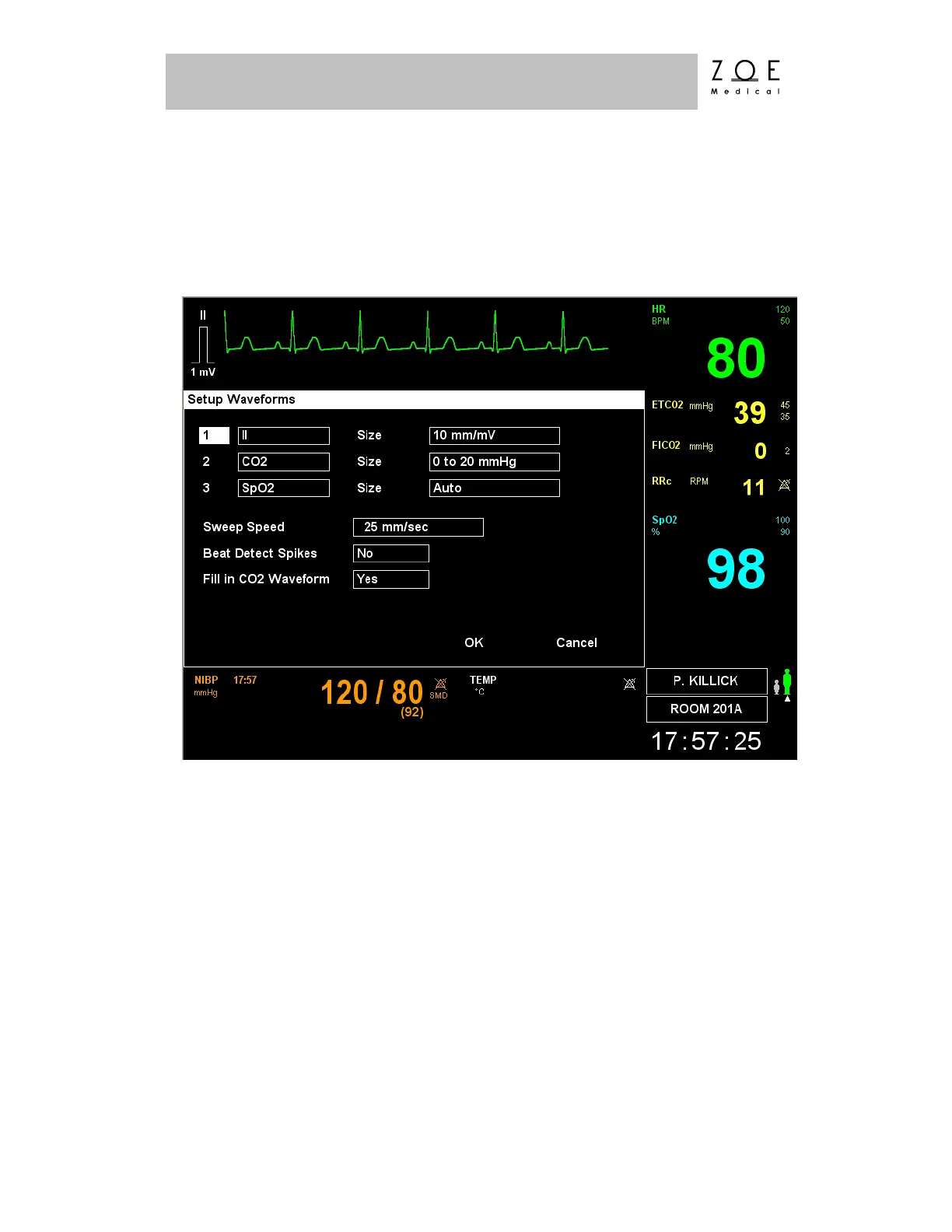
If you select the "Waveforms" item, the Setup Waveforms Menu is displayed.
Figure 37 below shows the Setup Waveforms Menu as it is appears when IBP
Monitoring is not enabled. Figure 38 shows the menu as it appears when two IBP
channels have been enabled.
Figure 44. Setup Waveforms Menu
The Setup Waveforms Menu allows you to choose which physiological
waveforms to display in each of the three possible waveform display channels
(five with two IBP channels enabled). The range of possible choices for the
waveform display channels may be found in the Waveform Settings table in the
PPM3 Monitor Settings chapter. For ECG and CO
2
waveforms, you can also
choose what size (amplitude) setting to use. For the CO
2
waveform, you can also
choose whether the CO
2
waveform is filled in to make it more visible from a
distance.



 To Next Page