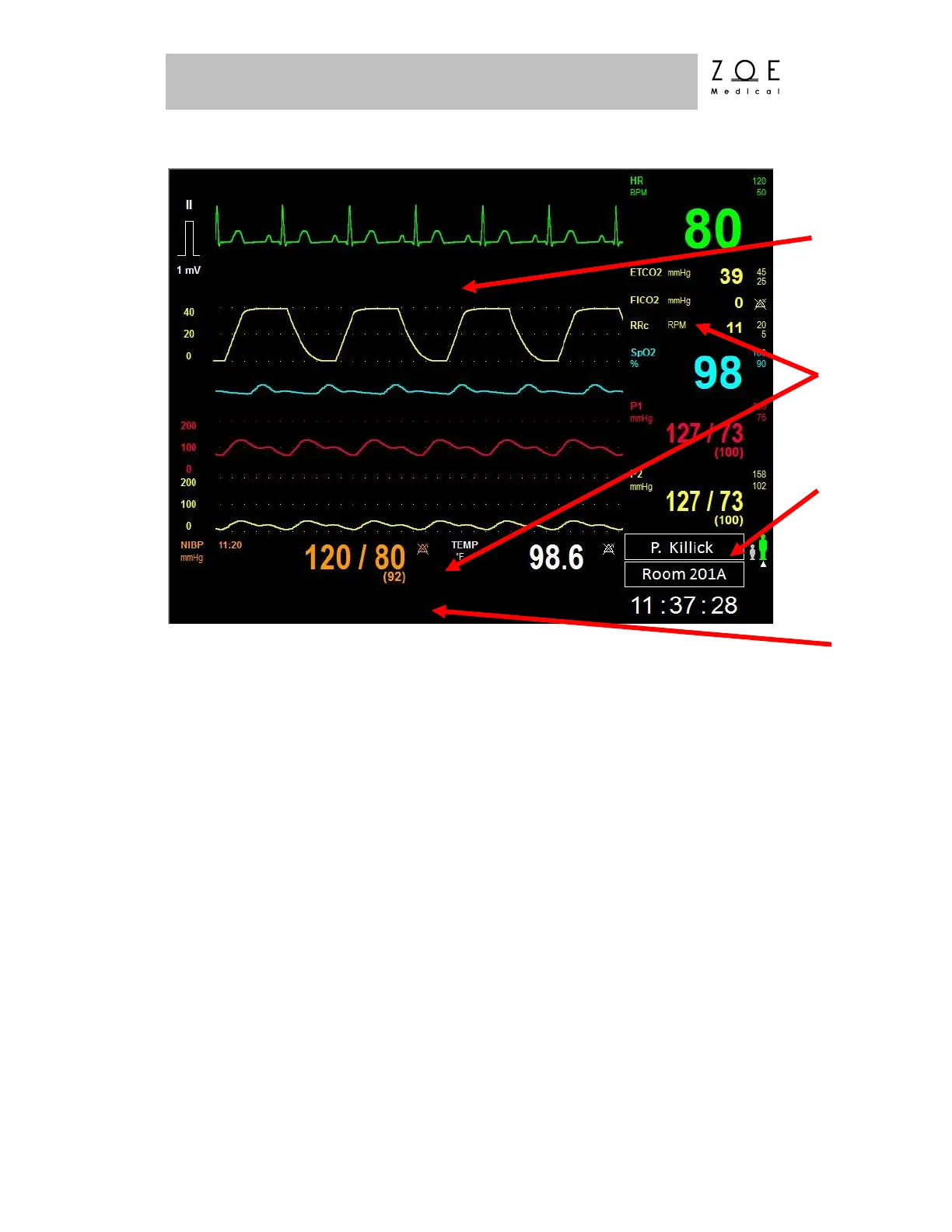
Figure 9. Sample of PPM3 Main Screen
The Main Screen of the PPM3 has four areas ‒ one each for displaying
waveforms, parameters, the patient information, and messages.
The Waveform Area has five channels. Menu selections allow you to choose
which waveform to display in which channel.
The Parameter Area is actually in two parts, one to the right of the waveform area
and one below it. The Parameter Area shows the current values of the monitored
parameters.
The Patient Information Area is at the bottom right corner of the display.
The Message Area is at the bottom of the display. Alarm and technical condition
messages are displayed here. One message is displayed at a time. If multiple
messages are active, each message is displayed for approximately 3 seconds at a
time.



 To Next Page