Since several parameters could be alarming at the same time, the alarm tone and
color will reflect the highest grade alarm condition that is currently active on the
PPM3. Refer to the tables in Section 11.2 Alarm Conditions to see how different
alarm conditions are categorized by grade.
12.1.3. How to Silence Alarms
Action may be taken to “silence" alarms in one of the following two ways.
• Pressing the ALARM SILENCE key on the front panel
• Changing the parameter alarm limits such that the current value is no
longer out of limits (if the alarm was a limit violation alarm)
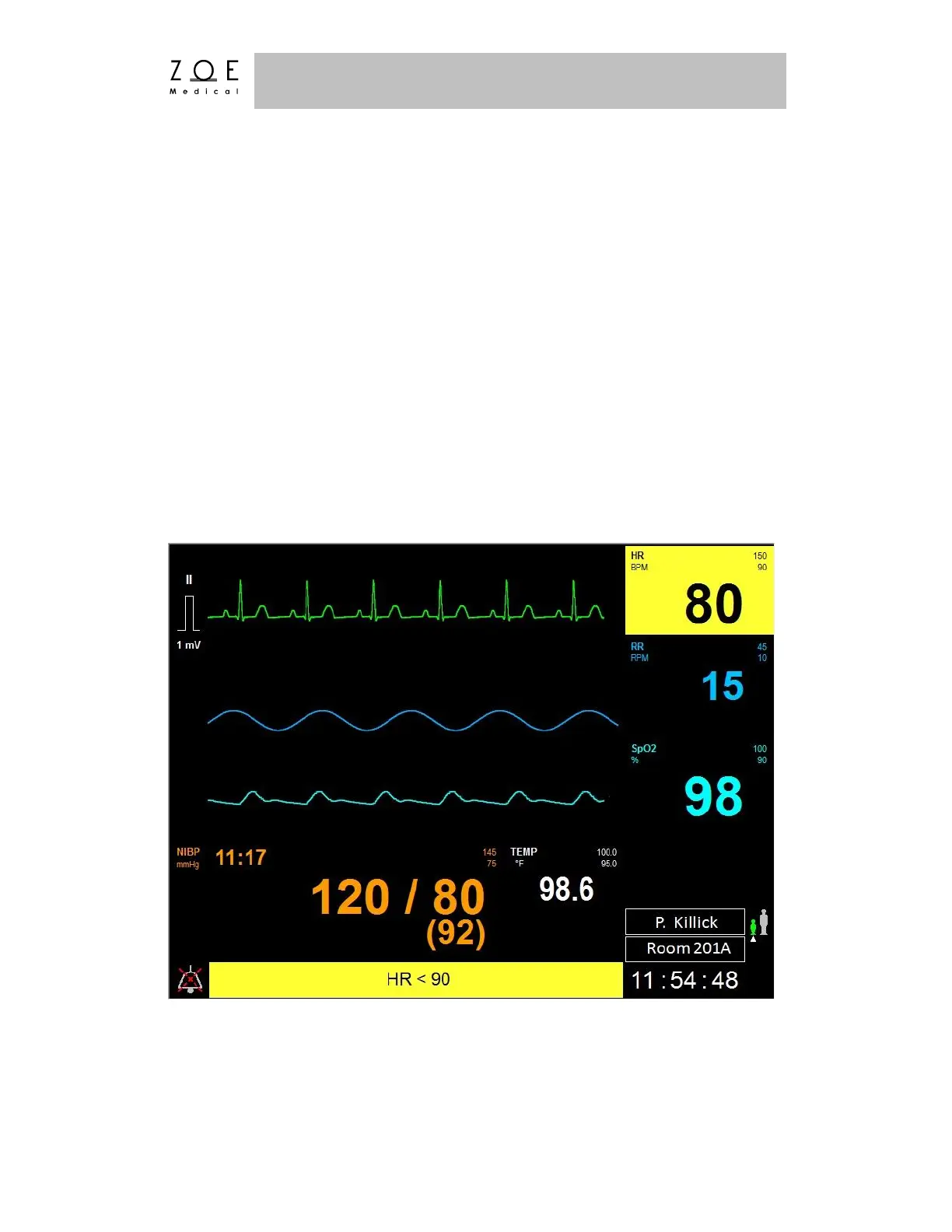
If after pressing ALARM SILENCE, the alarm condition is still true, the tone will
cease, the flashing backgrounds will change to a solid color, and the alarm silence
symbol will appear to the left of the message area.
Figure 61. Silenced & Active HR Limit Alarm



 To Next Page