11.2.3. NBP INTERVAL Key
If you press the NBP INTERVAL key, the PPM3 brings up the menu that allows
you to change the automatic NBP Interval Mode settings.
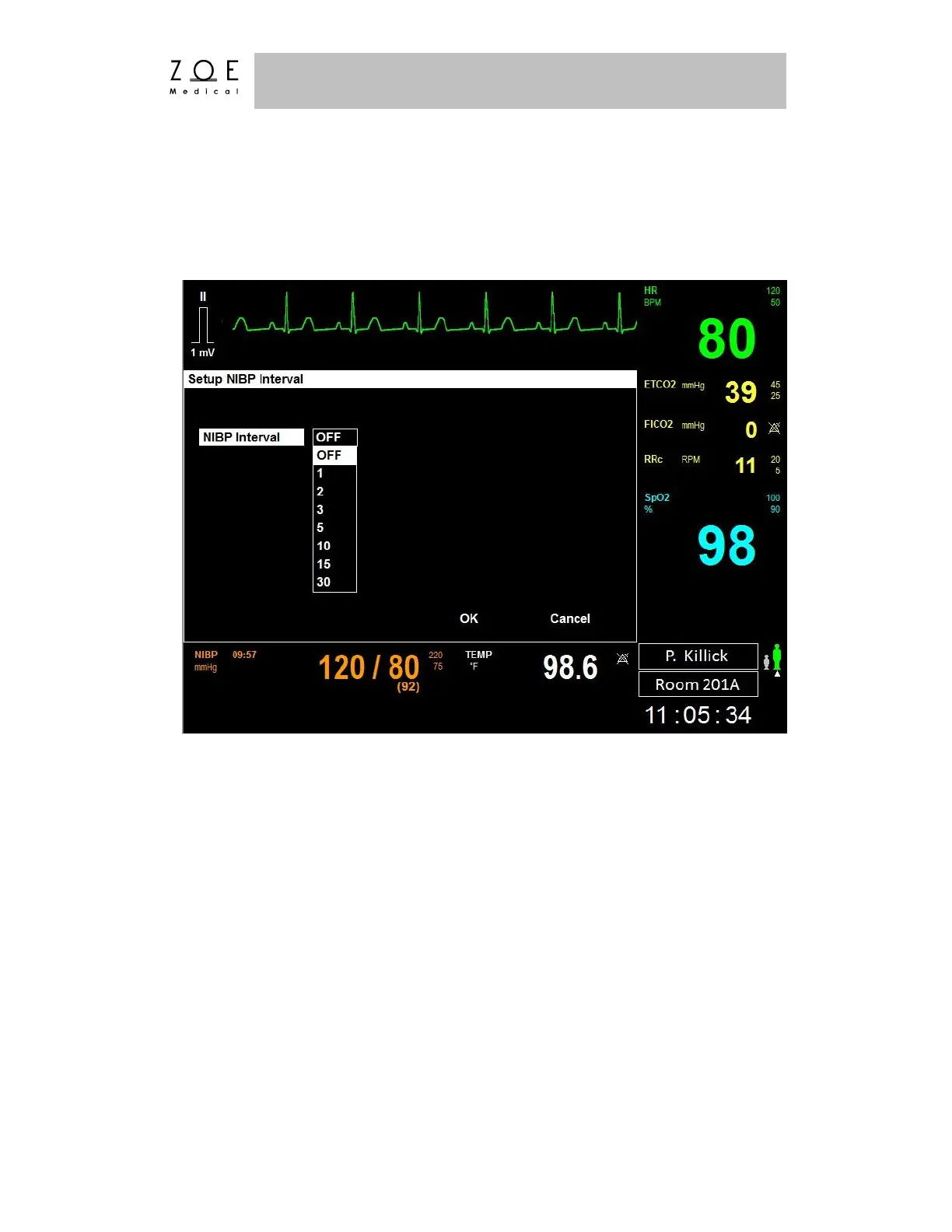
Figure 60. Setup NBP Interval Menu
To select an automatic NIBP interval:
1. Press the NBP INTERVAL key to display the Setup NBP Interval menu.
2. Select the NBP Interval item by pressing the control knob.
3. Scroll the control knob to the desired NIBP Interval (Off, 2m, 3m, 5m, 10m,
15m, 30m, and 60 minutes) and press to select it.
4. Press OK button or the MAIN SCREEN key to enter/apply that change or
press Cancel to cancel the changes.
- Selecting OK with an interval chosen prompts the monitor to begin that
interval. You can manually initiate by pressing the NBP START/STOP



 To Next Page