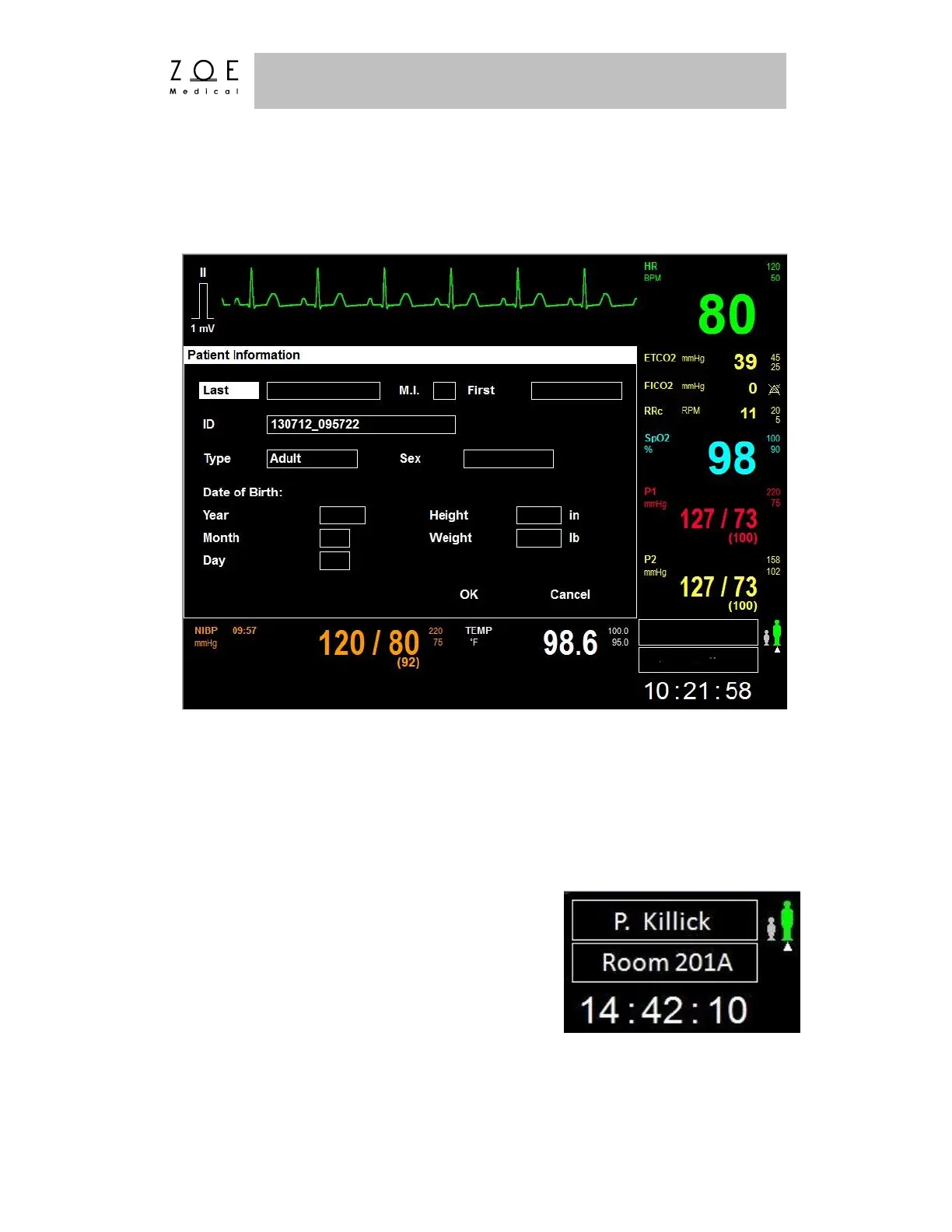
If you select the "Patient Information" item, the Patient Information Menu
appears.
Figure 50. Patient Information Menu
This menu provides a way of entering and examining patient information. Entries
such as name, ID, or room will appear on the Main Screen and printed reports. If
you are using the Nightingale MPC, entries made here when admitting a patient
will be transmitted to the MPC. Also, if a patient is admitted at the MPC and
assigned to a particular PPM3, the information will be transmitted to this menu.
The Patient Information Menu is also the place to
change the patient type from Adult to Pediatric.
As shown in the figure, a symbol indicating the
current patient type is displayed in the lower right
area of the Main Screen. Refer to the PPM3
Monitor Settings chapter to compare factory
default adult and pediatric settings.



 To Next Page