User’s Manual
Enterprise Access Point ENGLISH
Copyright © 4IPNET, INC. All rights reserved.
Please follow the steps mentioned below to install the hardware of EAP701:
Step 1. Place the EAP701 at the best location. The best location is usually at the center of your intended
wireless network. The EAP701 supports two types of mounting;
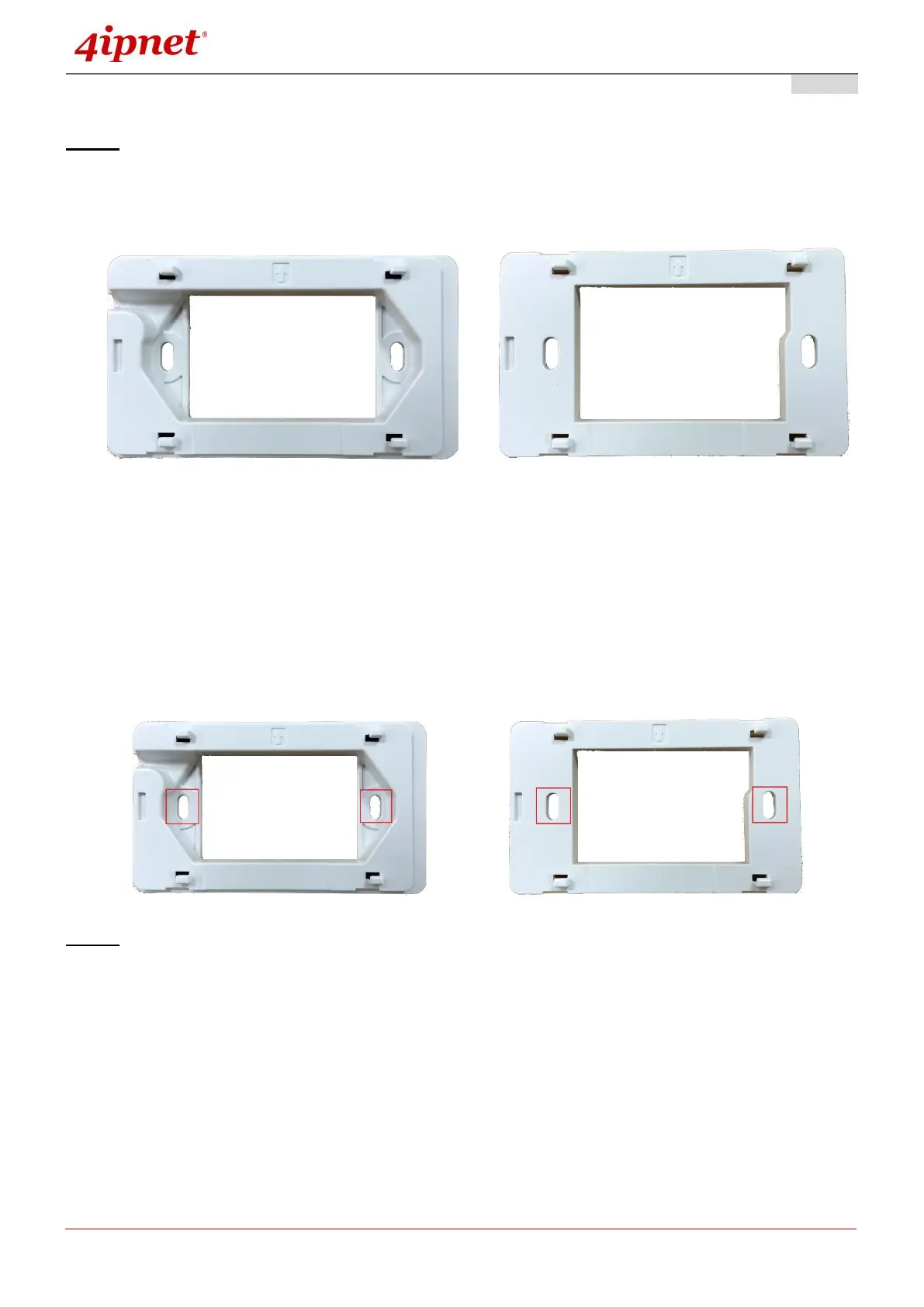
a) Surface Mounting Panel b) Outlet Mount Panel
a) Surface Mount: Mountable on any flat surface. You may choose to connect your uplink cable the
slit on the side or in through the back.
b) Wall Outlet Mount: This Wall Outlet mount can be fitted on any US standard outlet box.
Secure the mounting plate on the mounting surface by tightening the screws (included) at the
highlighted area below:
Step 2. Connect one end of the Ethernet cable to the Uplink port and the other end of the cable to a switch, a
router, or a hub; Or use the 110 punchdown block as your uplink connection. The 110 punchdown
block may be connected with the following pin assignment:



 To Next Page