User’s Manual
Enterprise Access Point ENGLISH
Copyright © 4IPNET, INC. All rights reserved.
Please follow the steps mentioned below to install the hardware of EAP767:
Step 1. Place the EAP767 at the best location. The best location is usually at the center of your intended
wireless network.
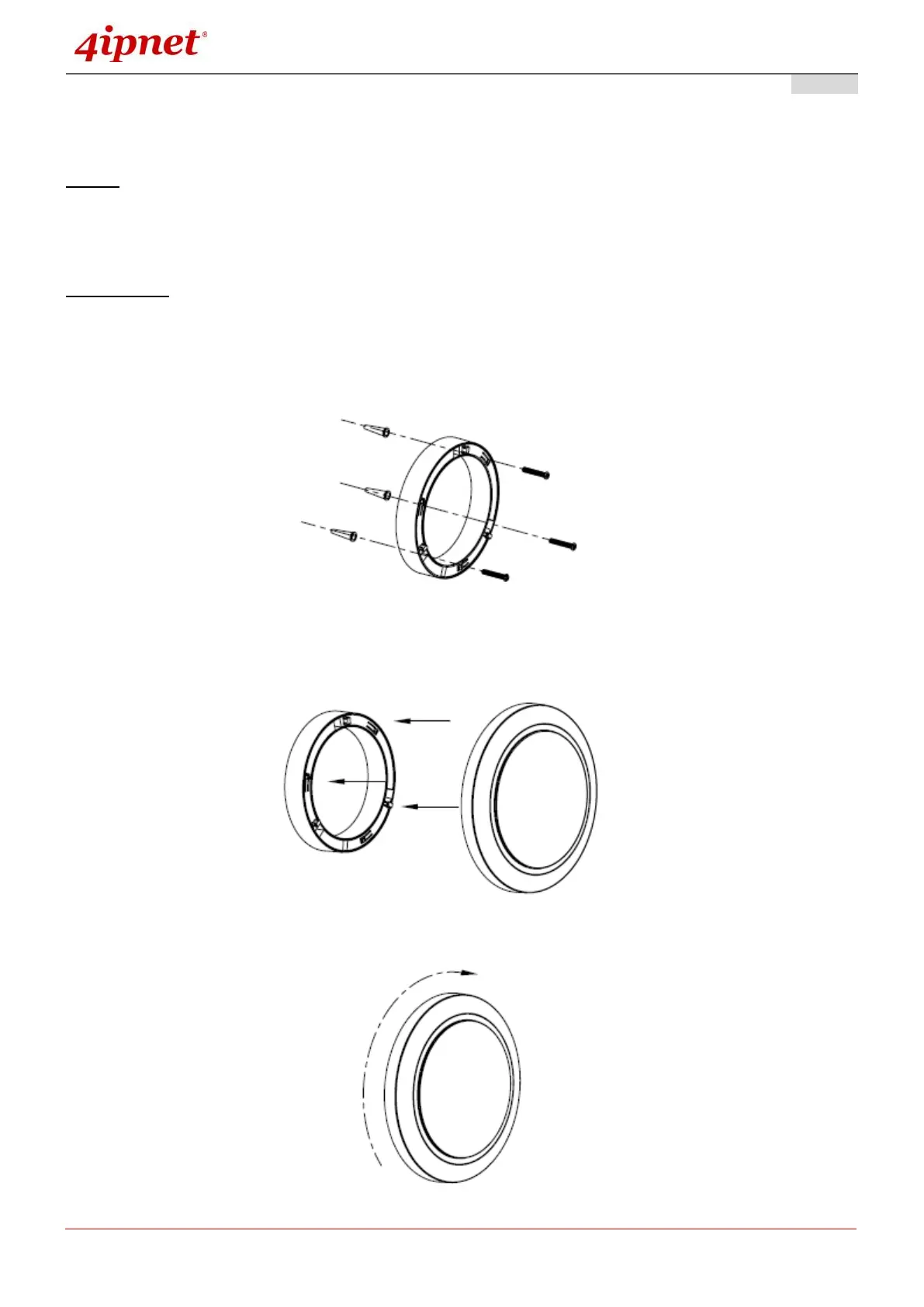
Wall Mounting
- Secure wall-mount bracket on wall
- Attach the Access Point to the dedicated slots on the mounting bracket
- Turn the Access Point clockwise as illustrated to fasten AP



 To Next Page