BM series 63
Calibration test report using an external weight
Note Calibration test does not perform adjustment.
Key operation
1 Press and hold the CAL key (for approx. 2 seconds) to display CC out and release the key.
2 Cal 0 is displayed.
3 To update the target weight value, press the RANGE key and proceed to Step 4.
To use the preset target weight value, proceed to Step 5.
4 Specify the target weight value using the following keys.
RANGE key
..........
To select the blinking digit.
RE-ZERO (+)key
....
To increase the value of the blinking digit.
MODE (-)key
.........
To decrease the value of the blinking digit.
PRINT key
............
To store the new value.
5 Press the PRINT key. The zero point is measured and the weight value is displayed for a few seconds.
6 Place the displayed target weight on the pan. Press the PRINT key to measure the weight. The weight
value is displayed for a few seconds.
7 end is displayed. Remove the weight from the pan.
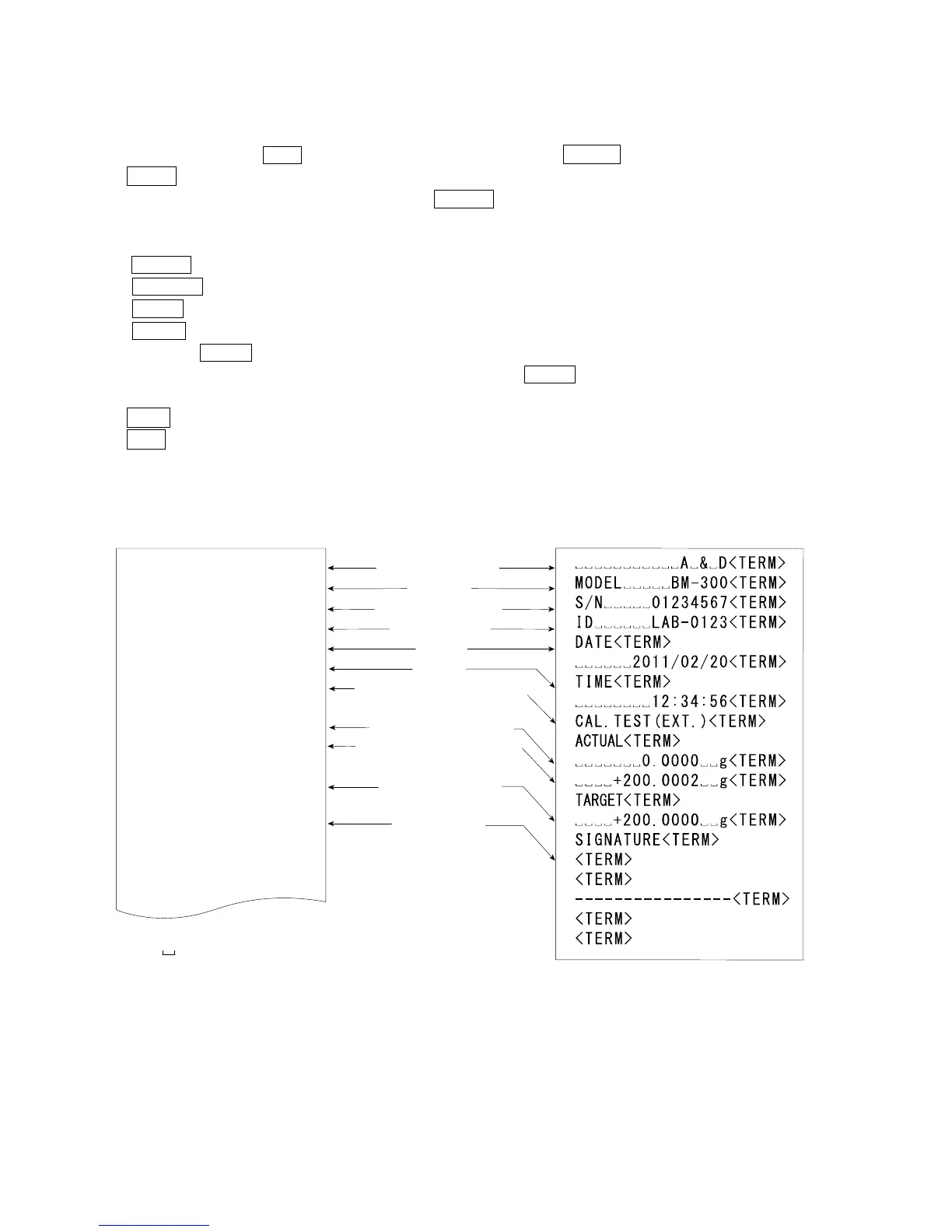
8 glp is displayed and the calibration test report is output.
9 The balance returns to the weighing mode.
Function setting "info 1" Function setting "info 2"
AD-8121 format
General format using the balance built-in clock data
Space, ASCII 20h
<TERM>
Terminator, CR , LF or CR
CR Carriage return, ASCII 0Dh
LF Line feed, ASCII 0Ah
Manufacturer
Model
Serial number
ID number
Date
Time
Calibration test type
Zero point value
Target weight value
Target weight
Signature
-----------A-&-D
MODEL-----BM-300
S/N-----01234567
ID------LAB-0123
DATE--2011/02/20
TIME----12:34:56
CAL.TEST(EXT.)
ACTUAL
-------0.0000--g
----+200.0002--g
TARGET
----+200.0000--g
SIGNATURE
---------------



 To Next Page