66 BM series
Storing the weighing data
Note If "Clr" blinks in the upper left of the display, delete the data in memory.
1 Set the "Data memory (data)" parameter to "1" (To store the weighing data).
2 Specify whether or not to add the time and date using the "Time/Date output (5-td)" parameter.
3 The storing mode depends on the "Data output mode (prt)" parameter setting.
Four modes are available to store data.
Key mode
...........................
When the PRINT key is pressed and the displayed value is stable, the
balance stores the weighing data.
Auto print mode A
..............
When the displayed value is stable and the conditions of "Auto print
polarity", "Auto print difference" and zero point (reference value) are met,
the balance stores the weighing data.
Auto print mode B
..............
When the displayed value is stable and the conditions of "Auto print
polarity", "Auto print difference" and last stable data (reference value)
are met, the balance stores the weighing data.
Interval mode
......................
Weighing data is stored at an interval specified in "Interval time (int)".
Press the PRINT key to start and stop this mode.
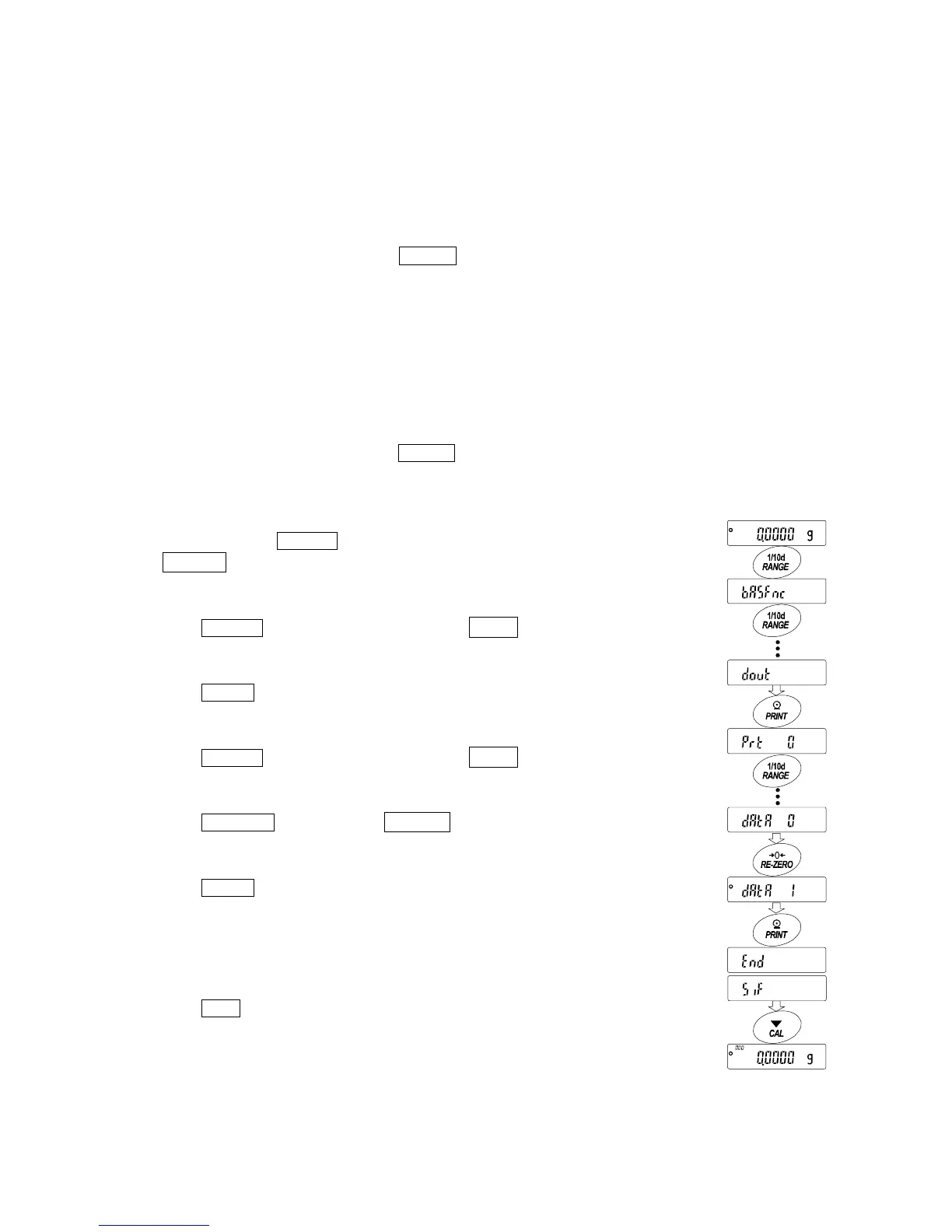
Enabling the data memory function
1 Press and hold the RANGE key (for approx. 2 seconds)
until ba5fnc is displayed, and then release the key.
2 Press the RANGE key several times to display dout .
3 Press the PRINT key.
4 Press the
RANGE key several times to display data .
5 Press the RE-ZERO key to display data 1 .
6 Press the PRINT key to store the setting.
7 Press the CAL key to return to the weighing mode.
Press and hold
(approx. 2 seconds)
Press several times
Press several times



 To Next Page