68 BM series
Recalling the memory data
Confirm that the "Data memory (data)" parameter is set to "1".
1 Press and hold the PRINT key (for approx. 2 seconds) until reCall
is displayed, and then release the key. The type of data appears in
the upper left of the display as shown to the right.
2 Press the PRINT key to enter the memory recall mode.
Recall the data in memory using the following keys.
RE-ZERO key
.....
To proceed to the next data set.
MODE key
.........
To go back to the previous data set.
PRINT key
..........
To transmit the current data using the RS-232C
interface.
With RANGE held down, press the CAL key
To delete the current data.
CAL key
.............
To exit the memory recall mode.
3 Press the CAL key to return to the weighing mode.
Transmitting all memory data at one time
Confirm that the "Serial interface (5if)" parameters are set properly.
Refer to "10. Function Table" and "16.2. Connecting to Peripheral Equipment".
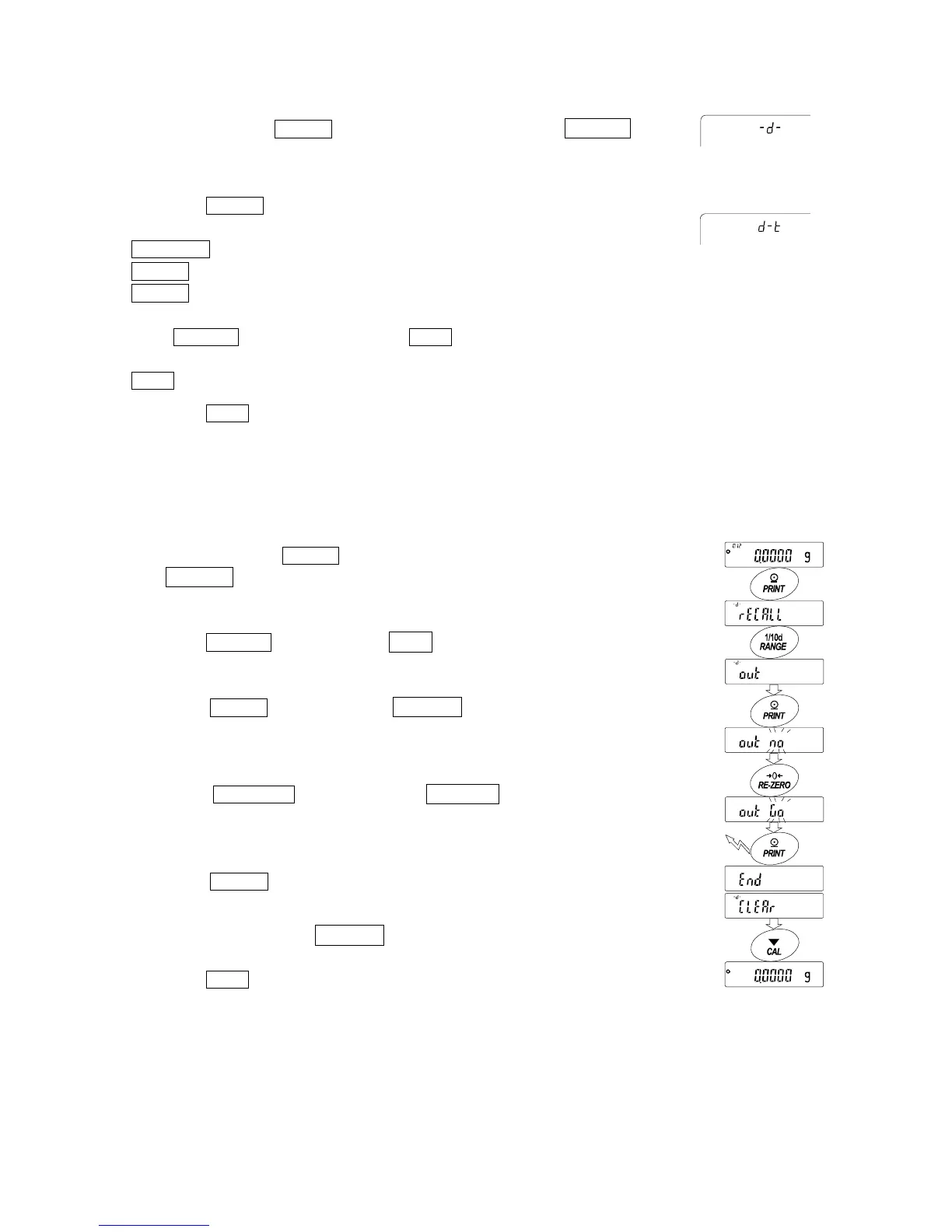
1 Press and hold the PRINT key (for approx. 2 seconds)
until reCall is displayed, and then release the key.
2 Press the RANGE key to display out .
3 Press the PRINT key to display out "n"o with "no"
blinking.
5 Press the RE-ZERO key to display out "g"o with
"go" blinking.
6 Press the PRINT key to transmit all data using the
RS-232C interface.
7 The balance displays Clear when all data is
transmitted.
Press the CAL key to return to the weighing mode.
Indicators
Weighing data
without time and date
Weighing data with
time and date
Press and hold
(approx. 2 seconds)
Transmit all data



 To Next Page