Operating Instructions
Busch-ComfortTouch
®
Product overview
Operating Instructions | 1473-1-8041 — 10 —
Pos: 13.6.1 / Layout bis 2014-11- 11/Online-Dok umentation (+ KNX)/Überschriften (--> Für alle Dokumente <--)/2. Ebene/A - F/Aufbau Gerät @ 33\mod_13613 66224154_15.d ocx @ 278226 @ 2 @ 1
4.3 Device setup
Pos: 13.6.2 / Layout bis 2014-11- 11/Online-Dok umentation (+ KNX)/Produktübersi cht/KNX/KNX-Ak torik/Comfort Panel 3.0/Bedien ungsanleitung/ Aufbau Gerät - Bed. ...Aufbau Gerät - Bed. ... @ 40\mod_1418725076081_15.doc x @ 309530 @ @ 1
1
2
3
5
6
7
4
8
!
9
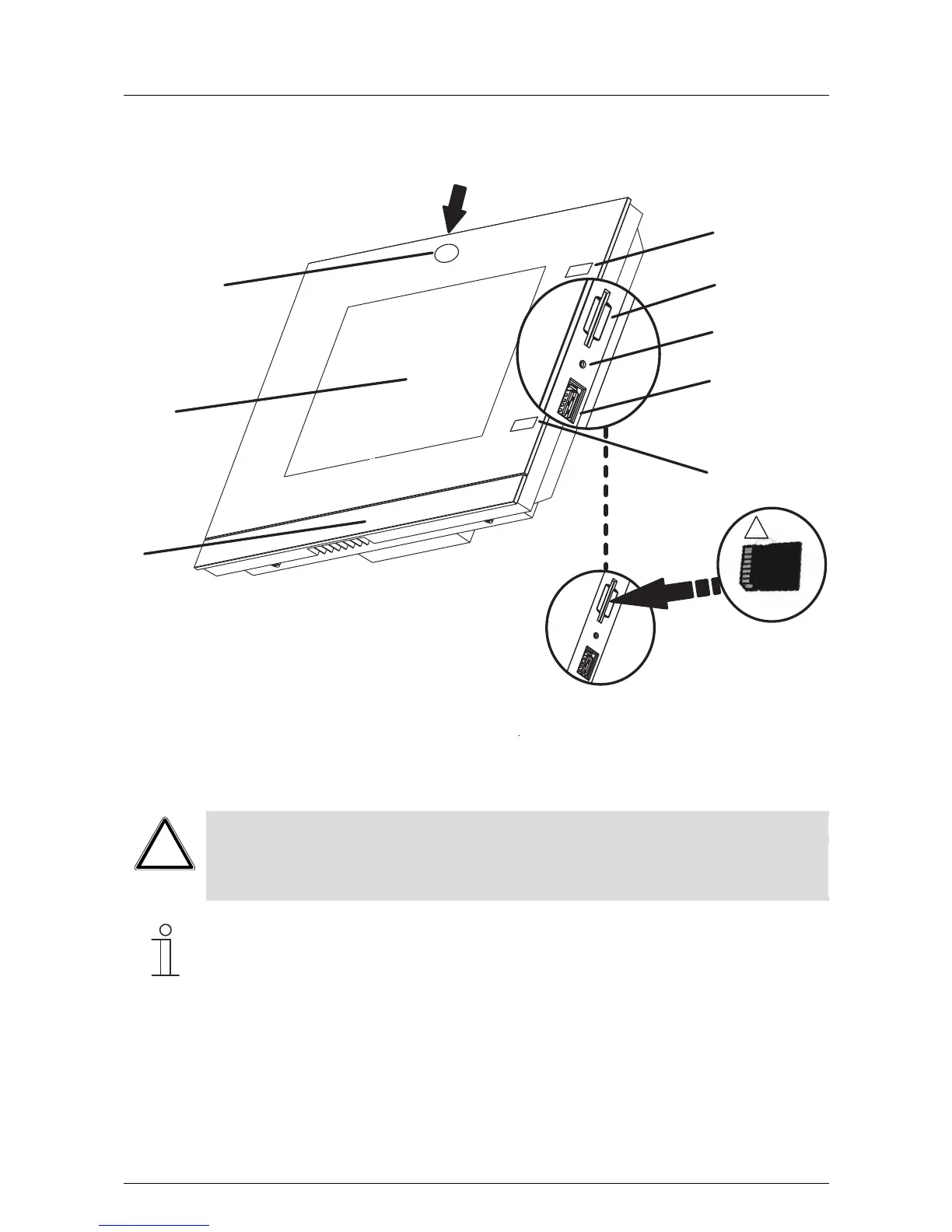
Fig. 1: Overview of devices
1 Design bar | 2 Colour touchdisplay | 3 Camera | 4 Camera adjustment | 5+9 IR sensors 6 Slot for SD card | 7 Reset
button | 8 Slot for USB stick
Caution
Risk of damaging the device due to touching!
The USB connection contains many sensitive contacts.
- They must not be touched directly!
Note
Some USB sticks which do not correspond to the general specification may not be recognised.
Pos: 14 /Layout bis 2014-11-11/ Modul-Struktur /Online-Doku mentation/Steuer module - Online- Dokumentation (--> Für alle Dokumente <--)/++++++++++++ Seitenumbruch ++++++++++++ @ 9\mod_1268898668093_0.doc x @ 52149 @ @ 1



 To Next Page