Operating Instructions
Busch-ComfortTouch
®
Operation
Operating Instructions | 1473-1-8041 — 41 —
Pos: 15.6.12.1 /Layout bis 2014- 11-11/Online-D okumentation ( +KNX)/Überschriften (--> Für alle Dokumente <--)/3. Ebene/A - F/E-Mail @ 34\mod_136179559 1795_15.doc x @ 283179 @ 3 @ 1
5.3.7 E-mail
Pos: 15.6.12.2 /Layout bis 2014- 11-11/Online-D okumentation ( +KNX)/Bedienung/ KNX/KNX-Aktor ik/ComfortPane l 3.0/Bedienungs anleitung/ Erläuterung der Funktionen/E- Mail/E-Mail @ 34\mod_1361793768 626_15.docx @ 282587 @ @ 1
E-mails can be displayed without the need for a separate computer. E-mails can be easily answered via a graphic
or voice message.
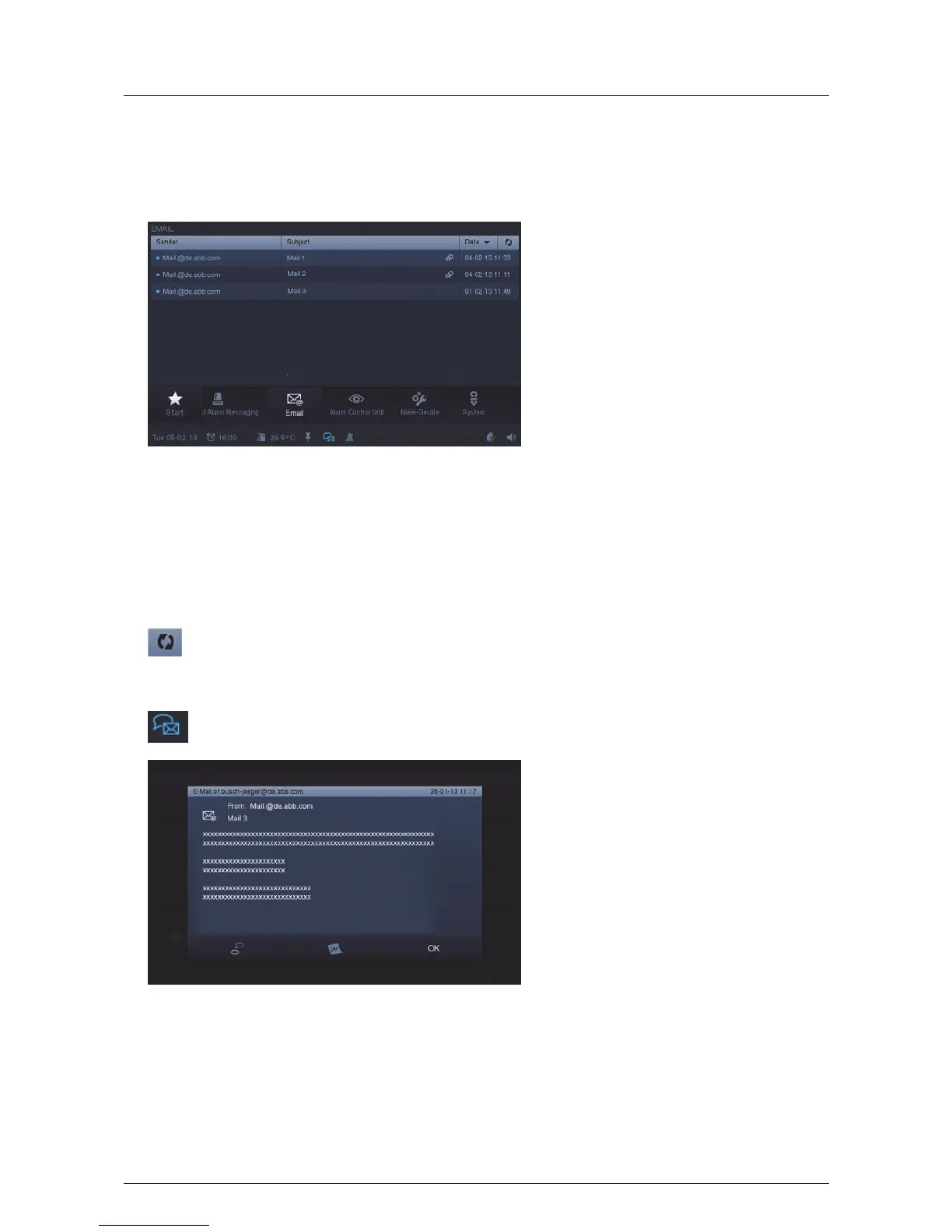
1. Press the "E-mail" icon in the navigation bar to access the function.
The list of e-mails received with a blue dot indicates new ones that have not yet been read. E-mails that have
been read are marked with a light blue dot.
2. Press an entry to open the e-mail.
An update of the PO box can be made via the following icon.
An icon appears in the status bar which indicates that a new e-mail has arrived.
3. Press an entry to open the e-mail.
4. Answer e-mails direct via voice or image messages.



 To Next Page