Operating Instructions
Busch-ComfortTouch
®
Operation
Operating Instructions | 1473-1-8041 — 35 —
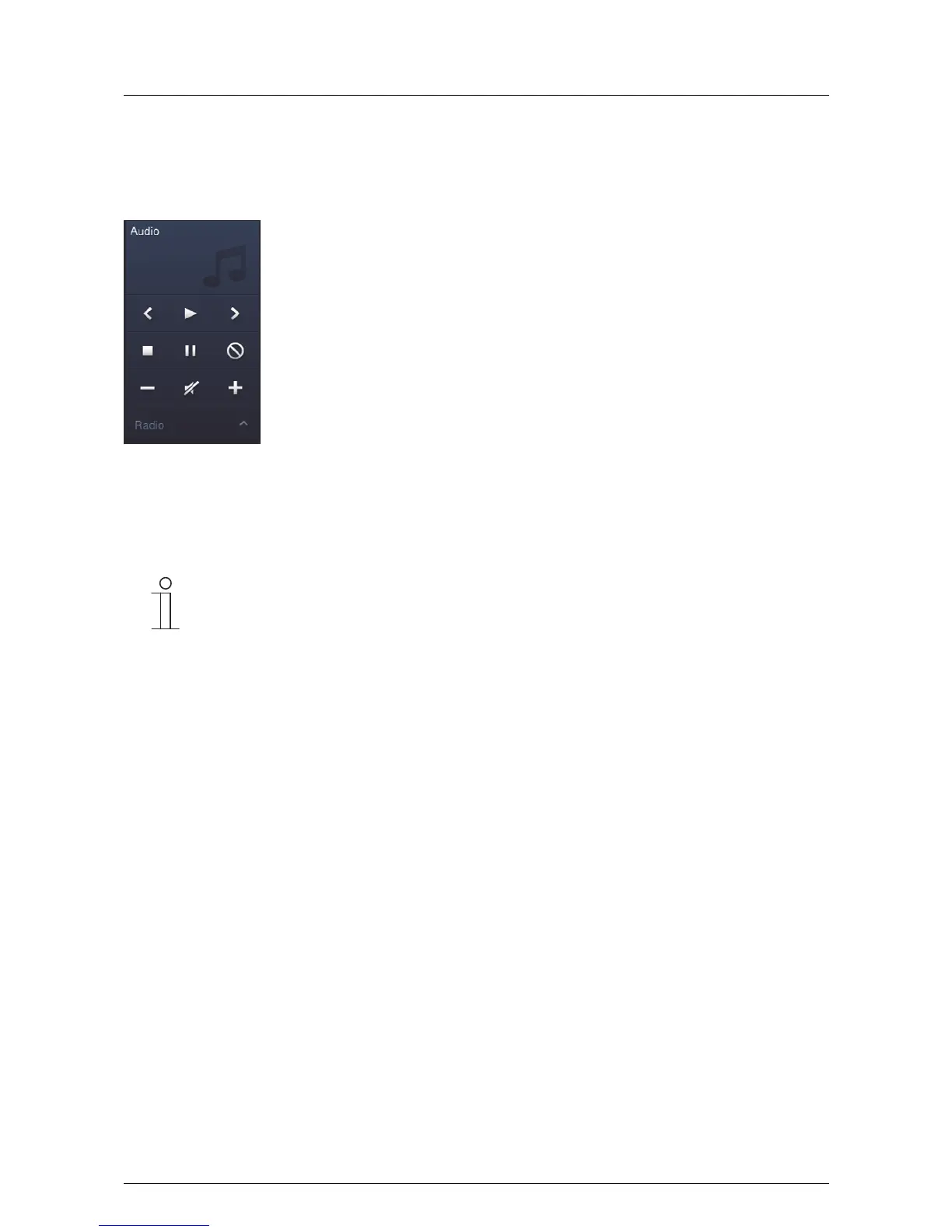
Control element "KNX Audio"
With the aid of this control element all audio settings for connected audio devices can be easily controlled from
the start page or from a different operating page.
Description of functions from the top left to the bottom right:
– Title back / Play / Title forward
– Stop / Pause / On-Off
– Lower volume / Mute On/Off / Raise volume
– Selection of station or source
Note
The above illustration shows the control element together with all available functions. Which
functions are to be displayed can be specified via the project planning software.
Pos: 15.6.6.1 /Layout bis 2014- 11-11/Online-Dok umentation ( +KNX)/Überschriften (--> Für alle Dokumente <--)/3. Ebene/S - T/Sonos-Laut sprecher @ 44\mod_1448005027867 _15.docx @ 4044 85 @ 3 @ 1
5.3.4 Sonos loudspeaker
Pos: 15.6.6.2 /Layout bis 2014- 11-11/Online-Dok umentation ( +KNX)/Bedienung/ KNX/KNX-Aktor ik/ComfortPane l 3.0/Bedienungsa nleitung/Er läuterung der Fun ktionen/Sonos- Lautsprecher/ Sonos-Lautsprec her @ 44\mod_144 8004860591_15.doc x @ 404449 @ @ 1
Sonos loudspeaker control elements can be used to define specific settings for Sonos loudspeakers. For
example, titles can be selected from a favourites list. Control normally takes place using a KNX audio control
element.
This function is an option and only available with a corresponding plug-in. More detailed information is available
from your electrical installer. He will also carry out the commissioning process with the aid of the commissioning
software.
Pos: 15.6.7 / Layout bis 2014-11- 11/Online-Dok umentation (+ KNX)/Steuermodule - Online-Dokumentation (--> Für alle Dokumente <--)/++++++++++++ Seitenumbruc h +++++++++ +++ @ 9\mod_126889866809 3_0.docx @ 52149 @ @ 1



 To Next Page