Operating Instructions
Busch-ComfortTouch
®
Operation
Operating Instructions | 1473-1-8041 — 45 —
Pos: 15.6.16.1 /Layout bis 2014- 11-11/Online-D okumentation ( +KNX)/Überschriften (--> Für alle Dokumente <--)/3. Ebene/U - Z/Woc henprogramme @ 34\mod_136 1796283801_15. docx @ 283211 @ 3 @ 1
5.3.9 Weekly programs
Pos: 15.6.16.2 /Layout bis 2014- 11-11/Online-D okumentation ( +KNX)/Bedienung/ KNX/KNX-Aktor ik/ComfortPane l 3.0/Bedienungs anleitung/ Erläuterung der Funktionen/W ochenprogrammeW ochenprogramme @ 40\ mod_141873228133 0_15.docx @ 309 721 @ @ 1
Processes occurring on a weekly basis (scenes and sequences) can be set for each weekday in a clearly
arranged way and automated in any number of weekly programs. These presets are then repeated every week
on a continuing basis. The weekly programs are created via the project planning software of the Busch-
ComfortTouch
®
. Please see your electrical installer. The compiling or adjusting on the Busch-ComfortTouch
®
can
then be carried out by the user. Validity intervals (e.g. holidays) can be assigned to weekly programs, during
which the preset weekly program is not triggered but the program of a specially defined day. This could be days
such as Xmas, Sylvester or New Year. In this way weekly programs can be automatically activated and
deactivated. A maximum of 8 periods of validity can be defined.
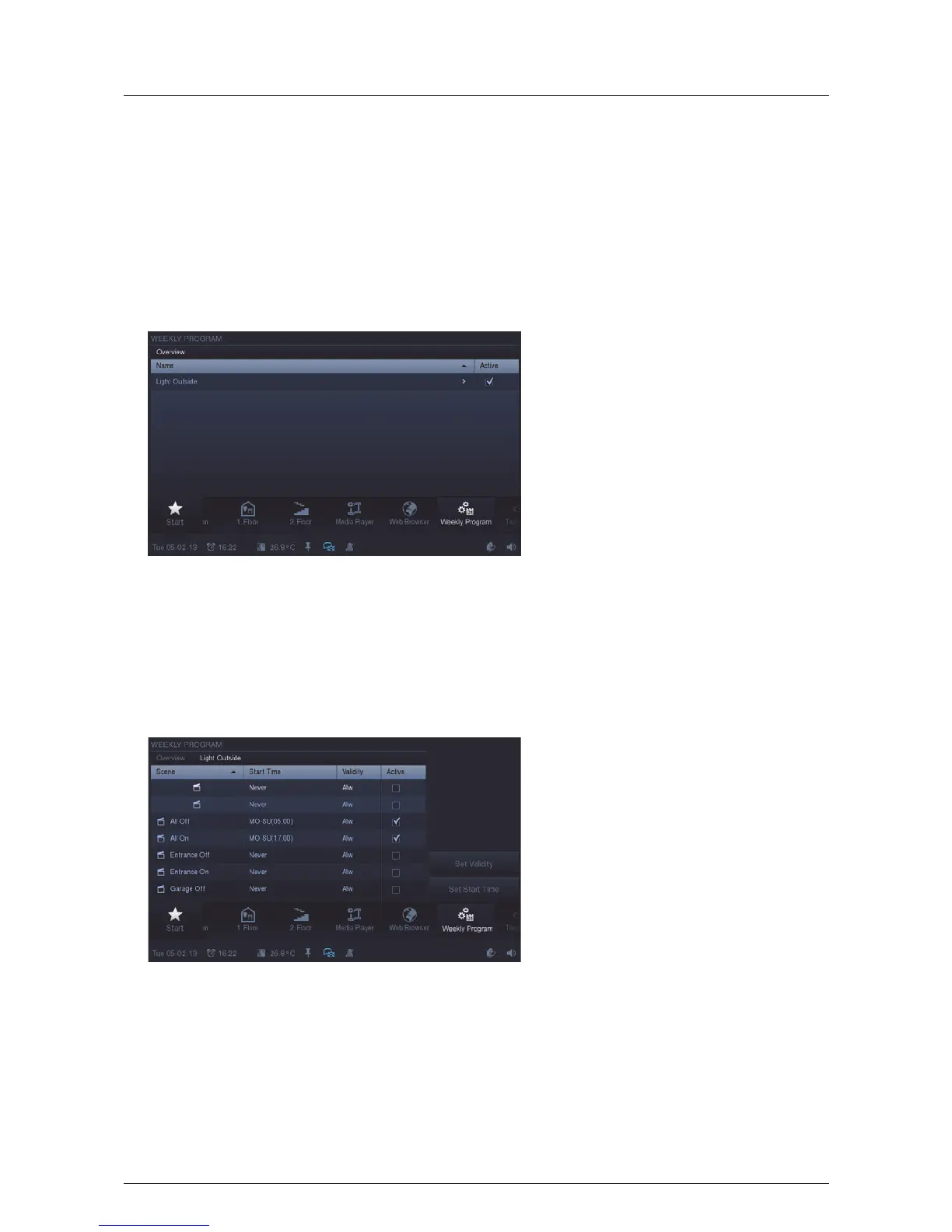
1. Press the "Weekly program" icon in the navigation bar to access the function.
The function can also be opened by pressing the date in the status bar.
The overview displays existing weekly programs. The program can be activated / deactivated by setting a tick.
2. To access the overview of scenes that have been assigned to the weekly program, press an entry (weekly
program) in the overview list.
The overview displays the scenes that can be played in the weekly program (e.g. sequentially or
simultaneously for different devices). The scene can be activated / deactivated by inserting a tick.
Additionally, the statuses of the validity intervals and start times are displayed.



 To Next Page