Operating Instructions
Busch-ComfortTouch
®
Operation
Operating Instructions | 1473-1-8041 — 76 —
Pos: 15.6.47.1 /Layout bis 2014- 11-11/Online-D okumentation ( +KNX)/Überschriften (--> Für alle Dokumente <--)/3. Ebene/P - R/Raumtemper aturregler @ 34\mod_13618003856 03_15.docx @ 283515 @ 3 @ 1
5.4.15 Room temperature controller
Pos: 15.6.47.2 /Layout bis 2014- 11-11/Online-D okumentation ( +KNX)/Bedienung/ KNX/KNX-Aktor ik/ComfortPane l 3.0/Bedienungs anleitung/ Erläuterung der Funktionen/ Raumtemperaturregl erRaumtemperatu rregler @ 40\ mod_1418734375691 _15.docx @ 3098 33 @ @ 1
The Busch-ComfortTouch
®
includes a local room temperature controller in the device.
Further, the temperature of various rooms can be controlled centrally by the device, i.e. only one actual
temperature needs to be available from the various rooms (e.g. an external temperature sensor) and the Busch-
ComfortTouch
®
can then control the temperature.
Note
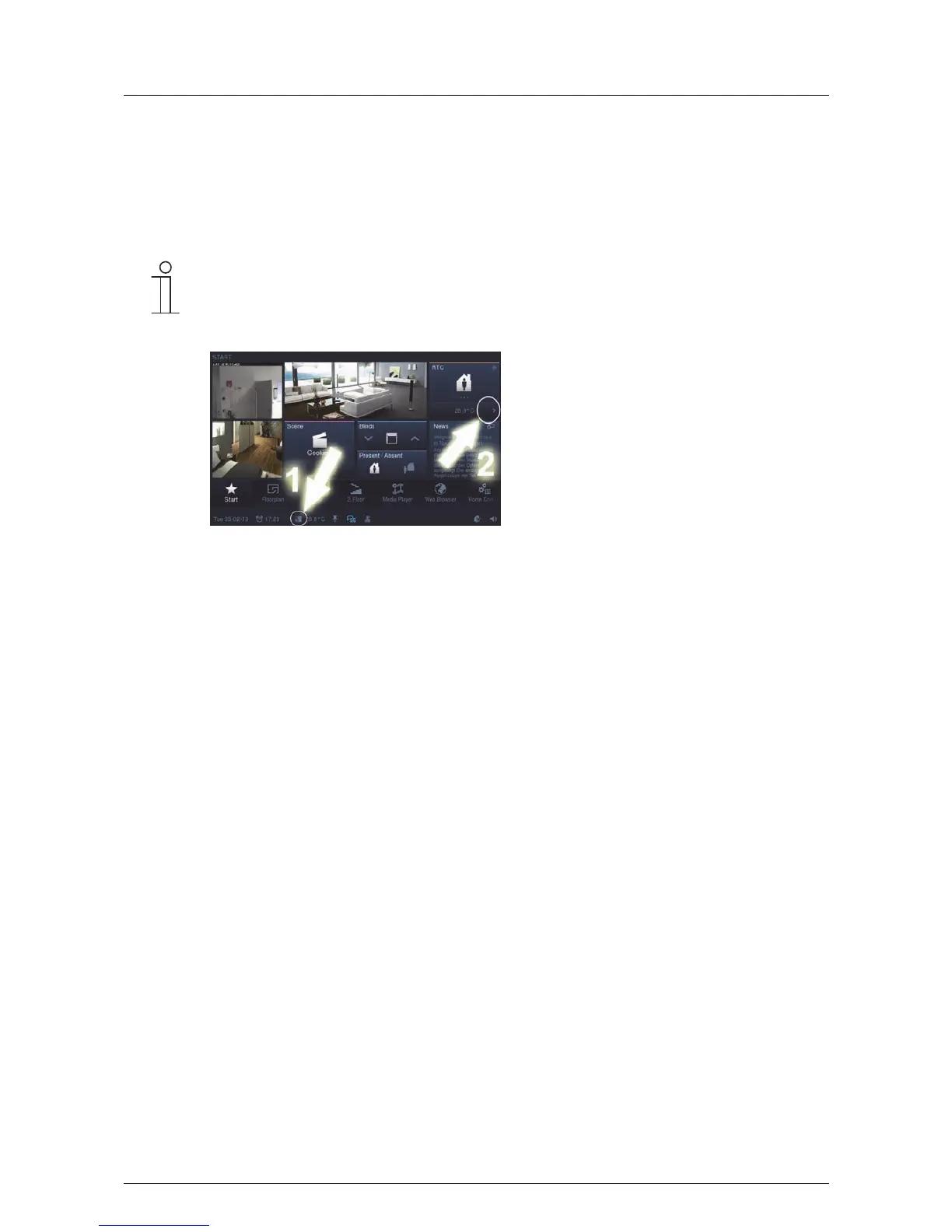
The local room temperature controller on the Busch-ComfortTouch
®
is opened via the status bar
[1].
An external room temperature controller [2] is opened via the control element.
When the comfort mode has been activated, the status bar indicates the actual or set-point
temperature of the room. Also the set operating mode of the local room temperature controller is
displayed via different icons. Pressing on the temperature opens the page of the local room
temperature controller.
The control element of an external room temperature controller can, for example, display the actual
or set-point temperature of the room, which is regulated by the external room temperature
controller.
The control element can also display the actual operating mode and the mode (e.g. heating). With
a press on the control element the external room temperature controller opens.
The operating window is identical for both room temperature controllers!



 To Next Page