Operating Instructions
Busch-ComfortTouch
®
Operation
Operating Instructions | 1473-1-8041 — 75 —
6. For this, select the function and press the cross. Press the following icon to confirm the adjustment.
All functions can also be deleted. In addition, the sequence can be changed with the arrows.
With the right arrow icon you go back.
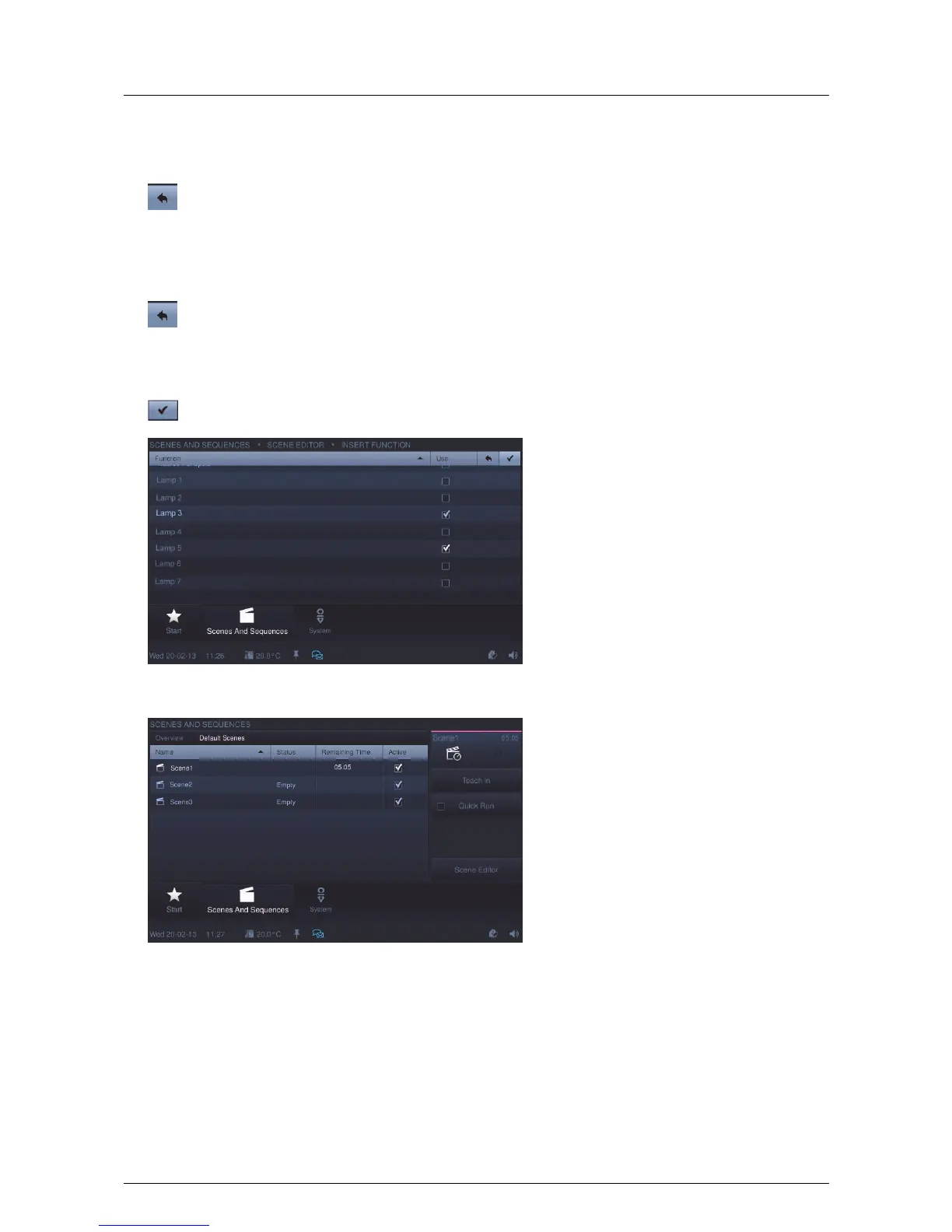
7. Additional components (functions) can also be added. Press "Insert function". Set a tick at the desired
function and press the following icon to confirm the adjustment.
With the right top arrow icon you go back.
On the scene overview page the adjustments must then be programmed.
8. To do this, press "Programming". The scene can then be played (sequence, see the figure above).
Pos: 15.6.46 / Layout bis 2014- 11-11/Online- Dokumentation (+ KNX)/Steuermodu le - Online-Dok umentation (--> Für alle Dokumente <--)/++++++++++++ Seitenumbruch ++++++++++++ @ 9\mod_1268898668093_0.doc x @ 52149 @ @ 1



 To Next Page