Operating Instructions
Busch-ComfortTouch
®
Operation
Operating Instructions | 1473-1-8041 — 36 —
Pos: 15.6.8.1 /Layout bis 2014- 11-11/Online-Dok umentation ( +KNX)/Überschriften (--> Für alle Dokumente <--)/3. Ebene/A - F/Bildnac hricht @ 34\mod_13 61794878294_15. docx @ 283147 @ 3 @ 1
5.3.5 Image messaging
Pos: 15.6.8.2 /Layout bis 2014- 11-11/Online-Dok umentation ( +KNX)/Bedienung/ KNX/KNX-Aktor ik/ComfortPane l 3.0/Bedienungsa nleitung/Er läuterung der Fun ktionen/Bildnac hrichtBildnac hricht @ 40\ mod_1418727990694_1 5.docx @ 309612 @ @ 1
The "Image messaging" function serves for recording and displaying notes. This enables users to leave image
messages for other users on the Busch-ComfortTouch
®
. An image message is a handwritten text message or
drawing created with the finger on the display.
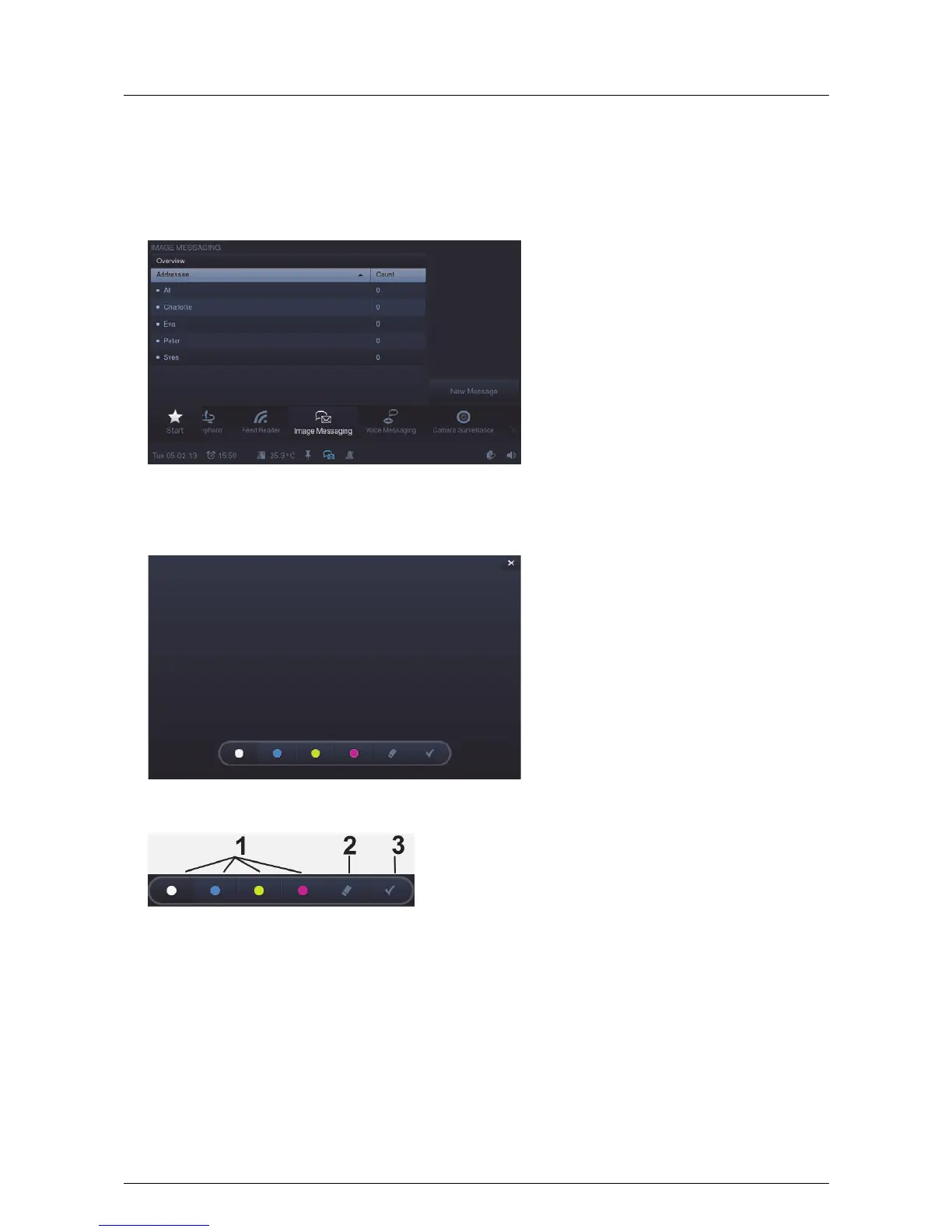
Press the "Image messaging" icon in the navigation bar to access the function.
1. Press "New message" to record a new image message.
2. Use the operating bar for the selection of the tasks.
1 Selecting the line colour | 2 Deleting the previously created text stroke |
3 Confirm and open the next view



 To Next Page