Operating Instructions
Busch-ComfortTouch
®
Operation
Operating Instructions | 1473-1-8041 — 48 —
Pos: 15.6.18.1 /Layout bis 2014- 11-11/Online-D okumentation ( +KNX)/Überschriften (--> Für alle Dokumente <--)/2. Ebene/U - Z/Woc henprogramme -- einf ache @ 40\mod_141882 2358921_15.doc x @ 310561 @ 2 @ 1
5.4 Simpls weekly program
Pos: 15.6.18.2 /Layout bis 2014- 11-11/Online-D okumentation ( +KNX)/Bedienung/ KNX/KNX-Aktor ik/ComfortPane l 3.0/Bedienungs anleitung/ Erläuterung der Funktionen/W ochenprogramme - - einfache/W ochenprogramme -- einfache -- BA @ 40\mod_14188985 47236_15.doc x @ 310778 @ @ 1
The simple weekly program in contrast to the other weekly program serves for ensuring that a program can run
only for specific periods, such as holiday periods.
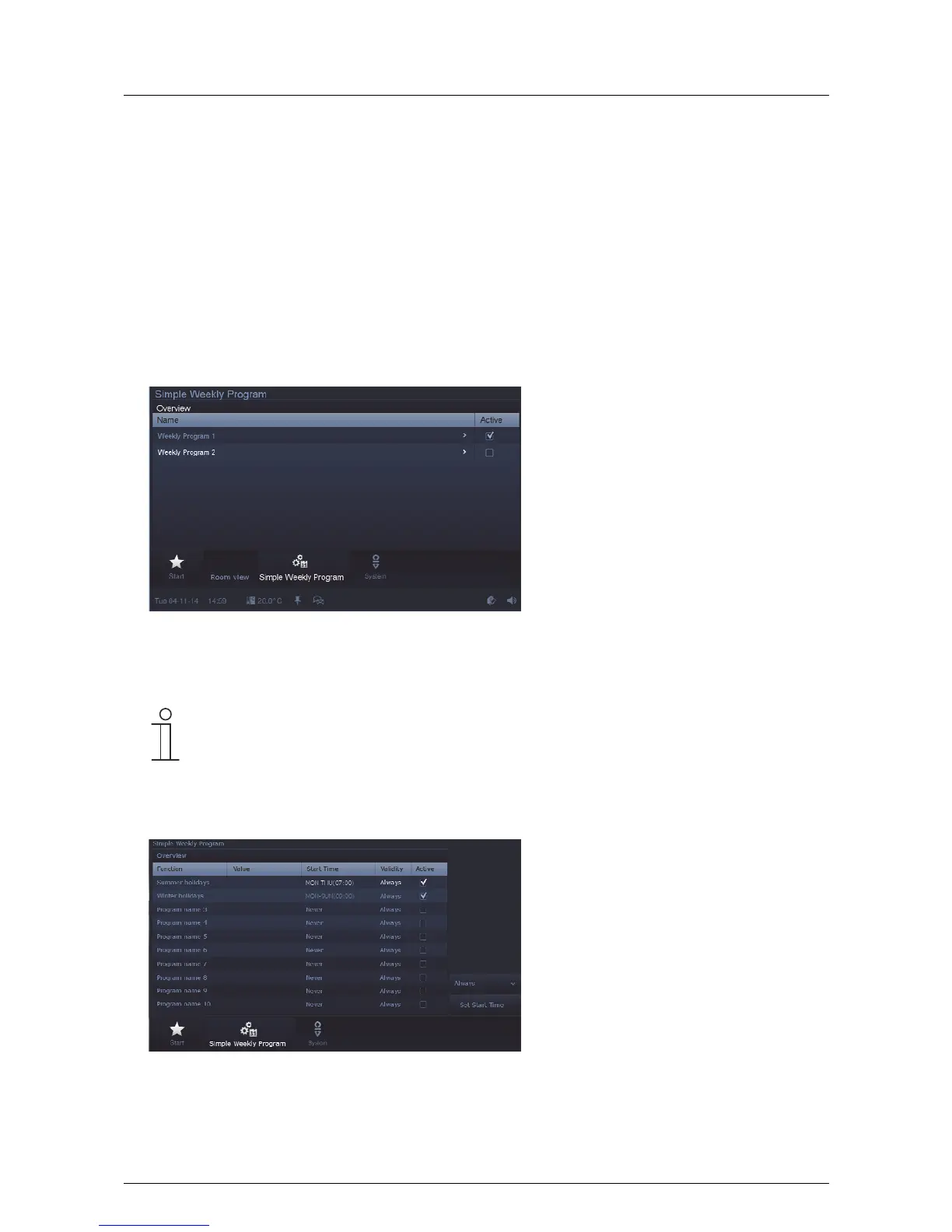
The overview list clearly displays the weekly programs. Here they can be activated and deactivated. Additional
settings for the processes / programs contained in the weekly programs can be made.
The weekly programs are created via the project planning software of the Busch-ComfortTouch
®
. Also the holiday
intervals are specified here.
Please see your electrical installer. The activation and minor adjustments on the Busch-ComfortTouch
®
can then
be carried out by the user.
1. Press the "Simple weekly program" icon in the navigation bar to access the function.
- The overview displays existing weekly programs. The program can be activated / deactivated by setting a
tick.
Note
If a value column is displayed, the indicated value (e.g. dimming value) can be adjusted. For this,
press on the value. The values can then be adjusted in the input window.
2. To access the overview of processes / programs that have been assigned to the weekly program, press an
entry (weekly program) in the overview list.
The overview displays the processes / programs that can be played in the weekly program. The respective
process can be deactivated / activated by setting a tick. Additionally, the statuses of the validity and start
times are displayed.
3. Select an entry (process) to edit it.



 To Next Page