Operating Instructions
Busch-ComfortTouch
®
Operation
Operating Instructions | 1473-1-8041 — 12 —
Pos: 15.2.5.1 /Layout bis 2014- 11-11/Online-Dok umentation ( +KNX)/Überschriften (--> Für alle Dokumente <--)/3. Ebene/A - F/Basisauf bau des Bildsc hirms @ 34\mod_136 1789765109_15. docx @ 281995 @ 3 @ 1
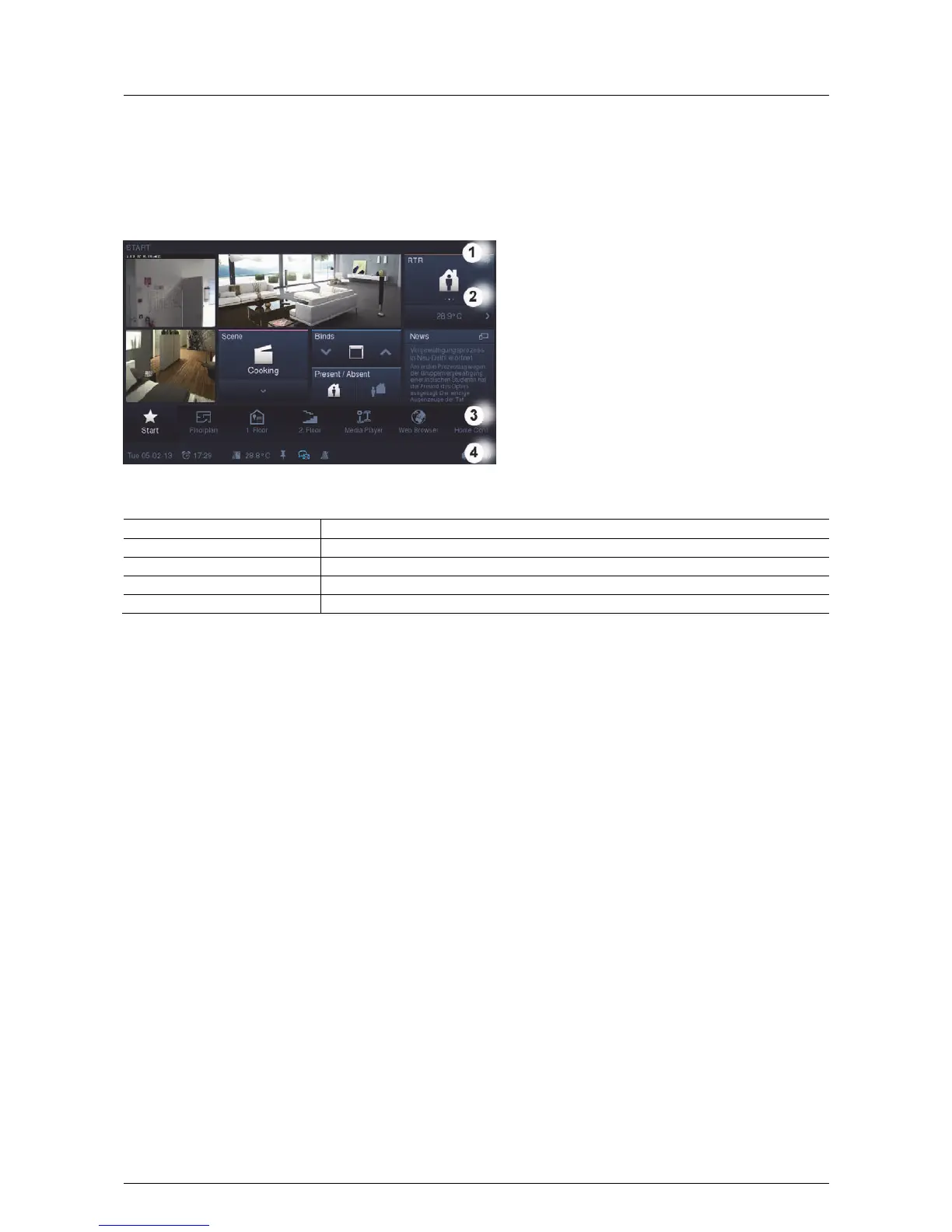
5.1.2 Basic setup of the monitor
Pos: 15.2.5.2 /Layout bis 2014- 11-11/Online-Dok umentation ( +KNX)/Bedienung/ KNX/KNX-Aktor ik/ComfortPane l 3.0/Bedienungsa nleitung/Grund lagen/Basisauf bau des Bildsc hirms/Basisa ufbau des Bildsc hirms @ 34\ mod_1361789476750_ 15.docx @ 281931 @ @ 1
The functions available in the Busch-ComfortTouch
®
depend on their individual installation. This means that also
the display image of the operating page and the naming of the functions vary from Busch-ComfortTouch
®
to
Busch-ComfortTouch
®
. However, the basic structure always remains the same.
1 Title | 2 Operating surface | 3 Navigation bar | 4 Status bar
Element Description
Title (pages, etc.) [1] Specification of page or directory
Control button (pages) [2] This is set up individually for you.
Navigation bar [3] Contains a menu that is tailored to your apartment.
Status bar [4] Displays information about your Busch-ComfortTouch
®
with the aid of icons.
Pos: 15.2.6 / Layout bis 2014-11- 11/Online-Dok umentation (+ KNX)/Steuermodule - Online-Dokumentation (--> Für alle Dokumente <--)/++++++++++++ Seitenumbruc h +++++++++ +++ @ 9\mod_126889866809 3_0.docx @ 52149 @ @ 1



 To Next Page