Operating Instructions
Busch-ComfortTouch
®
Operation
Operating Instructions | 1473-1-8041 — 17 —
Pos: 15.4.4.1 /Layout bis 2014- 11-11/Online-Dok umentation ( +KNX)/Überschriften (--> Für alle Dokumente <--)/3. Ebene/A - F/Bedienele mente @ 20\mod_1323 260220559_15.doc x @ 111647 @ 3 @ 1
5.2.2 Control elements
Pos: 15.4.4.2 /Layout bis 2014- 11-11/Online-Dok umentation ( +KNX)/Bedienung/ KNX/KNX-Aktor ik/ComfortPane l 3.0/Bedienungsa nleitung/Bedi enungsvorgänge am Touchdisplay /BedienelementeB edienelemente @ 44\mod_144800 4363441_15.doc x @ 404430 @ @ 1
Control elements in the Busch-ComfortTouch
®
are used to fulfil the basic functions of "Switching", "Dimming",
Blinds", "Value", "Scenes", RTC and "Measured values". The elements can include switches, buttons and sliders.
This makes possible the button mode, (executing the function with one press), the tipping mode (executing the
function by pressing and holding), as well as controller mode (moving a slider).
The following selection shows the most commonly used control elements available in the Busch-ComfortTouch
®
.
The type and appearance of the control elements may vary due to individual adaptation.
NOTE
The type and appearance of some control elements has been fixed and cannot be altered (e.g.
volume control). However, for some control elements (e.g. light switches) individual formats (also
icons) can be selected.
This must be appropriately activated in the project planning software of the Busch-ComfortTouch
®
.
Please contact your electrical installer who will set up the Busch-ComfortTouch
®
for you
individually and according to your wishes.
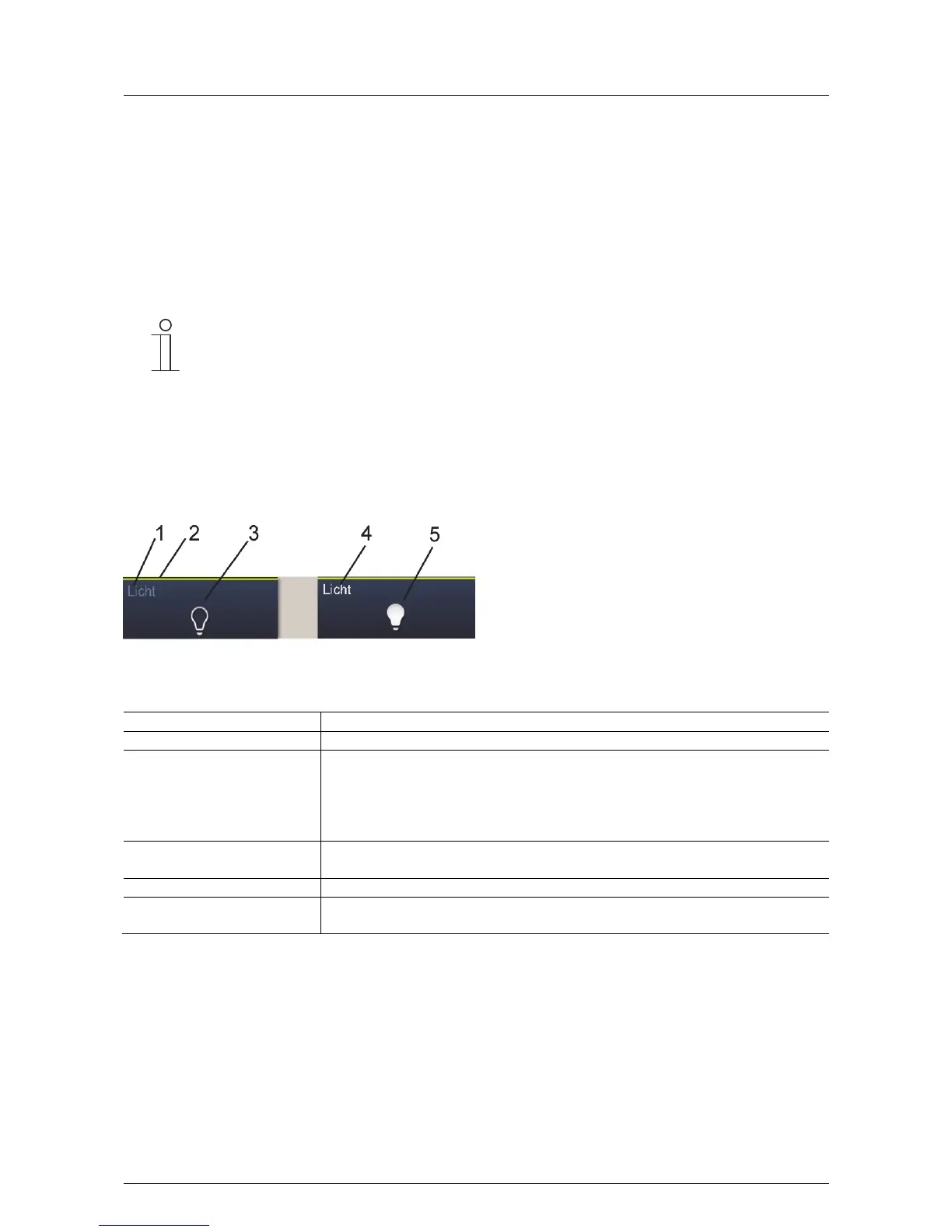
Basic structures of control elements
Fig. 6: Different statuses of the same control element
1 Status display of "Device" | 2 Designation of "Control element" | 3 Function button | 4 Status display of "Device" |
5 Function button
Control element Description
Status display of device [1] The device is switched off (lettering is dark).
Designation of control element [2] Light control: Yellow
Blind functions: Blue
Climate functions: Orange
Scenes: Magenta
Other functions: Grey
Function button (push-button) [3] The function is triggered with a press of the button (can also display the status, here: "Device
off").
Status display of device [4] The device is switched on (Lettering: white / bright).
Function button (push-button) [5] The function is triggered with a press of the button (can also display the status, here: "Device
on").



 To Next Page