Operating Instructions
Busch-ComfortTouch
®
Operation
Operating Instructions | 1473-1-8041 — 82 —
Pos: 15.6.49.1 /Layout bis 2014- 11-11/Online-D okumentation ( +KNX)/Überschriften (--> Für alle Dokumente <--)/3. Ebene/A - F/Datum- un d Zeiteinstel lungen @ 34\mod_13 61800449937_15. docx @ 283531 @ 3 @ 1
5.4.16 Date and time settings
Pos: 15.6.49.2 /Layout bis 2014- 11-11/Online-D okumentation ( +KNX)/Bedienung/ KNX/KNX-Aktor ik/ComfortPane l 3.0/Bedienungs anleitung/ Erläuterung der Funktionen/Dat um- und Zeitein stellungen/Da tum- und Zeitei nstellungen @ 34\mod_1361793692 586_15.doc x @ 282299 @ @ 1
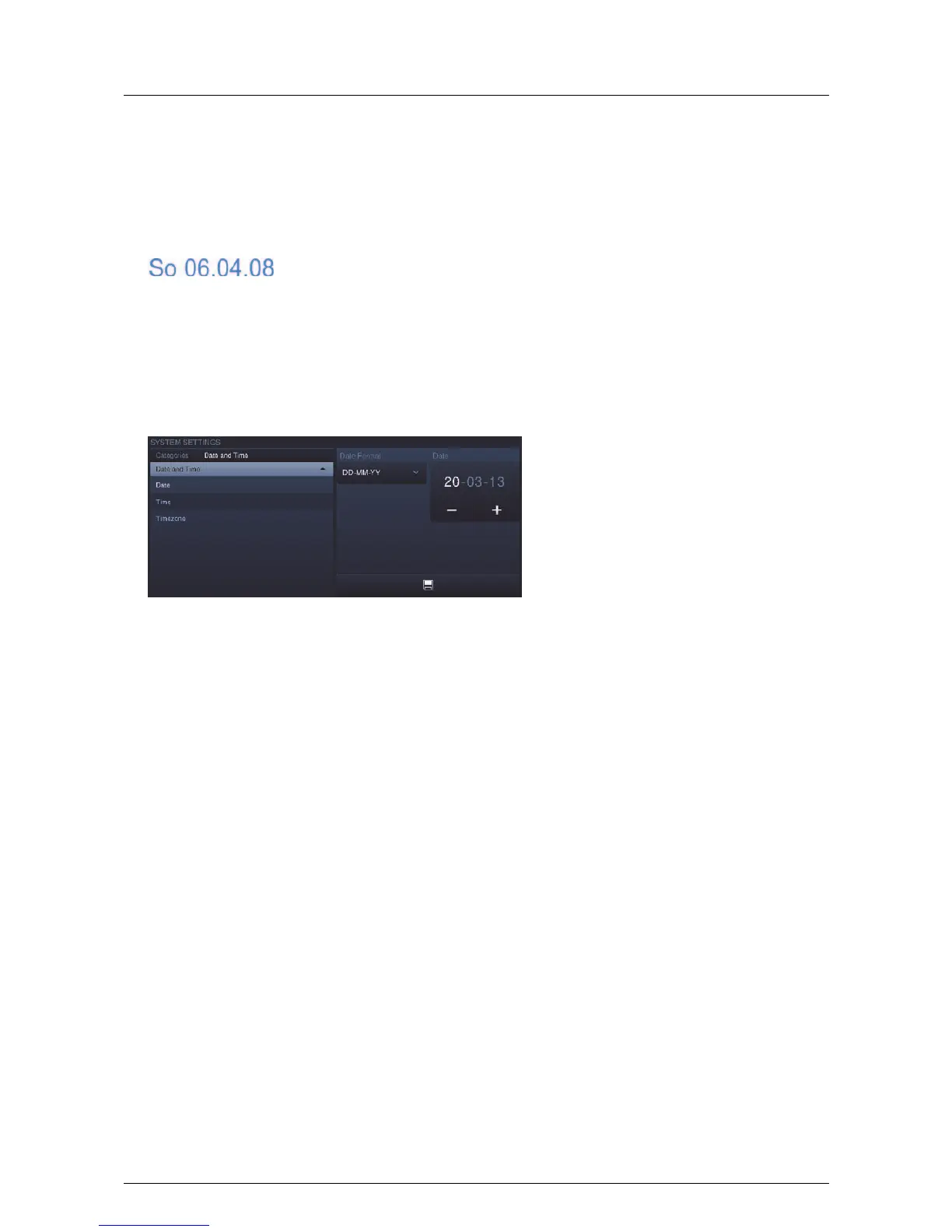
Set date
The current date is displayed in the status bar.
1. Press on the date.
An option opens.
2. Here select the "Date setting".
Additional date-relevant functions are available for selection depending on the activation.
3. Select the date format. Press the arrow to open an options list.
4. Press an entry here.
5. Set the date.
6. Touch the day, the month or the year.
The setting is made via -/+.
7. Press the "Save" button.



 To Next Page