Operating Instructions
Busch-ComfortTouch
®
Operation
Operating Instructions | 1473-1-8041 — 84 —
Pos: 15.6.51.1 /Layout bis 2014- 11-11/Online-D okumentation ( +KNX)/Überschriften (--> Für alle Dokumente <--)/3. Ebene/G - L/Import und Export von Dateien @ 34\ mod_1361800522144_ 15.docx @ 28354 6 @ 3 @ 1
5.4.17 Import and export of files
Pos: 15.6.51.2 /Layout bis 2014- 11-11/Online-D okumentation ( +KNX)/Bedienung/ KNX/KNX-Aktor ik/ComfortPane l 3.0/Bedienungs anleitung/ Erläuterung der Funktionen/I mport und Expor t von DateienI mport und Expor t von Dateien @ 40\mod_1418739108 714_15.doc x @ 309951 @ @ 1
The Busch-ComfortTouch
®
contains a simple import and export function for files.
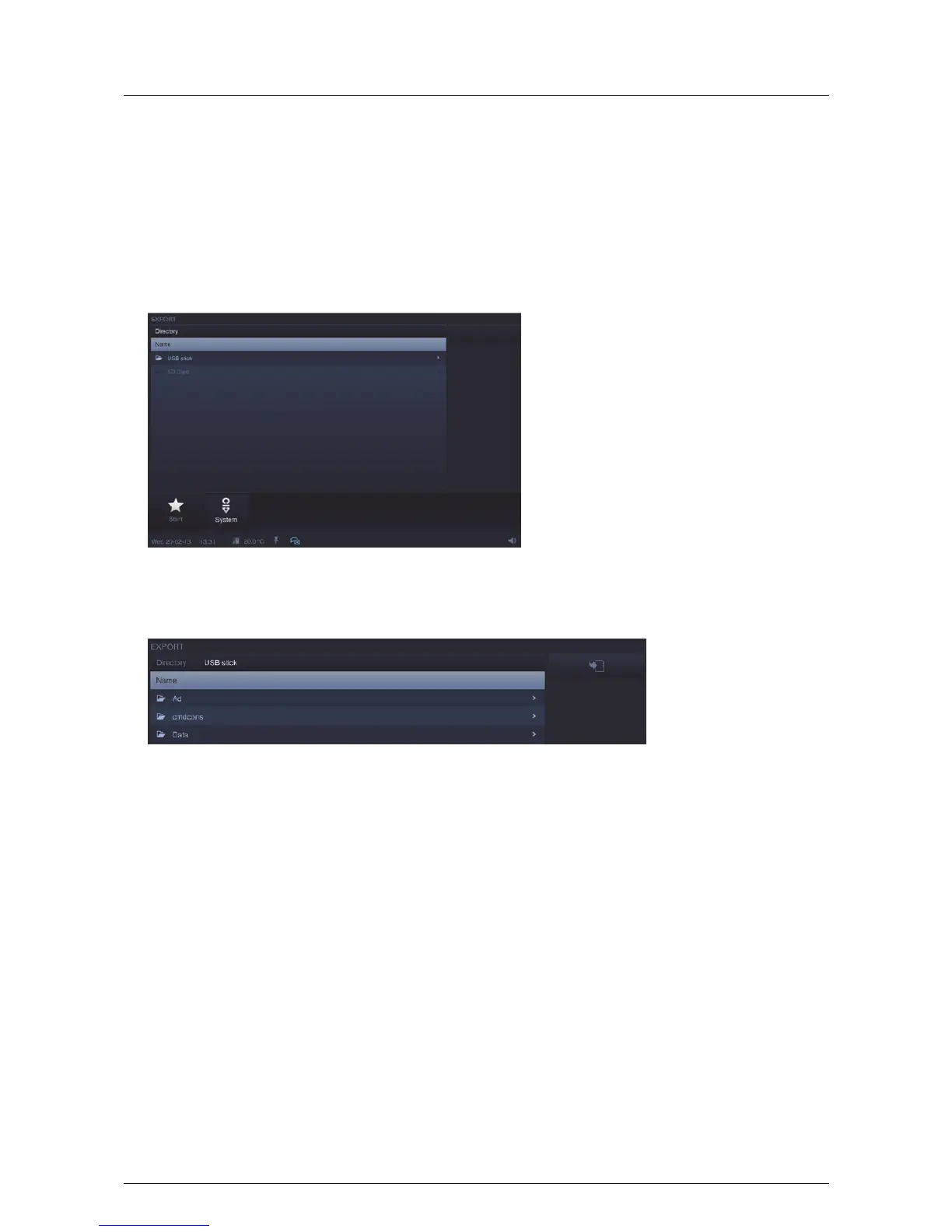
This can be used to import project and firmware files as well as export existing project files.
An export of the project file is especially practical prior to carrying out a firmware update.
This function is started via "System" -> "Import / Export". The export function is described in the following.
1. Select the storage medium on which the file is to be saved.
2. Select the directory on the storage medium.
3. Press the "Save" button.
Pos: 15.6.52 / Layout bis 2014- 11-11/Online- Dokumentation (+ KNX)/Steuermodu le - Online-Dok umentation (--> Für alle Dokumente <--)/++++++++++++ Seitenumbruch ++++++++++++ @ 9\ mod_1268898668093_0. docx @ 52149 @ @ 1



 To Next Page