Operating Instructions
Busch-ComfortTouch
®
Operation
Operating Instructions | 1473-1-8041 — 31 —
Pos: 15.6.1 / Layout bis 2014-11- 11/Online-Dok umentation (+ KNX)/Überschriften (--> Für alle Dokumente <--)/2. Ebene/A - F/Erläuterung der Funktion en @ 34\mod_13618 00733938_15.doc x @ 283595 @ 2 @ 1
5.3 Explanation of functions
Pos: 15.6.2.1 /Layout bis 2014- 11-11/Online-Dok umentation ( +KNX)/Überschriften (--> Für alle Dokumente <--)/3. Ebene/S - T/Seitentype n @ 34\mod_1361 794640313_15.doc x @ 283114 @ 3 @ 1
5.3.1 Page types
Pos: 15.6.2.2 /Layout bis 2014- 11-11/Online-Dok umentation ( +KNX)/Bedienung/ KNX/KNX-Aktor ik/ComfortPane l 3.0/Bedienungsa nleitung/Er läuterung der Fun ktionen/Seitenty pen/Seitenty pen @ 34\mod_1361 785795466_15. docx @ 281839 @ @ 1
The functions are called up and executed via the start page and the operating and application pages. These types
of pages are briefly explained in the following.
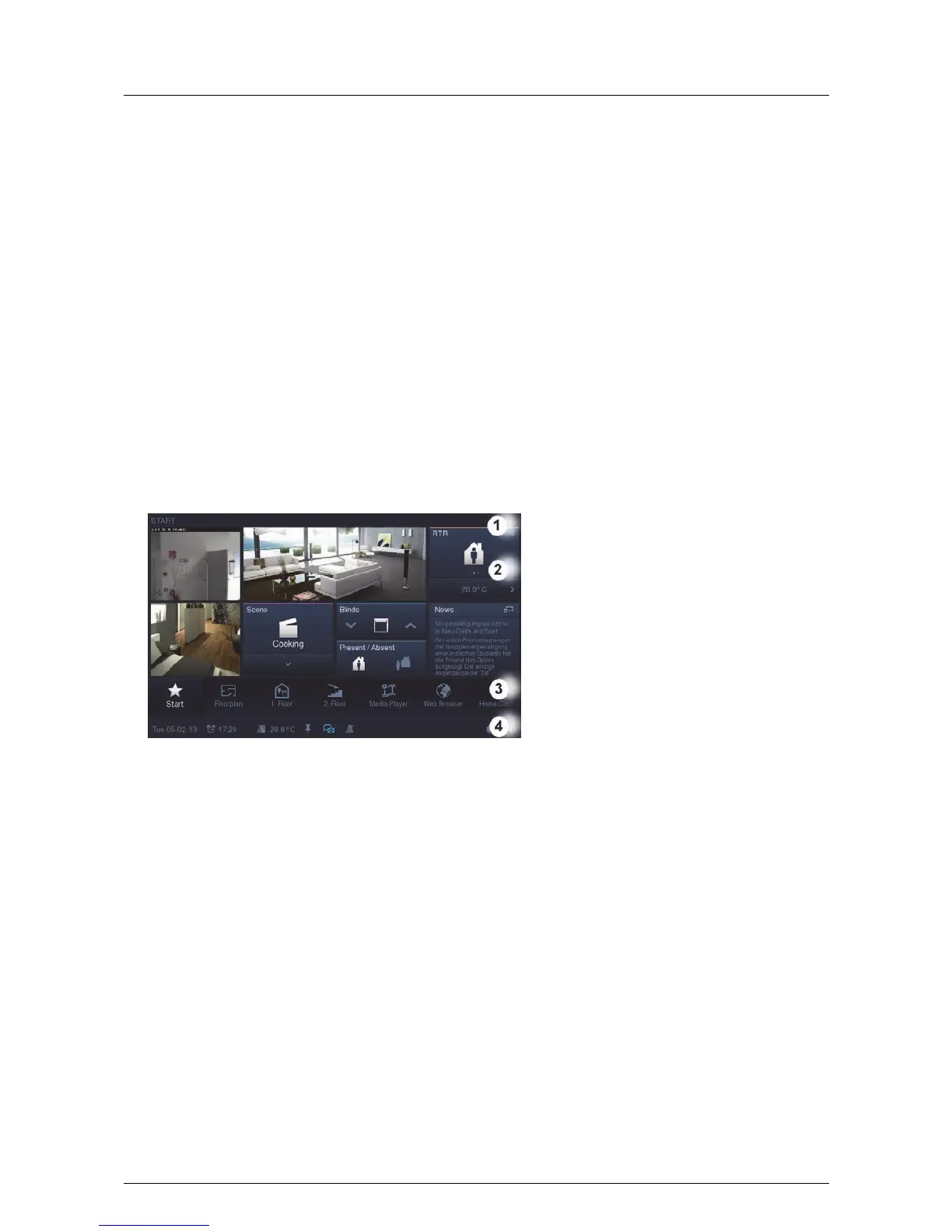
- Start page:
The Busch-ComfortTouch
®
includes a start page (welcome page), which is displayed to the user after a
certain time interval or after returning from the screensaver. It thus represents the "face" of the Busch-
ComfortTouch
®
and serves as an orientation point. The start page is the starting point of any navigation.
Access to the start page is always provided on the left side of the navigation bar.
The start page of the Busch-ComfortTouch
®
plays another important role:
Here functions that are especially useful for the user can be positioned. You can, for instance, add
(additional) room lights and blinds to the start page in which the Busch-ComfortTouch
®
is located. The user
then has direct access to these functions. To integrate such functions of building control into the start page,
control elements must be positioned there. Alternatively, the start page can be used to create a second
navigation option for such pages that involve functions of an individual room. For this, up to six floor plan
graphics of a living room with appropriate links can be integrated into the start page. Please contact your
electrical installer who will set up the Busch-ComfortTouch
®
for you individually and according to your
wishes.



 To Next Page