Operating Instructions
Busch-ComfortTouch
®
Operation
Operating Instructions | 1473-1-8041 — 16 —
Pos: 15.4.1 / Layout bis 2014-11- 11/Online-Dok umentation (+ KNX)/Überschriften (--> Für alle Dokumente <--)/2. Ebene/A - F/Bedienungsvorgänge am Touchdisplay @ 34\mod_1361791386 659_15.docx @ 282063 @ 2 @ 1
5.2 Operating processes on the touchdisplay
Pos: 15.4.2.1 /Layout bis 2014- 11-11/Online-Dok umentation ( +KNX)/Überschriften (--> Für alle Dokumente <--)/3. Ebene/S - T/Schaltfläc hen @ 34\mod _1361791774658_15. docx @ 282202 @ 3 @ 1
5.2.1 Buttons
Pos: 15.4.2.2 /Layout bis 2014- 11-11/Online-Dok umentation ( +KNX)/Bedienung/ KNX/KNX-Aktor ik/ComfortPane l 3.0/Bedienungsa nleitung/Bedi enungsvorgänge am Touchdisplay /Schaltflächen/ Schaltfläche n @ 34\mod_1361791 449195_15.doc x @ 282078 @ @ 1
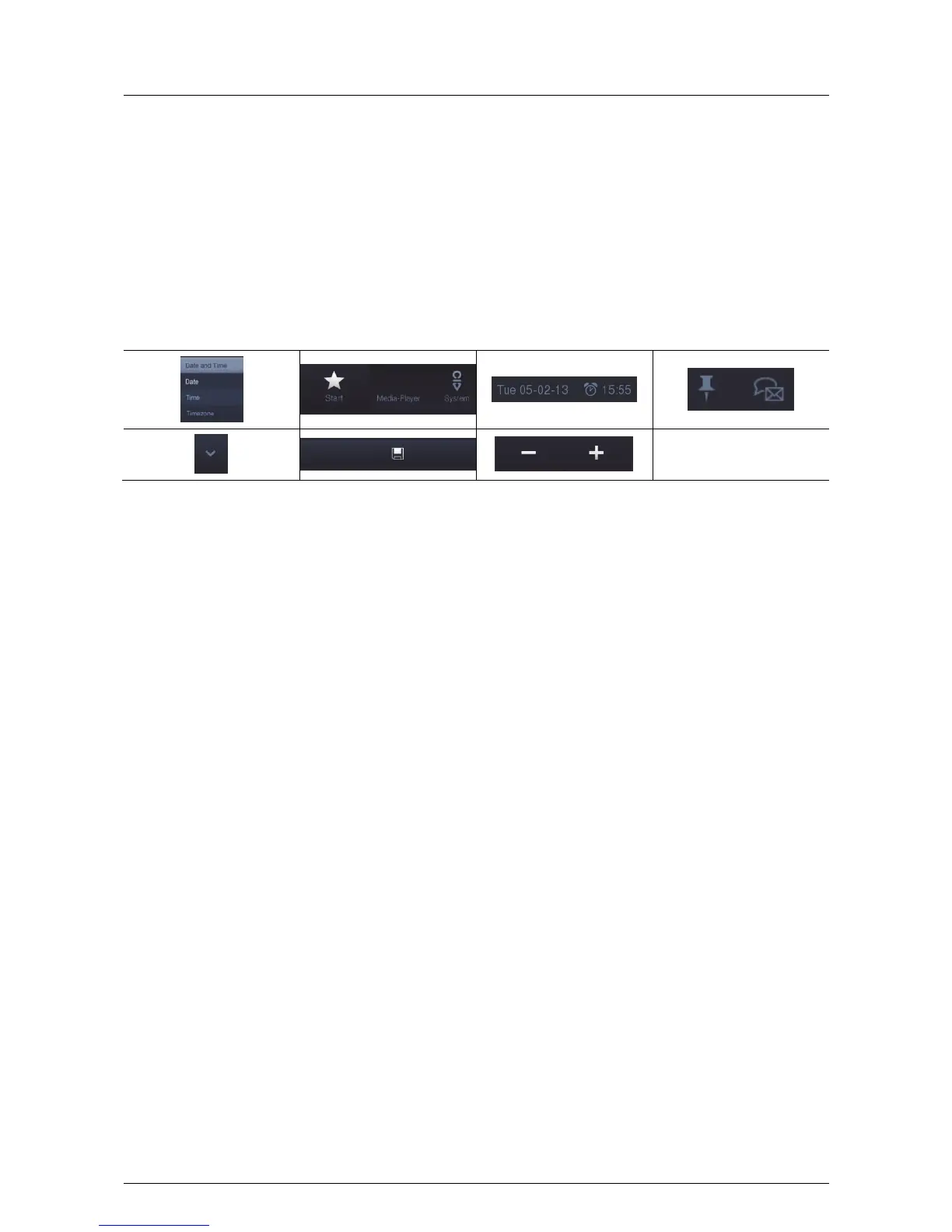
Operating surfaces are generally termed buttons, which are frequently used in user operating surfaces. The user
can trigger a function by touching the button.
In the Busch-ComfortTouch
®
these are, among others, icons (e.g. in the navigation and status bars), data
displays and lettering (e.g. date and time display in the status bar), list entries (e.g. options lists / menus) and
graphically highlighted elements.
Examples of buttons in the Busch-ComfortTouch
®
:
Pos: 15.4.3 / Layout bis 2014-11- 11/Online-Dok umentation (+ KNX)/Steuermodule - Online-Dokumentation (--> Für alle Dokumente <--)/++++++++++++ Seitenumbruc h +++++++++ +++ @ 9\mod_126889866809 3_0.docx @ 52149 @ @ 1



 To Next Page