Operating Instructions
Busch-ComfortTouch
®
Operation
Operating Instructions | 1473-1-8041 — 11 —
Pos: 15.1 /Lay out bis 2014-11-1 1/Modul-Struk tur/Online-Doku mentation/Überschriften (--> Für alle Dokumente <--)/1. Ebene/A - F/Bedienung @ 11\ mod_1279185541649 _15.docx @ 8304 3 @ 1 @ 1
5 Operation
Pos: 15.2.1 / Layout bis 2014-11- 11/Online-Dok umentation (+ KNX)/Überschriften (--> Für alle Dokumente <--)/2. Ebene/G - L/Grundlagen @ 34\mod_1361 783815778_15.doc x @ 281737 @ 2 @ 1
5.1 Fundamentals
Pos: 15.2.2 / Layout bis 2014-11- 11/Online-Dok umentation (+ KNX)/Bedienung/K NX/KNX-Aktori k/ComfortPanel 3. 0/Bedienungsanl eitung/Grundla genGrundlagen @ 34\mod_13617836 92984_15.docx @ 281700 @ @ 1
The following pages will guide you through the advantages of the Busch-ComfortTouch
®
. Intuitive operability
easily familiarizes you with the versatility of the technical options. The operation distinguishes itself through its
clarity and user-friendliness.
Note
However, many functions are are available only when the project planning software of the Busch-
ComfortTouch
®
has been appropriately activated. Please contact your electrical installer who will
set up the Busch-ComfortTouch
®
for you individually and according to your wishes. In the project
planning software the scope of available functions is specified. Also consult your specialist
electrical dealer.
Pos: 15.2.3.1 /Layout bis 2014- 11-11/Online-Dok umentation ( +KNX)/Überschriften (--> Für alle Dokumente <--)/3. Ebene/A - F/Farbkonze pt @ 34\mod_13617 84416110_15.doc x @ 281801 @ 3 @ 1
5.1.1 Colour concept
Pos: 15.2.3.2 /Layout bis 2014- 11-11/Online-Dok umentation ( +KNX)/Produktüber sicht/KNX/Co mfortPanel 3. 0/KNX Technische s Handbuch/ Farbkonzept/Farbkon zept @ 33\mod_13 61365475354_15. docx @ 278065 @ @ 1
The Busch-ComfortTouch
®
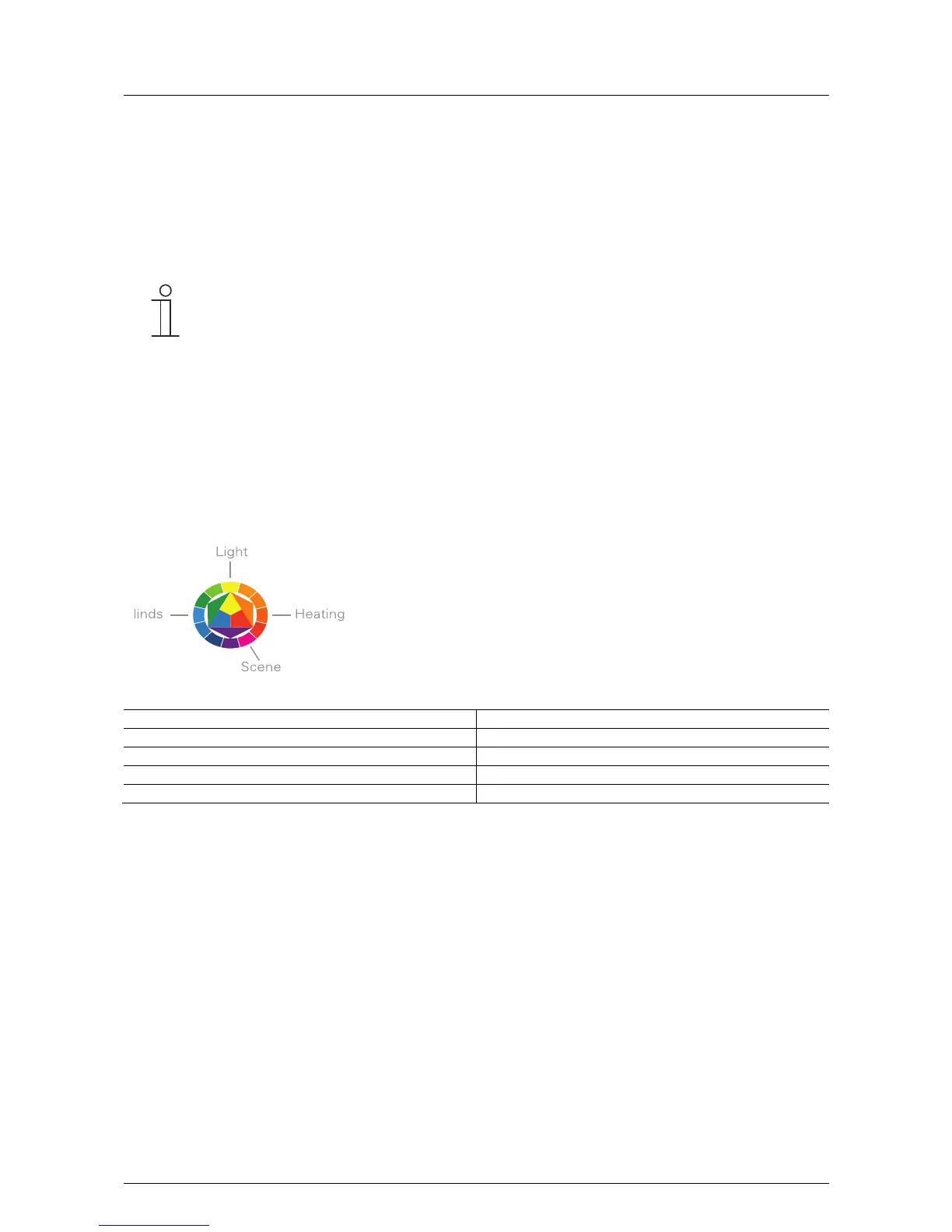
is equipped with an intelligent, intuitive operating concept. The basis is a consistent
colour orientation for a better overview and faster recognition of the control element functions. The functions
"Light", "Blinds", "Heating" and "Scenes" are illuminated in colour code (colour code on the operating surfaces) as
follows:
B
Fig. 2: Colour concept
Colour Function assignment
Yellow (like the sun) Light control
Blue (like the sky) Blind functions
Orange (like warmth) Climate functions
Magenta (stands for extravagance) Scenes
Pos: 15.2.4 / Layout bis 2014-11- 11/Online-Dok umentation (+ KNX)/Steuermodule - Online-Dokumentation (--> Für alle Dokumente <--)/++++++++++++ Seitenumbruc h +++++++++ +++ @ 9\mod_126889866809 3_0.docx @ 52149 @ @ 1



 To Next Page