Operating Instructions
Busch-ComfortTouch
®
Operation
Operating Instructions | 1473-1-8041 — 85 —
Pos: 15.6.53.1 /Layout bis 2014- 11-11/Online-D okumentation ( +KNX)/Überschriften (--> Für alle Dokumente <--)/3. Ebene/S - T/Systemein stellungen @ 34\ mod_136180059875 7_15.docx @ 2835 63 @ 3 @ 1
5.4.18 System settings
Pos: 15.6.53.2 /Layout bis 2014- 11-11/Online-D okumentation ( +KNX)/Bedienung/ KNX/KNX-Aktor ik/ComfortPane l 3.0/Bedienungs anleitung/ Erläuterung der Funktionen/Sy stemeinstellun gen/Systemeins tellungen @ 34\ mod_1361793678986 _15.docx @ 28226 7 @ @ 1
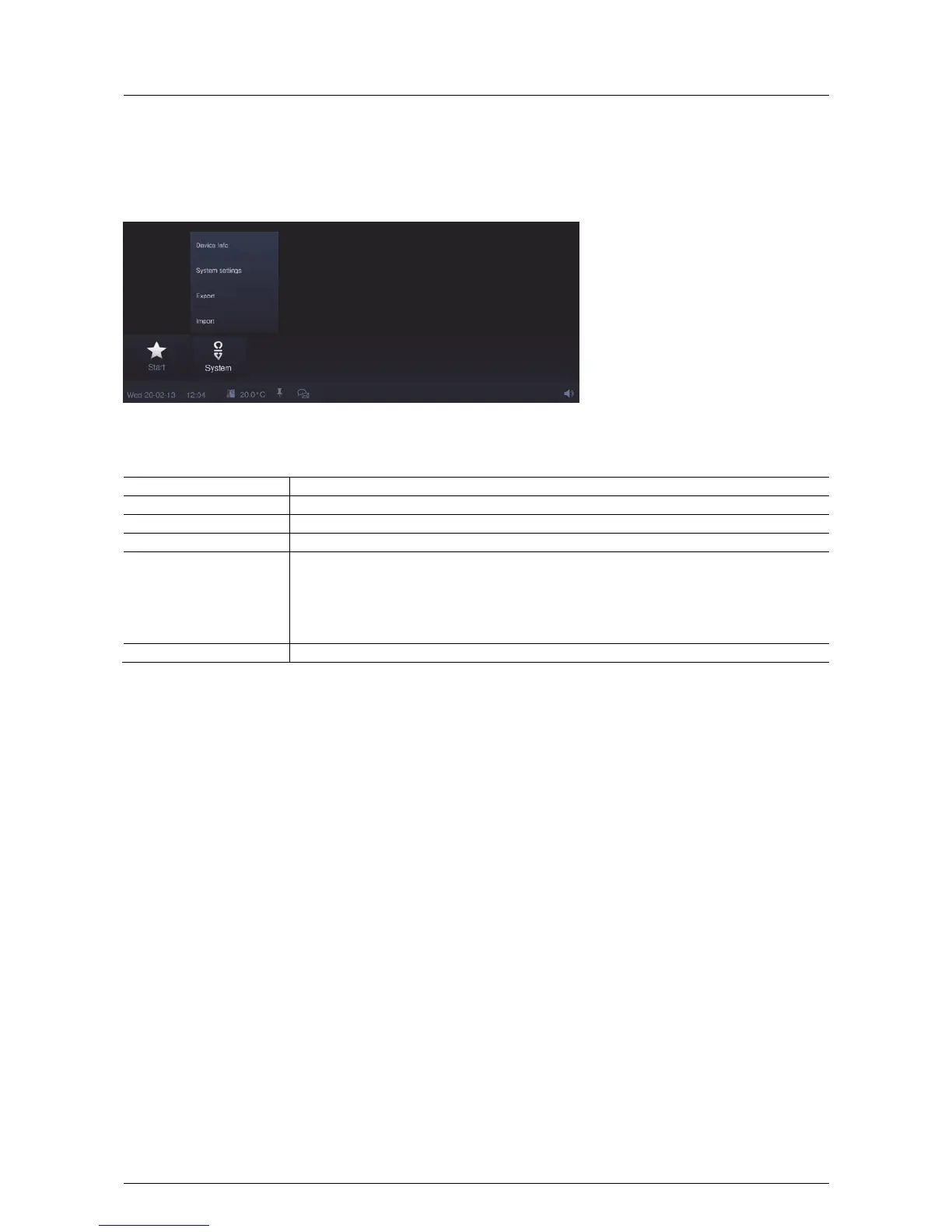
Some system settings can also be made directly on the Busch-ComfortTouch
®
. They are called up via the
"System" icon in the navigation bar of the Busch-ComfortTouch
®
.
The following system settings are possible (depending on the project planning status, additional settings are
available):
System settings Description
Date and time Formats, date, time and time zones.
Screen Screen brightness.
Network settings Network type, IP settings and WLAN network.
Settings on the Busch-
ComfortTouch
®
Basic settings (separators, first day of the week)
Camera setting (Attention: This settings is made by the electrical installer)
Dialog settings (signal tones and messages)
Temperature settings (temperature unit and internal temperature offset)
User settings (system language, user language, tone when pressing a button, ....)
Screen saver Running time "Start saver", running time "Monitor off", effects, interval change and order
Modification of system settings
1. Select a category .
2. Then select the desired entry (or first the sub-list and then the entry).
3. Make the settings on the right-hand side.
4. Press the "Save" button.
Pos: 15.6.54.1 /Layout bis 2014- 11-11/Online-D okumentation ( +KNX)/Überschriften (--> Für alle Dokumente <--)/3. Ebene/G - L/Geräteinf ormationen @ 34\ mod_13618006749 62_15.doc x @ 283578 @ 3 @ 1
5.4.19 Device information
Pos: 15.6.54.2 /Layout bis 2014- 11-11/Online-D okumentation ( +KNX)/Bedienung/ KNX/KNX-Aktor ik/ComfortPane l 3.0/Bedienungs anleitung/ Erläuterung der Funktionen/Ger äteinformationen Geräteinfor mationen @ 40\ mod_1418739790017_1 5.docx @ 309967 @ @ 1
Important information about the device is available in the Busch-ComfortTouch
®
via "System" -> "Device
information". This includes the IP address, the MAC address and the contact details of the fitter.
Pos: 16 /Layout bis 2014-11-11/ Modul-Struktur /Online-Doku mentation/Steuer module - Online- Dokumentation (--> Für alle Dokumente <--)/++++++++++++ Seitenumbruch ++++++++++++ @ 9\mod_1268898668093_0.doc x @ 52149 @ @ 1



 To Next Page