Operating Instructions
Busch-ComfortTouch
®
Operation
Operating Instructions | 1473-1-8041 — 39 —
Pos: 15.6.10.1 /Layout bis 2014- 11-11/Online-D okumentation ( +KNX)/Überschriften (--> Für alle Dokumente <--)/3. Ebene/S - T/Sprac hnachrichten @ 34\mod_1361795169543_ 15.docx @ 28316 2 @ 3 @ 1
5.3.6 Voice messages
Pos: 15.6.10.2 /Layout bis 2014- 11-11/Online-D okumentation ( +KNX)/Bedienung/ KNX/KNX-Aktor ik/ComfortPane l 3.0/Bedienungs anleitung/ Erläuterung der Funktionen/Spr achnachric htSprachnachric hten @ 40\mod_14187 29614462_15.doc x @ 309705 @ @ 1
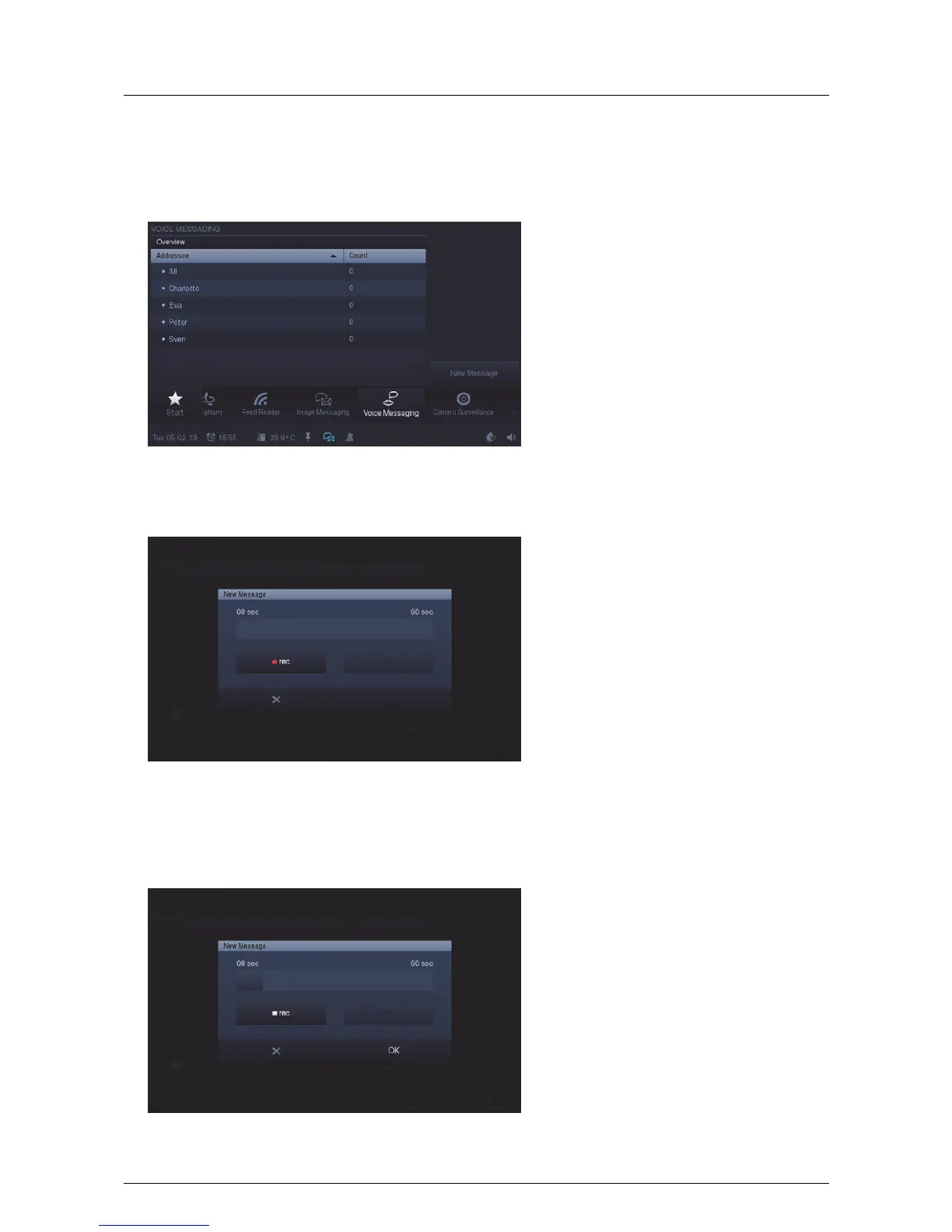
The "Voice messages" function serves for recording and playback of voice messages. They are recorded with the
integrated microphone and can therefore be played back later.
1. Press the "Voice messages" icon in the navigation bar to access the function.
2. Press "New message" to record a new voice message.
3. Now select "rec" (red dot) and speak into the integrated microphone. If you are finished inside a period of 60
seconds, press "OK". Otherwise the recording is automatically terminated after 60 seconds.
4. You can interrupt and restart the recoding at any time by again pressing "rec" (white square) and then
selecting "Start" (►).



 To Next Page