Operating Instructions
Busch-ComfortTouch
®
Operation
Operating Instructions | 1473-1-8041 — 13 —
Pos: 15.2.7.1 /Layout bis 2014- 11-11/Online-Dok umentation ( +KNX)/Überschriften (--> Für alle Dokumente <--)/3. Ebene/M - O/Navigation sleiste @ 34\mod_ 1361789901569_1 5.docx @ 282011 @ 3 @ 1
5.1.3 Navigation bar
Pos: 15.2.7.2 /Layout bis 2014- 11-11/Online-Dok umentation ( +KNX)/Bedienung/ KNX/KNX-Aktor ik/ComfortPane l 3.0/Bedienungsa nleitung/Grund lagen/Navigation sleiste/Na vigationsleiste @ 34\mod_1361789 580305_15.doc x @ 281978 @ @ 1
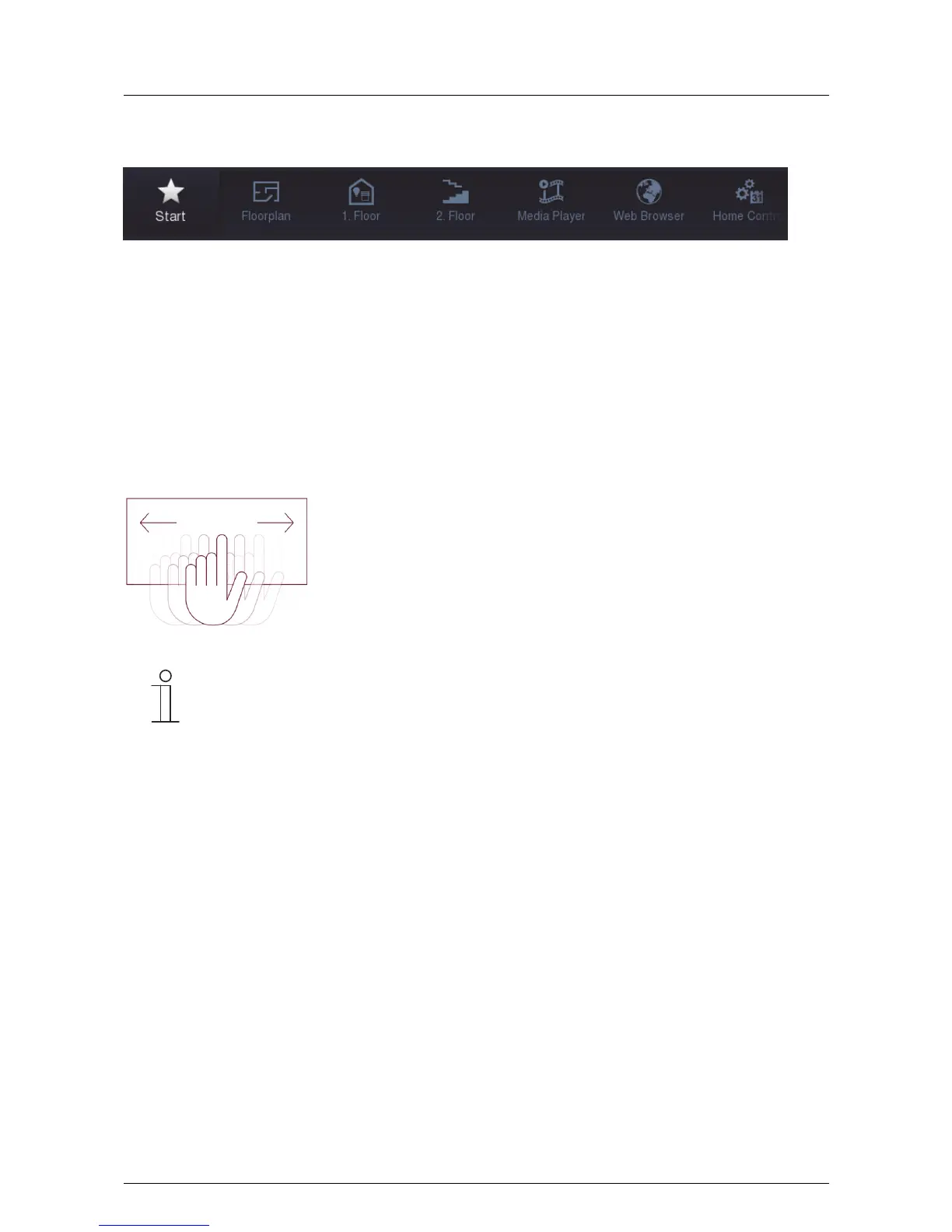
Fig. 3: Navigation bar (example)
The navigation bar is used exclusively for navigation in a Busch-ComfortTouch
®
. An exception are links to the
start page, which also provides quick access to certain pages in the navigation bar.
Each operating or application page is represented by an access in the navigation bar. This means that each
access on the navigation bar stands for exactly one page. Or conversely, each access to the navigation bar
stands for exactly one page. Pressing an access takes you directly to the respective page. Also the functions are
activated via the pages. The various accesses can also be bundled topically. Then, after a press, an option opens
for calling up operating pages or application pages.
With a swiping motion of the fingers the bar can be moved back and forth. This shows all elements one after the
other. Access to the start page is provided on the left edge of the navigation bar.
Fig. 4: Moving the navigation bar with swiping motion
Note
The icons for the buttons (accesses) can be selected individually.
Pos: 15.2.8 / Layout bis 2014-11- 11/Online-Dok umentation (+ KNX)/Steuermodule - Online-Dokumentation (--> Für alle Dokumente <--)/++++++++++++ Seitenumbruc h +++++++++ +++ @ 9\mod_126889866809 3_0.docx @ 52149 @ @ 1



 To Next Page