Operating Instructions
Busch-ComfortTouch
®
Operation
Operating Instructions | 1473-1-8041 — 74 —
2. Select an entry (scene) to edit it.
The scene can now be started with the aid of the control element (see section "Control elements").
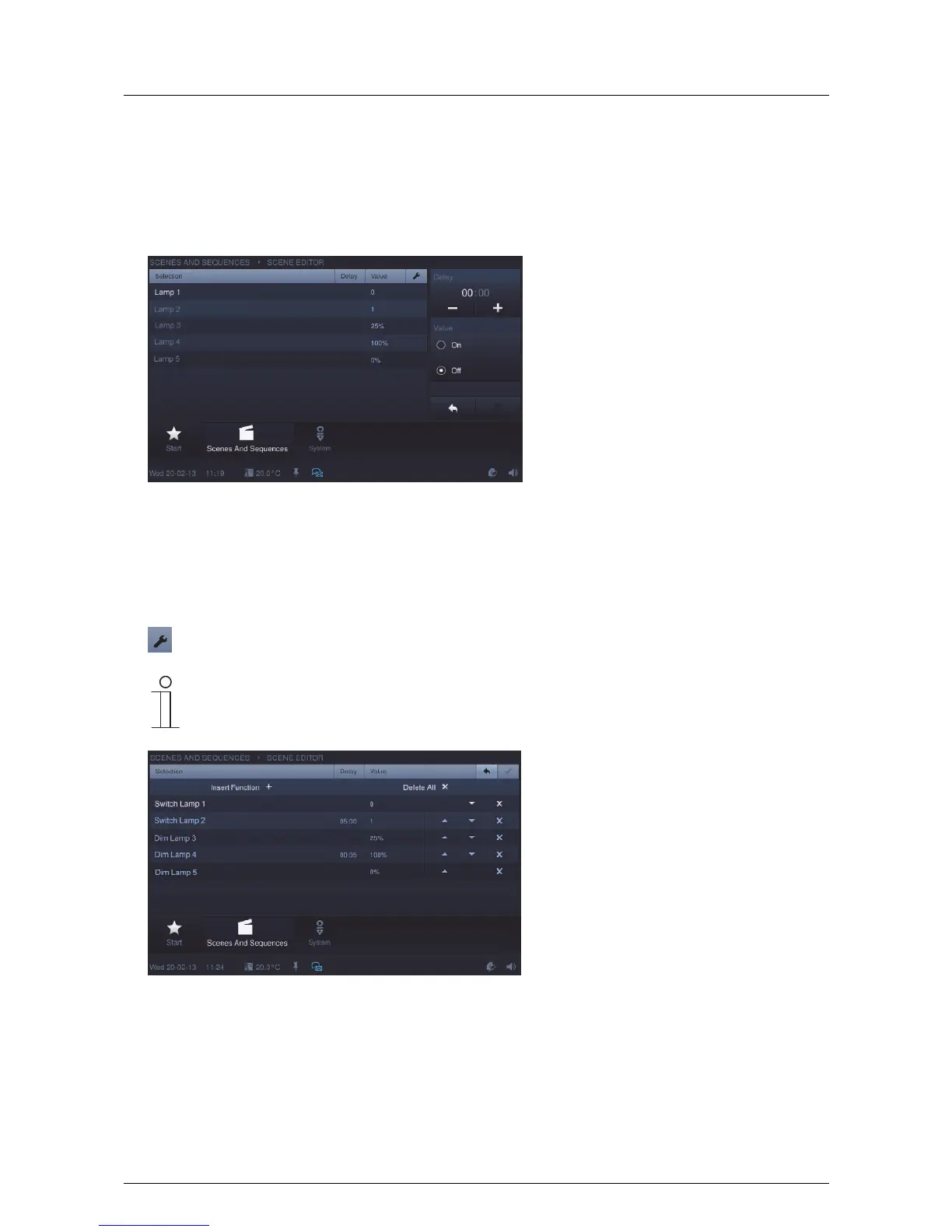
3. Press "Scene editor" to adjust the scene. Select an entry for this.
The overview shows components (functions) of the selected scene or the sequence. These components can
be changed to a limited extent.
The adjustments that can be made are shown on the right.
4. Press the following icon to enable you to make adjustments for the entire scene.
Note
If the start time is changed, all the following scenes adjust their start times automatically.
5. In this view you can delete individual functions.



 To Next Page