Operating Instructions
Busch-ComfortTouch
®
Operation
Operating Instructions | 1473-1-8041 — 77 —
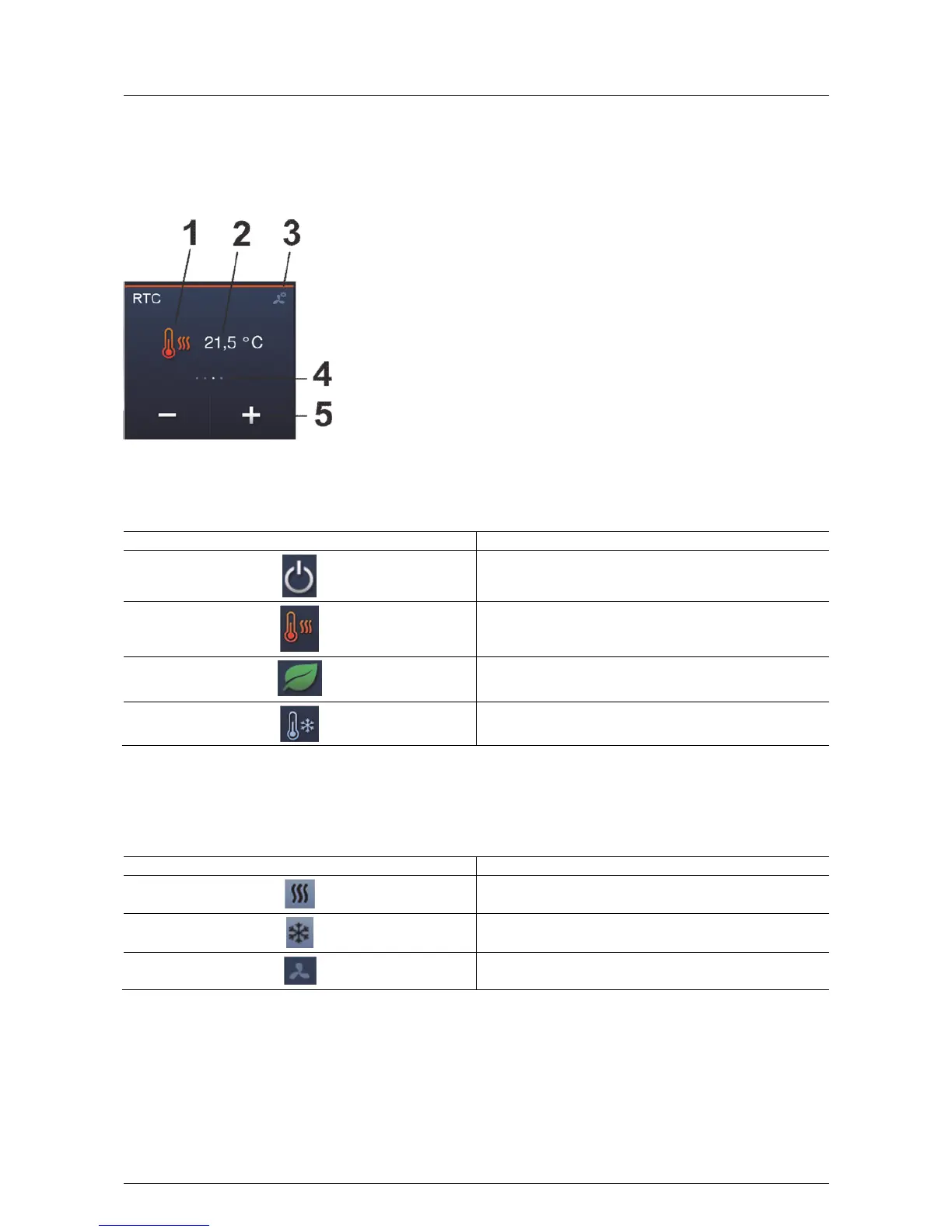
The following figure shows an example of the an overview of the control and display elements of the room
temperature controller (elements are available or not according to the setting in the project planning software of
the Busch-ComfortTouch
®
).
Fig. 8: Overview of the control and display elements of the room temperature controller
1 Operating modes | 2 Set set-point temperature | 3 Operating buttons | 4 Display of modes |
5 Display of availability of additional operating modes
Operating modes Description
The room temperature controller is deactivated
Presence (comfort temperature: the residents are at home)
Absent (eco mode, cost-saving temperature: the residents are not
at home).
Frost protection is activated!
The icons appear also in the status bar or the control element.
Mode display
Mode display Description
Heating mode.
Cooling mode.
Fan mode



 To Next Page